Prompt
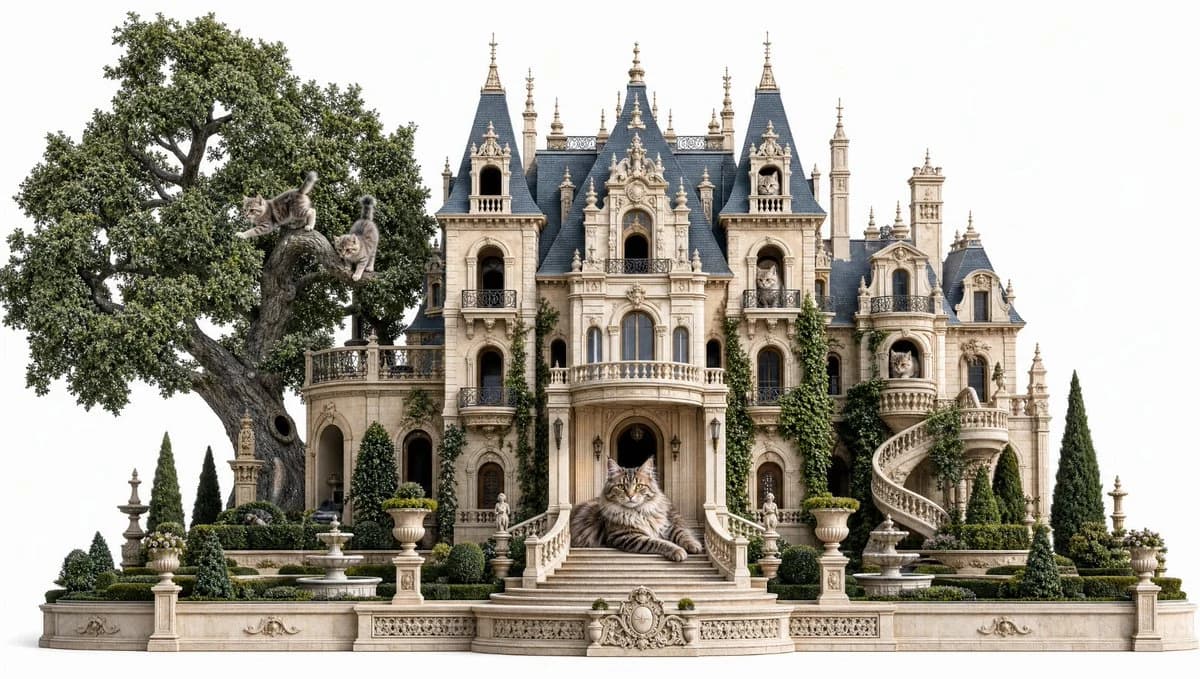
219 wordsCreate a highly detailed photorealistic fantasy architectural scene on a clean white background: an ornate French Gothic château transformed into a luxurious cat mansion. The mansion is symmetrical and cream-colored limestone, with dark blue slate mansard roofs, many steep spires, dormer windows, carved balconies, arched openings, balustrades, sculptural trim, and ivy climbing parts of the facade. In front, a grand central staircase curves down to formal gardens with clipped hedges, urn planters, small fountains, stone statues, cypress trees, and decorative low walls. On the left, a massive ancient oak tree grows beside the mansion, its trunk twisting upward and its dense green canopy filling the upper-left side. Include exactly 9 realistic long-haired gray tabby cats: 3 cats in the oak tree, one leaping from a branch, one perched on the trunk, and one climbing with tail raised; 1 cat resting on the low terrace near the tree; 1 large majestic Maine Coon-like cat lying prominently on the central front steps as the focal point; 1 cat visible in an upper left tower window; 1 cat visible in an upper right tower window; 1 cat sitting on the rounded right-side balcony; and 1 cat peeking from the far-right arched window. Use soft daylight, crisp architectural detail, natural shadows, elegant storybook realism, balanced frontal composition, no people, no text, no watermark.
About this prompt
Gothic Cat Château is a ready-to-use ad creative prompt for GPT Image 2 on Image 2. Copy the 219 words below, paste them into the Create form, and you will get a result close to the preview above. Tweak the Product Ad, Ad Creative, Architecture tag if you want to push it somewhere new.
Use it as a starting point, then adjust the subject, lighting, or composition to suit your idea. The credit cost stays the same whether you use it as written or customize it.
Use case
A strong starting point for Ad Creative
Start here when you want a ad creative image inspired by Gothic Cat Château. The prompt already sets the look and composition; replace the subject, product, colors, or scene details to match your project.
Easy places to tweak
- Subject Swap in your person, product, place, or object without changing the overall composition.
- Look and mood Tune the lighting, palette, camera angle, or materials so the image fits your brand.
- Final format Set the aspect ratio, background, text, or layout notes before you generate.
More prompt paths to explore
Find more GPT Image 2 prompts with a similar style, use case, or subject.
How to use it
- Step 1
Copy the prompt
Hit the Copy button above to grab the full text.
- Step 2
Open Image 2 Create
Head to the Create form and paste it in.
- Step 3
Generate
Hit Generate. Your version lands in seconds.
Make it yours
Load the prompt into the Create form with one click, then start tweaking.