Prompt
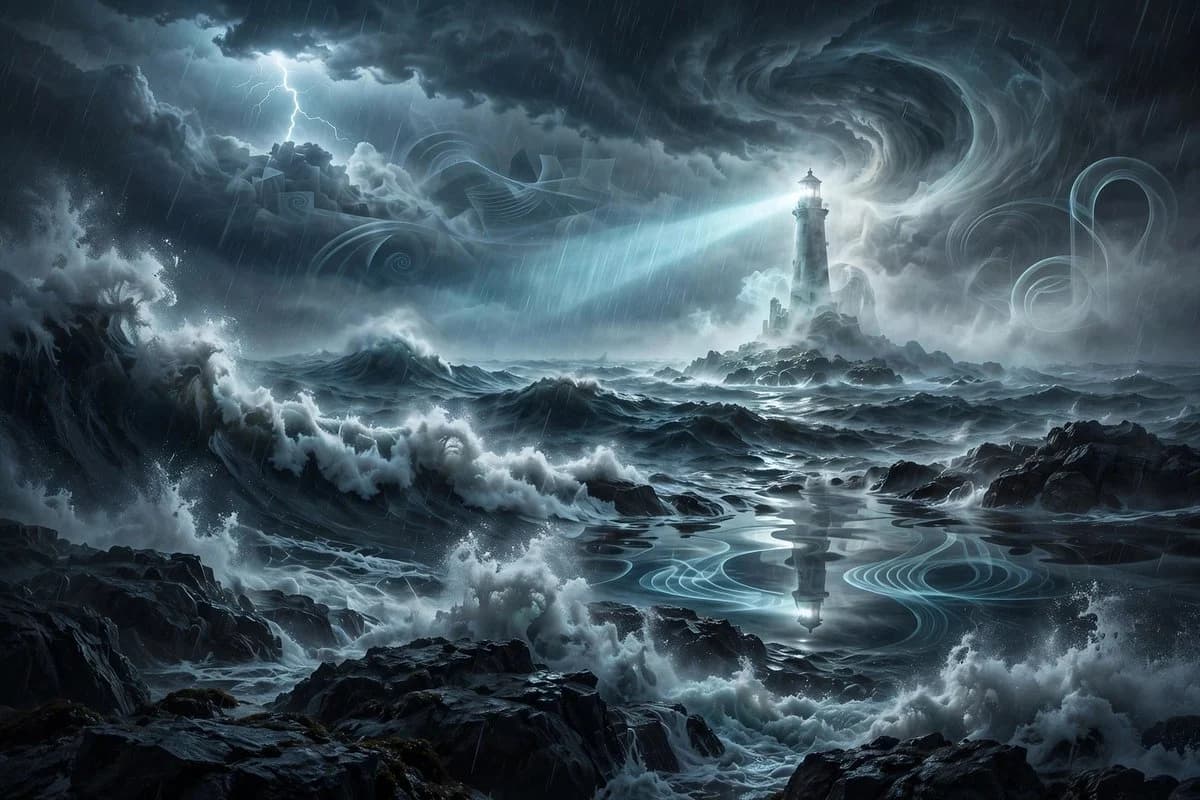
171 wordsCreate a cinematic dark fantasy surreal seascape during a violent night storm. The scene shows enormous dark ocean waves crashing against jagged black rocks in the foreground and midground, with white sea foam exploding upward and rain streaking diagonally across the image. In the distance, place a tall ghostly lighthouse on a small rocky island, partially translucent and surrounded by pale spectral mist; its lamp emits a bright cold blue-white beam sweeping left across the ocean. Above it, form massive swirling thunderclouds with a dramatic vortex-like spiral in the sky, illuminated by moonlit cyan-gray highlights, and include one branching lightning strike in the upper left. Add ethereal translucent ribbon-like wave patterns and ghostly spiral shapes drifting through the clouds and reflected on a calmer pool of water in the center foreground, where the lighthouse reflection appears. Use a wide landscape composition, high-detail digital concept art, moody blue-gray monochrome palette, strong contrast, volumetric fog, wet rock reflections, turbulent water, sharp painterly realism, atmospheric depth, no people, no text, no border, no watermark.
About this prompt
Ghostly Lighthouse Storm Seascape is a ready-to-use character design prompt for GPT Image 2 on Image 2. Copy the 171 words below, paste them into the Create form, and you will get a result close to the preview above. Tweak the Character Design, Travel, Vintage tag if you want to push it somewhere new.
Use it as a starting point, then adjust the subject, lighting, or composition to suit your idea. The credit cost stays the same whether you use it as written or customize it.
Use case
A strong starting point for Character Design
Start here when you want a character design image inspired by Ghostly Lighthouse Storm Seascape. The prompt already sets the look and composition; replace the subject, product, colors, or scene details to match your project.
Easy places to tweak
- Subject Swap in your person, product, place, or object without changing the overall composition.
- Look and mood Tune the lighting, palette, camera angle, or materials so the image fits your brand.
- Final format Set the aspect ratio, background, text, or layout notes before you generate.
More prompt paths to explore
Find more GPT Image 2 prompts with a similar style, use case, or subject.
How to use it
- Step 1
Copy the prompt
Hit the Copy button above to grab the full text.
- Step 2
Open Image 2 Create
Head to the Create form and paste it in.
- Step 3
Generate
Hit Generate. Your version lands in seconds.
Make it yours
Load the prompt into the Create form with one click, then start tweaking.