Prompt
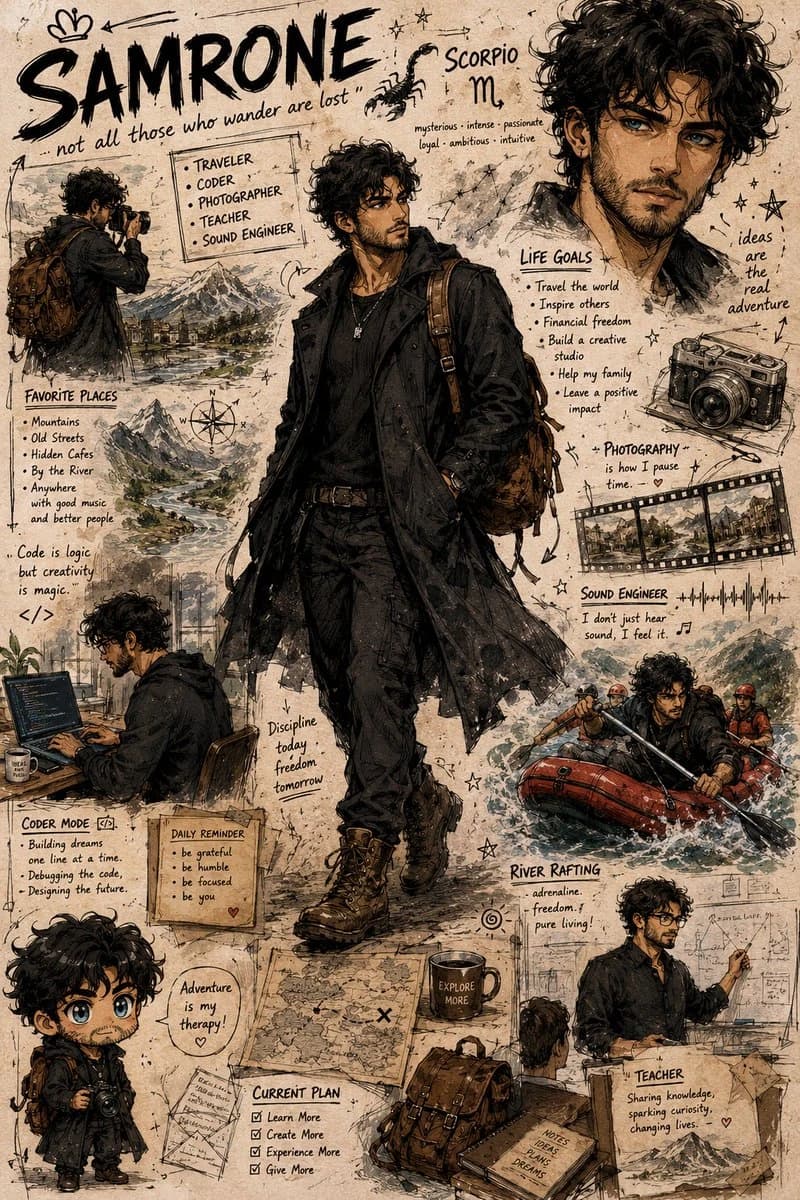
152 wordsA stylish illustrated character profile sheet of a handsome young man sketchbook aesthetic, mixed media ink and watercolor style, highly detailed fashion portrait, messy dark curly hair, sharp blue eyes, short beard, confident expression, wearing a long black trench coat, dark casual clothes, brown leather backpack, rugged boots. The page layout includes multiple poses and close-up portraits, surrounded by handwritten notes, doodles, symbols, travel sketches, cameras, mountains, coding references, and adventure elements. Personality board design with handwritten text such as traveler, coder, photographer, teacher, sound engineer, Scorpio zodiac sign, river rafting, creative ideas, life goals, motivational notes. Includes small chibi version of the character, laptop working scene, rafting action scene, map sketches, stars, arrows, and artistic scribbles. Modern concept art meets fashion illustration, dynamic ink strokes, expressive line art, textured watercolor shading, warm paper background, cinematic composition, Pinterest aesthetic, highly detailed, visually rich, creative journal vibe, character design sheet, semi-realistic comic illustration.
About this prompt
Character Profile Sheet is a ready-to-use character design prompt for GPT Image 2 on Image 2. Copy the 152 words below, paste them into the Create form, and you will get a result close to the preview above. Tweak the Character Design, Fashion, Travel tag if you want to push it somewhere new.
Use it as a starting point, then adjust the subject, lighting, or composition to suit your idea. The credit cost stays the same whether you use it as written or customize it.
Use case
A strong starting point for Character Design
Start here when you want a character design image inspired by Character Profile Sheet. The prompt already sets the look and composition; replace the subject, product, colors, or scene details to match your project.
Easy places to tweak
- Subject Swap in your person, product, place, or object without changing the overall composition.
- Look and mood Tune the lighting, palette, camera angle, or materials so the image fits your brand.
- Final format Set the aspect ratio, background, text, or layout notes before you generate.
More prompt paths to explore
Find more GPT Image 2 prompts with a similar style, use case, or subject.
How to use it
- Step 1
Copy the prompt
Hit the Copy button above to grab the full text.
- Step 2
Open Image 2 Create
Head to the Create form and paste it in.
- Step 3
Generate
Hit Generate. Your version lands in seconds.
Make it yours
Load the prompt into the Create form with one click, then start tweaking.