Prompt
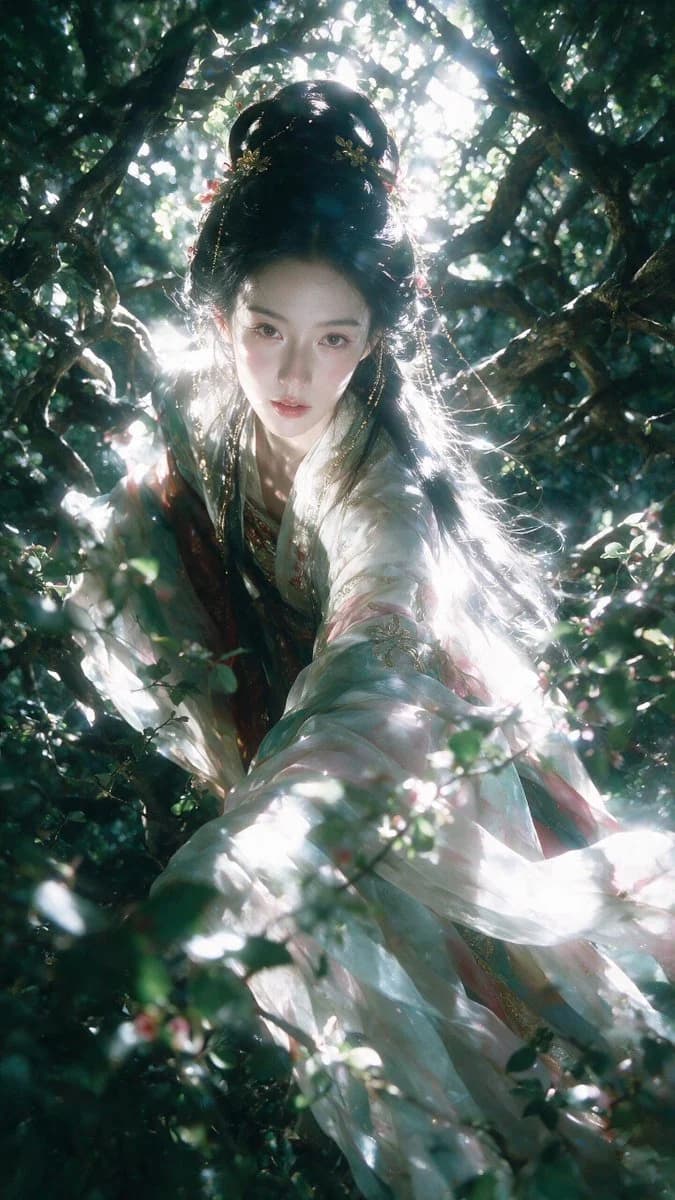
154 wordsCreate a vertical 9:16 ancient-style fantasy portrait with the theme of {argument name="theme" default="forest goddess"}. An adult Oriental female with an exquisite, cold, and classical aesthetic. Her hair is in a high or half-tied bun, decorated with gold hairpins, jade, pearl chains, and a few pink ornaments. The clothing is a combination of multi-layered Hanfu and fantasy costumes, with varying colors and styles like chest-length Ruqun or large-sleeved shirts. The garment colors can vary, such as {argument name="clothing colors" default="moonlight white, jade green, lotus pink, cinnabar red, or indigo"}, all unified by forest backlighting and cool bluish-gray air. The composition is a close-up 3/4 view from a slight high angle. The main lighting comes from {argument name="lighting" default="strong forest backlighting"} behind and above the subject, creating shattered white highlights through the leaves. A combination of real photography and Oriental fantasy costume editorial with shallow depth of field, slight soft focus, and natural lens flare.About this prompt
Forest Goddess Fantasy Hanfu Portrait is a ready-to-use social media prompt for GPT Image 2 on Image 2. Copy the 154 words below, paste them into the Create form, and you will get a result close to the preview above. Tweak the Social Media, Fashion tag if you want to push it somewhere new.
Use it as a starting point, then adjust the subject, lighting, or composition to suit your idea. The credit cost stays the same whether you use it as written or customize it.
Use case
A strong starting point for Social Media
Start here when you want a social media image inspired by Forest Goddess Fantasy Hanfu Portrait. The prompt already sets the look and composition; replace the subject, product, colors, or scene details to match your project.
Easy places to tweak
- Subject Swap in your person, product, place, or object without changing the overall composition.
- Look and mood Tune the lighting, palette, camera angle, or materials so the image fits your brand.
- Final format Set the aspect ratio, background, text, or layout notes before you generate.
More prompt paths to explore
Find more GPT Image 2 prompts with a similar style, use case, or subject.
How to use it
- Step 1
Copy the prompt
Hit the Copy button above to grab the full text.
- Step 2
Open Image 2 Create
Head to the Create form and paste it in.
- Step 3
Generate
Hit Generate. Your version lands in seconds.
Make it yours
Load the prompt into the Create form with one click, then start tweaking.