Prompt
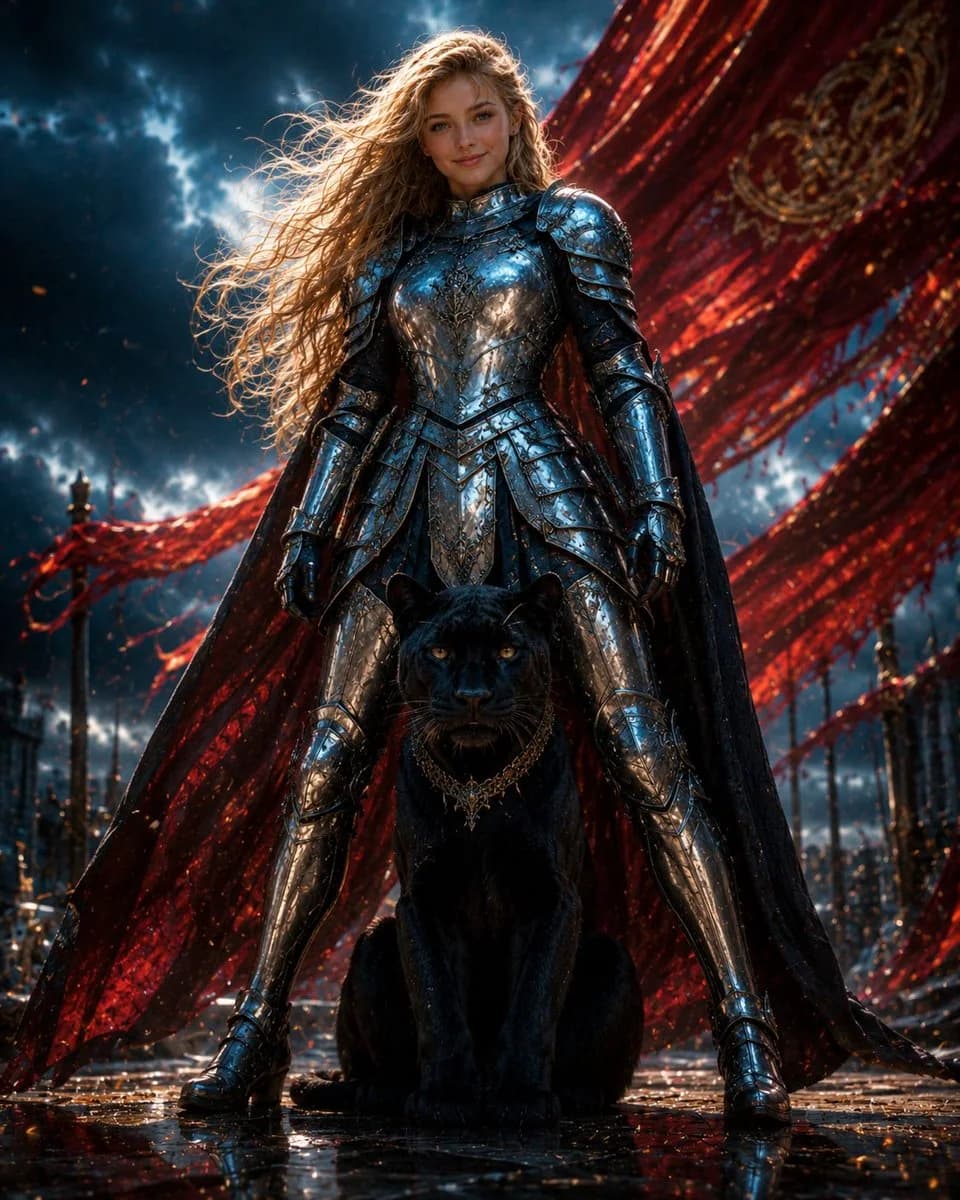
202 wordsCreate a cinematic dark fantasy portrait of {argument name="character name" default="Luna and me"}: a young female warrior standing powerfully in the center of the frame with her legs apart, protecting a seated black panther directly in front of her. The warrior has {argument name="hair color" default="long windswept golden-blonde hair"}, a calm confident expression, and wears ornate mirror-polished silver full plate armor with engraved filigree, layered pauldrons, gauntlets, greaves, and a dark flowing cape. The panther is a large sleek black leopard with glowing amber eyes, glossy fur, and an ornate gold chain collar, sitting alert between the warrior’s boots. Behind them, enormous torn crimson silk banners sweep diagonally across the sky like dramatic battle standards, embroidered with faint gold patterns. The background is an epic ruined ceremonial plaza or battlefield with dark spires, small fires, floating embers, wet reflective stone ground, and a turbulent blue-black storm sky with breaks of bright light. Use a low-angle heroic composition, centered symmetry, ultra-detailed realistic fantasy art, high contrast lighting, blue highlights on chrome armor, red backlight from the banners, rain-slick reflections, volumetric atmosphere, sharp focus on the woman and panther, and an intense movie-poster mood. No text, no watermark, no extra animals, no extra people.About this prompt
Armored Warrior with Black Panther is a ready-to-use character design prompt for GPT Image 2 on Image 2. Copy the 202 words below, paste them into the Create form, and you will get a result close to the preview above. Tweak the Poster, Character, Character Design tag if you want to push it somewhere new.
Use it as a starting point, then adjust the subject, lighting, or composition to suit your idea. The credit cost stays the same whether you use it as written or customize it.
Use case
A strong starting point for Character Design
Start here when you want a character design image inspired by Armored Warrior with Black Panther. The prompt already sets the look and composition; replace the subject, product, colors, or scene details to match your project.
Easy places to tweak
- Subject Swap in your person, product, place, or object without changing the overall composition.
- Look and mood Tune the lighting, palette, camera angle, or materials so the image fits your brand.
- Final format Set the aspect ratio, background, text, or layout notes before you generate.
More prompt paths to explore
Find more GPT Image 2 prompts with a similar style, use case, or subject.
How to use it
- Step 1
Copy the prompt
Hit the Copy button above to grab the full text.
- Step 2
Open Image 2 Create
Head to the Create form and paste it in.
- Step 3
Generate
Hit Generate. Your version lands in seconds.
Make it yours
Load the prompt into the Create form with one click, then start tweaking.