Prompt
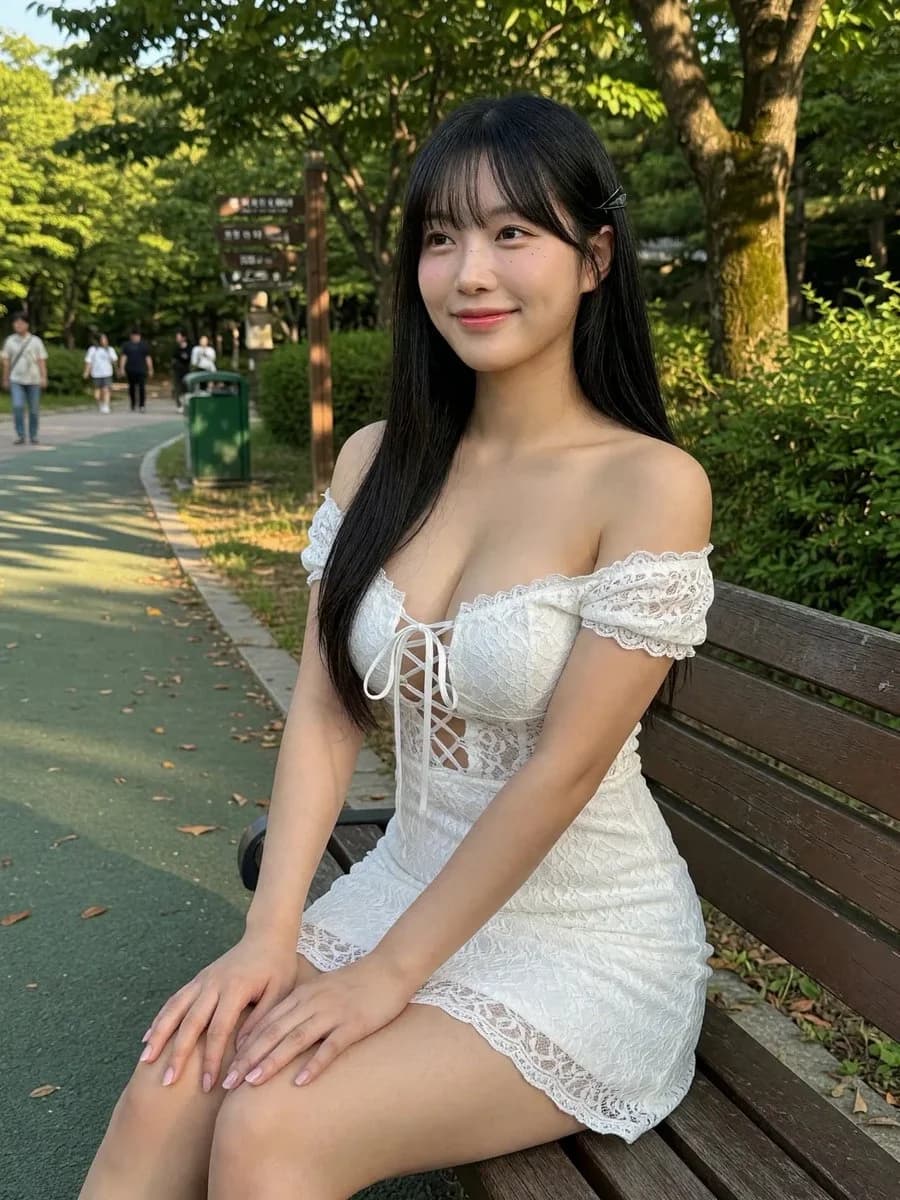
206 wordsCreate a photorealistic vertical outdoor portrait of a beautiful young East Asian woman sitting on a wooden park bench in a lush green park during warm late-afternoon sunlight. She has long straight {argument name="hair color" default="black"} hair with soft bangs and a small hair clip on one side, clear fair skin, natural makeup, and a gentle shy smile while looking slightly off-camera. She wears a fitted {argument name="dress color" default="white"} off-shoulder lace mini dress with short lace sleeves, a corset-style lace-up front with thin ribbons, delicate floral lace texture, and a scalloped lace hem. Pose her seated sideways on the bench with both hands resting neatly on her knees, relaxed shoulders, elegant posture, and legs angled toward the foreground. The setting includes exactly 1 wooden bench, 1 paved green walking path curving into the background, 1 green trash bin, 1 wooden park signpost with small unreadable signs, several distant pedestrians softly out of focus, dense trees and bushes, dappled shadows, and golden sunlight filtering through leaves. Use a realistic smartphone photo aesthetic, natural skin texture, shallow depth of field, crisp subject focus, soft background bokeh, 3/4 portrait framing from knees to head, vertical 4:5 composition, no visible watermark, no added text, and no exaggerated fantasy styling.About this prompt
Woman on Park Bench Portrait is a ready-to-use social media prompt for GPT Image 2 on Image 2. Copy the 206 words below, paste them into the Create form, and you will get a result close to the preview above. Tweak the Social Media, Fashion, Beauty tag if you want to push it somewhere new.
Use it as a starting point, then adjust the subject, lighting, or composition to suit your idea. The credit cost stays the same whether you use it as written or customize it.
Use case
A strong starting point for Social Media
Start here when you want a social media image inspired by Woman on Park Bench Portrait. The prompt already sets the look and composition; replace the subject, product, colors, or scene details to match your project.
Easy places to tweak
- Subject Swap in your person, product, place, or object without changing the overall composition.
- Look and mood Tune the lighting, palette, camera angle, or materials so the image fits your brand.
- Final format Set the aspect ratio, background, text, or layout notes before you generate.
More prompt paths to explore
Find more GPT Image 2 prompts with a similar style, use case, or subject.
How to use it
- Step 1
Copy the prompt
Hit the Copy button above to grab the full text.
- Step 2
Open Image 2 Create
Head to the Create form and paste it in.
- Step 3
Generate
Hit Generate. Your version lands in seconds.
Make it yours
Load the prompt into the Create form with one click, then start tweaking.