Prompt
453 wordsSubject:
{argument name="subject" default="White flowers blooming in the palm"}
Main Body:
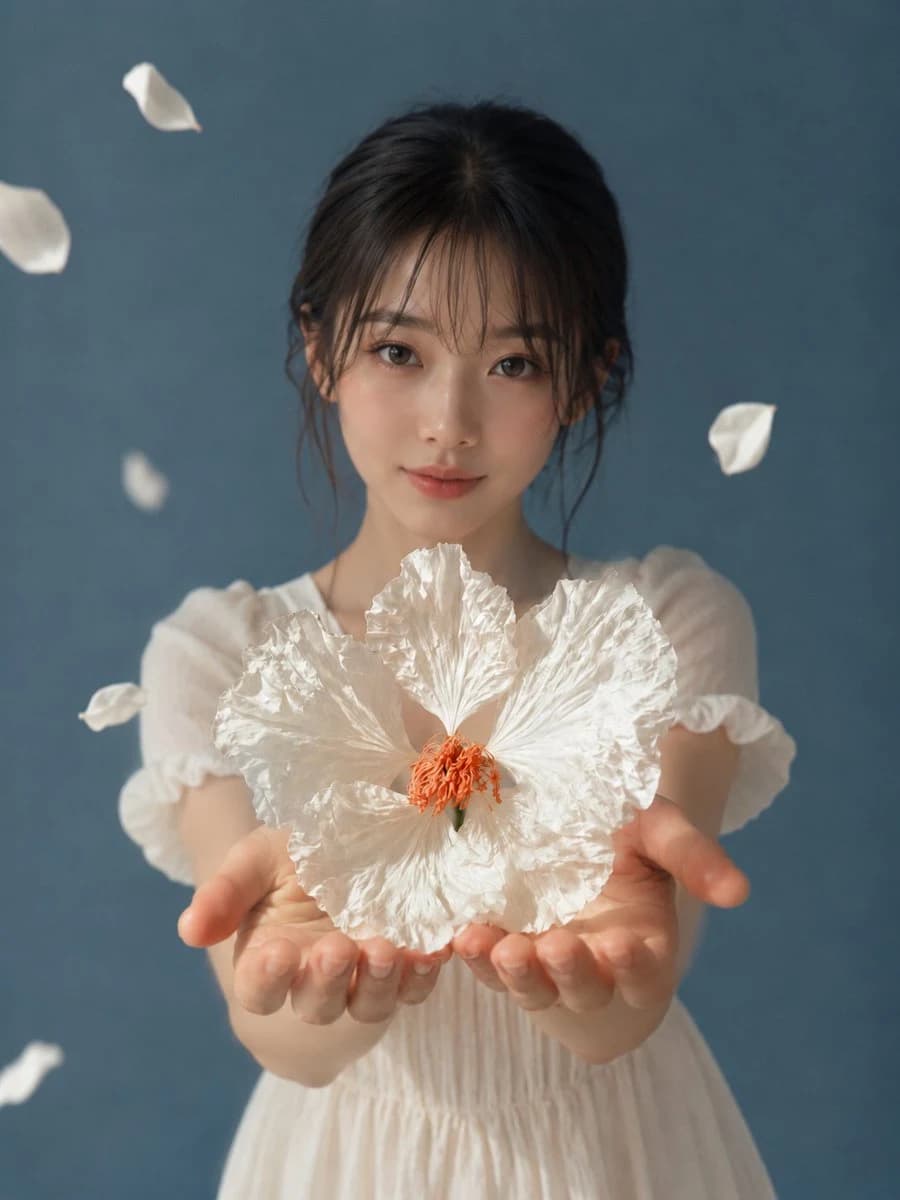
A vertical photo-style portrait. A natural and realistic-looking woman stands in the center of the screen, captured from the chest to the upper body. She extends both hands toward the camera, gently placing a large white flower on her palms. The flower and hands become the main focus in the lower half of the screen, and the person's face appears slightly softer behind them.
Character and Expression:
Dark brown hair, almost black, is loosely tied back, with thin bangs and strands of hair around the face falling on the cheeks. The eyes are natural and not too large, with light brown eye makeup, subtle blush, and pink-beige lips with a healthy glow. The expression is calm, looking at the camera with a slight smile. The features are delicate and clean, balancing cuteness and composure.
Clothing and Pose:
A white, thin summer dress. Short, puffy sleeves, fine gathers at the chest, and a light, sheer fabric. The shoulders and arms look natural, giving a cool, summery impression. Extend both arms forward and support the flower as if lightly pressing the palms together. Fingers are not too tense, only slightly curved where they touch the petals.
Background and Light:
The background is a simple studio space in a calm bluish-gray. Do not include any extra furniture or text. A few white petals are slowly drifting to the left, right, and top of the figure. Soft natural light enters from the upper left front, creating bright highlights on the wrinkles of the petals and the roundness of the hands. Shadows fall faintly to the lower right, and the background is a smooth dark blue to create depth.
Composition and Camera:
Vertical composition, 4:5 aspect ratio. Camera is slightly above chest height, a close-up portrait from the front. The large white flower is captured with the sharpest focus, and the details of the hands are visible. The person's face is not completely blurred, but made slightly softer than the flower with a somewhat shallow depth of field. Leave appropriate margins at the top and place petals as if they are flowing out of the screen.
Texture and Style:
A realistic photographic expression as if taken with a professional camera. White petals are thin, with paper-like wrinkles and a translucent texture. The skin retains natural pores and a soft luster, without excessive processing. The overall tone is quiet and transparent, with low contrast and a slight addition of delicate film grain.
Negative:
Unnatural face, unnatural gaze, extra fingers, missing fingers, fused fingers/hands, poor contact between flower and hand, floating flowers, incorrect perspective, shadows inconsistent with the light source, garbled text, logos, watermarks, excessive skin correction, plastic-like skin.About this prompt
White Flower in Palm Portrait is a ready-to-use portrait prompt for GPT Image 2 on Image 2. Copy the 453 words below, paste them into the Create form, and you will get a result close to the preview above. Tweak the Social Media, Portrait, Fashion tag if you want to push it somewhere new.
Use it as a starting point, then adjust the subject, lighting, or composition to suit your idea. The credit cost stays the same whether you use it as written or customize it.
Use case
A strong starting point for Portrait
Start here when you want a portrait image inspired by White Flower in Palm Portrait. The prompt already sets the look and composition; replace the subject, product, colors, or scene details to match your project.
Easy places to tweak
- Subject Swap in your person, product, place, or object without changing the overall composition.
- Look and mood Tune the lighting, palette, camera angle, or materials so the image fits your brand.
- Final format Set the aspect ratio, background, text, or layout notes before you generate.
More prompt paths to explore
Find more GPT Image 2 prompts with a similar style, use case, or subject.
How to use it
- Step 1
Copy the prompt
Hit the Copy button above to grab the full text.
- Step 2
Open Image 2 Create
Head to the Create form and paste it in.
- Step 3
Generate
Hit Generate. Your version lands in seconds.
Make it yours
Load the prompt into the Create form with one click, then start tweaking.