Prompt
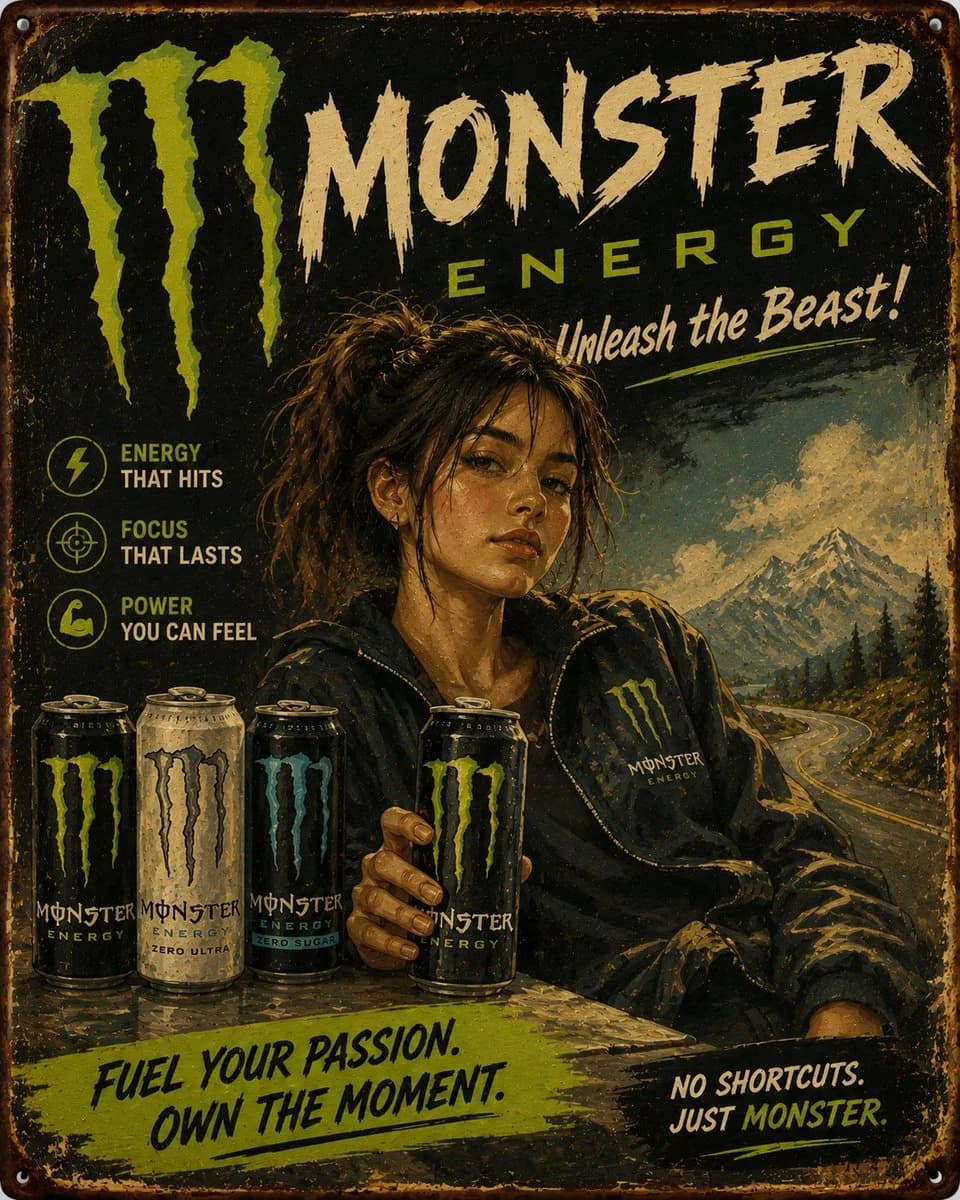
126 wordsVintage hand-painted advertising poster for {argument name="product" default="[PRODUCT]"}, featuring {argument name="subject" default="[HUMAN]"} wearing {argument name="clothing" default="[CLOTHING]"}, posed [POSE] and presented in front of a large readable title reading “[TITLE]” with a smaller subheading reading “[SUBTITLE]”. Show the title large and clearly legible behind the character, integrated into the sign design. Place a foreground product showcase at the bottom left or bottom center with [PRODUCT ITEMS], arranged like a commercial display. Add [SCENERY] in the background as a soft scenic setting that supports the brand story. Use [PALETTE], realistic traditional brushwork, softly blended watercolor-and-oil poster painting texture, gentle facial modeling, hand-painted sign lettering, slightly distressed vintage metal sign edges, subtle weathering, charming nostalgic commercial illustration, balanced front-facing composition, clear hierarchy, collectible retro packaging-ad aesthetic, aspect ratio 4:5.About this prompt
Vintage Hand-Painted Advertising Poster is a ready-to-use ad creative prompt for GPT Image 2 on Image 2. Copy the 126 words below, paste them into the Create form, and you will get a result close to the preview above. Tweak the Product Ad, Ad Creative, Product tag if you want to push it somewhere new.
Use it as a starting point, then adjust the subject, lighting, or composition to suit your idea. The credit cost stays the same whether you use it as written or customize it.
Use case
A strong starting point for Ad Creative
Start here when you want a ad creative image inspired by Vintage Hand-Painted Advertising Poster. The prompt already sets the look and composition; replace the subject, product, colors, or scene details to match your project.
Easy places to tweak
- Subject Swap in your person, product, place, or object without changing the overall composition.
- Look and mood Tune the lighting, palette, camera angle, or materials so the image fits your brand.
- Final format Set the aspect ratio, background, text, or layout notes before you generate.
More prompt paths to explore
Find more GPT Image 2 prompts with a similar style, use case, or subject.
How to use it
- Step 1
Copy the prompt
Hit the Copy button above to grab the full text.
- Step 2
Open Image 2 Create
Head to the Create form and paste it in.
- Step 3
Generate
Hit Generate. Your version lands in seconds.
Make it yours
Load the prompt into the Create form with one click, then start tweaking.