Prompt
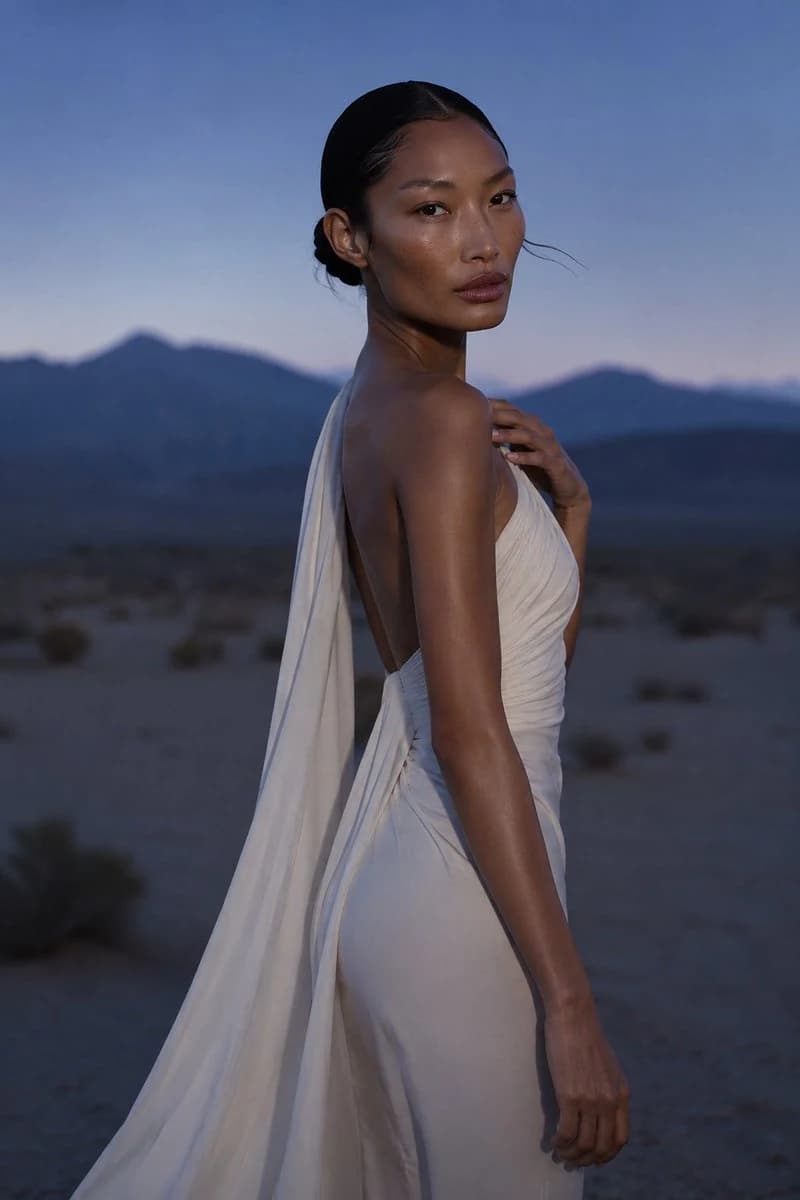
197 wordsCreate a photorealistic high-fashion editorial portrait of {argument name="model description" default="a poised East Asian woman with warm bronze skin, almond-shaped eyes, glossy natural makeup, and black hair slicked into a low bun"} standing in a desert at twilight. She is shown in a vertical three-quarter back pose, turned over her shoulder to look directly at the camera with a calm, confident expression; one hand rests lightly near her collarbone and the other arm hangs relaxed by her side. She wears {argument name="dress description" default="an elegant ivory-white draped gown with a low open back, soft ruched bodice, fitted skirt, and a long flowing scarf-like train falling from the shoulder down her back"}. The background is a softly blurred desert plain with sparse scrub and distant dark blue mountain silhouettes under a clear dusk sky fading from deep blue to pale lavender. Use cinematic natural twilight mixed with subtle soft front fill, emphasizing luminous skin highlights, gentle shadows, and the creamy texture of the fabric. Compose as a vertical fashion photograph, waist-to-thigh crop with the model centered slightly right, shallow depth of field, 85mm lens look, refined editorial mood, realistic skin texture, no text, no logos, no extra people.About this prompt
Twilight Desert Fashion Portrait is a ready-to-use social media prompt for GPT Image 2 on Image 2. Copy the 197 words below, paste them into the Create form, and you will get a result close to the preview above. Tweak the Social Media, Fashion, Beauty tag if you want to push it somewhere new.
Use it as a starting point, then adjust the subject, lighting, or composition to suit your idea. The credit cost stays the same whether you use it as written or customize it.
Use case
A strong starting point for Social Media
Start here when you want a social media image inspired by Twilight Desert Fashion Portrait. The prompt already sets the look and composition; replace the subject, product, colors, or scene details to match your project.
Easy places to tweak
- Subject Swap in your person, product, place, or object without changing the overall composition.
- Look and mood Tune the lighting, palette, camera angle, or materials so the image fits your brand.
- Final format Set the aspect ratio, background, text, or layout notes before you generate.
More prompt paths to explore
Find more GPT Image 2 prompts with a similar style, use case, or subject.
How to use it
- Step 1
Copy the prompt
Hit the Copy button above to grab the full text.
- Step 2
Open Image 2 Create
Head to the Create form and paste it in.
- Step 3
Generate
Hit Generate. Your version lands in seconds.
Make it yours
Load the prompt into the Create form with one click, then start tweaking.