Prompt
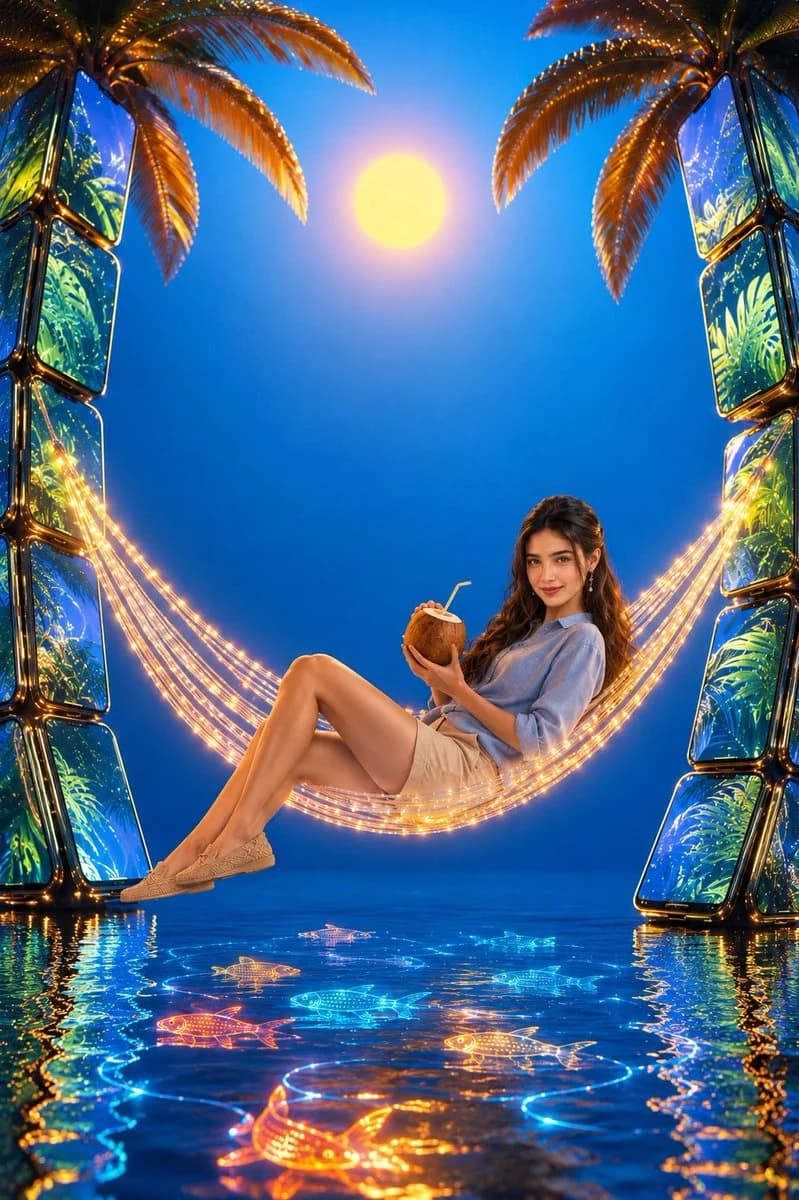
142 wordsA surreal advertising composition featuring a {argument name="subject" default="relaxed woman"} with uploaded face as reference, lounging in a {argument name="hammock style" default="hammock made of glowing fiber optic cables"}. He wears a {argument name="outfit" default="light blue linen shirt"}, beige chino shorts, and woven loafers, sipping from a coconut with a straw. The hammock is suspended between two enormous palm trees that are actually constructed from stacked, curved smartphones displaying tropical leaf patterns. The ground below is a reflective pool of water where digital koi fish made of light swim. The background is a seamless gradient wall transitioning from deep ocean blue at the bottom to bright sunny cyan at the top, with a stylized digital sun. The lighting is soft, warm, and golden, mimicking a sunset but with a digital sheen. Ultra-high fidelity, hyper-realistic 3D elements blended with photography, 8k resolution, clean compositionAbout this prompt
Surreal Fiber Optic Hammock Advertisement is a ready-to-use ad creative prompt for GPT Image 2 on Image 2. Copy the 142 words below, paste them into the Create form, and you will get a result close to the preview above. Tweak the Product Ad, Ad Creative, Fashion tag if you want to push it somewhere new.
Use it as a starting point, then adjust the subject, lighting, or composition to suit your idea. The credit cost stays the same whether you use it as written or customize it.
Use case
A strong starting point for Ad Creative
Start here when you want a ad creative image inspired by Surreal Fiber Optic Hammock Advertisement. The prompt already sets the look and composition; replace the subject, product, colors, or scene details to match your project.
Easy places to tweak
- Subject Swap in your person, product, place, or object without changing the overall composition.
- Look and mood Tune the lighting, palette, camera angle, or materials so the image fits your brand.
- Final format Set the aspect ratio, background, text, or layout notes before you generate.
More prompt paths to explore
Find more GPT Image 2 prompts with a similar style, use case, or subject.
How to use it
- Step 1
Copy the prompt
Hit the Copy button above to grab the full text.
- Step 2
Open Image 2 Create
Head to the Create form and paste it in.
- Step 3
Generate
Hit Generate. Your version lands in seconds.
Make it yours
Load the prompt into the Create form with one click, then start tweaking.