Prompt
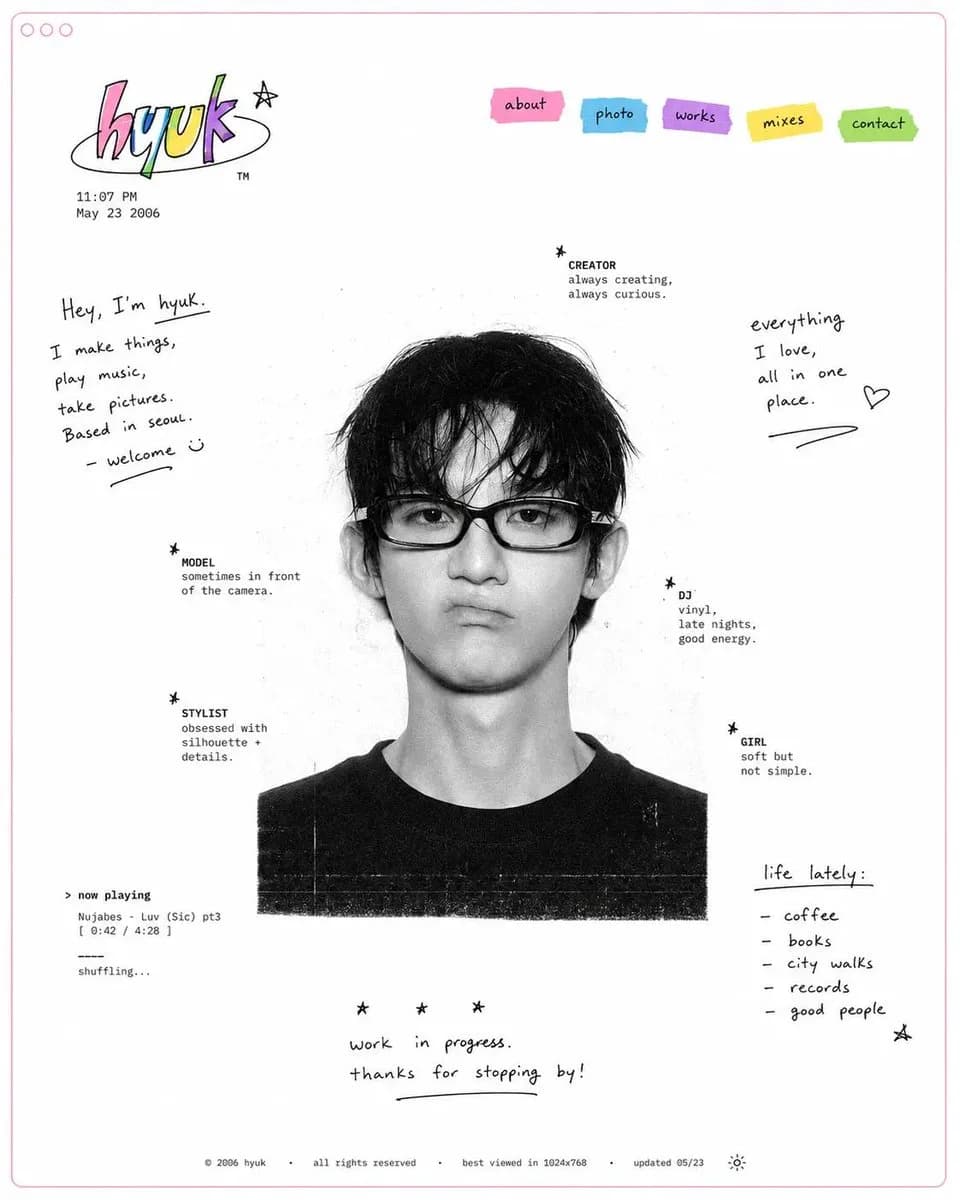
221 wordsDesign a minimal early-internet personal profile webpage / digital portfolio landing page on a large white canvas with generous negative space and a thin pastel pink browser-style frame. In the center, place a black-and-white editorial portrait of [SUBJECT], featuring soft film grain, subtle scanner texture, and low-contrast photographic tones. Surround the portrait with scattered profile metadata labels and small star-bullet elements arranged asymmetrically, resembling a playful personal résumé. Include descriptors such as: ✦ creator ✦ model ✦ stylist ✦ DJ ✦ girl ✦ photographer ✦ collector ✦ dreamer In the top-left corner, create a colorful hand-drawn logo or personal brand mark. Beneath it, add a tiny timestamp and date in a small system font, mimicking an old personal homepage. In the top-right corner, place irregular sticker-like navigation tabs in bright accent colors (pink, cyan, purple, yellow, and green). Use simple labels such as: HOME ABOUT WORK DIARY LINKS Scatter handwritten marker-style notes, introductions, personal thoughts, and lifestyle captions throughout the empty space. Examples: "currently making things online" "welcome to my homepage" "music, fashion, internet" "updated today" "living between projects" Maintain an anti-grid editorial layout with intentionally imperfect spacing and playful placement. Mix tiny system fonts, handwritten script, and casual notebook-style annotations. Keep the portrait entirely monochrome while reserving color only for the logo, navigation stickers, and a few small graphic accents.
About this prompt
Early Internet Portfolio Page is a ready-to-use ui mockup prompt for GPT Image 2 on Image 2. Copy the 221 words below, paste them into the Create form, and you will get a result close to the preview above. Tweak the UI, Mockup, Fashion tag if you want to push it somewhere new.
Use it as a starting point and keep iterating: change the subject, lighting, or composition until it looks right. The credit cost stays the same whether you run it as-is or remix it.
Use case
A strong starting point for UI Mockup
Start here when you want a ui mockup image in the same direction as Early Internet Portfolio Page. The prompt already sets the look and structure; swap in your own subject, product, colors, or scene details for the brief you have in mind.
Easy places to tweak
- Subject Swap in your person, product, place, or object without changing the overall composition.
- Look and mood Tune the lighting, palette, camera angle, or materials so the image fits your brand.
- Final format Set the aspect ratio, background, text, or layout notes before you generate.
More prompt paths to explore
Find more GPT Image 2 prompts with a similar style, use case, or subject.
How to use it
- Step 1
Copy the prompt
Hit the Copy button above to grab the full text.
- Step 2
Open Image 2 Create
Head to the Create form and paste it in.
- Step 3
Generate
Hit Generate. Your version lands in seconds.
Make it yours
Load the prompt into the Create form with one click, then start tweaking.