Prompt
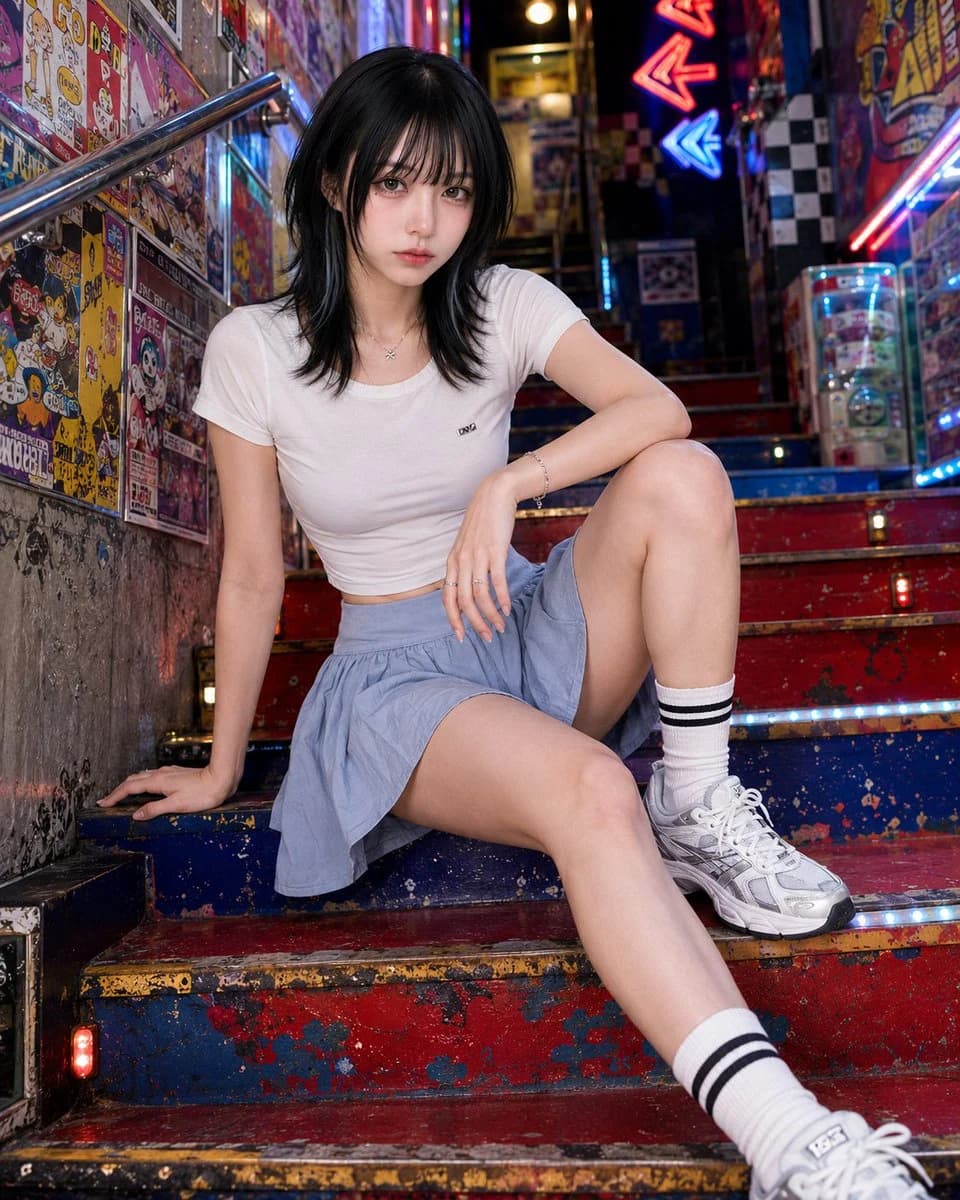
196 wordsPhotorealistic fashion editorial photo of {argument name="subject" default="a clearly adult woman in her twenties"}.\n\nPose lock: {argument name="pose" default="wide low stair sit"}. She sits low across two or three shallow steps, with one knee raised and the other leg extended diagonally down the stairs. Hips angled sideways, torso leaning forward but lifted, shoulders uneven. One hand is planted behind or beside her on the step for structure, the other arm rests across the raised knee or thigh. Direct eye contact, calm and magnetic. The pose should be low, strong, and graphic, not cute stair sitting.\n\nBackground identity: {argument name="background" default="a colorful underground game-center stair passage with red-blue-yellow painted steps, fictional anime arcade posters, rhythm game flyers, capsule toy ads, sticker layers, neon arrows, glowing floor strips, checkerboard wall tiles, reflective metal railings, and dense pop signage"}. The space should feel like a secret entrance to a Japanese arcade and anime shop.\n\nComposition lock: tight vertical 4:5 crop from low stair angle. Stair diagonals, raised knee, torso, poster-covered walls, and neon arrows create the image. Subject large in frame.\n\nAvoid: anime style, illustration, plain stairwell, tourist stair photo, standing on stairs, soft sitting, real logos, readable text, posters blocking the body.About this prompt
Retro Game Center Fashion Photography is a ready-to-use ad creative prompt for GPT Image 2 on Image 2. Copy the 196 words below, paste them into the Create form, and you will get a result close to the preview above. Tweak the Product Ad, Ad Creative, Fashion tag if you want to push it somewhere new.
Use it as a starting point, then adjust the subject, lighting, or composition to suit your idea. The credit cost stays the same whether you use it as written or customize it.
Use case
A strong starting point for Ad Creative
Start here when you want a ad creative image inspired by Retro Game Center Fashion Photography. The prompt already sets the look and composition; replace the subject, product, colors, or scene details to match your project.
Easy places to tweak
- Subject Swap in your person, product, place, or object without changing the overall composition.
- Look and mood Tune the lighting, palette, camera angle, or materials so the image fits your brand.
- Final format Set the aspect ratio, background, text, or layout notes before you generate.
More prompt paths to explore
Find more GPT Image 2 prompts with a similar style, use case, or subject.
How to use it
- Step 1
Copy the prompt
Hit the Copy button above to grab the full text.
- Step 2
Open Image 2 Create
Head to the Create form and paste it in.
- Step 3
Generate
Hit Generate. Your version lands in seconds.
Make it yours
Load the prompt into the Create form with one click, then start tweaking.