Prompt
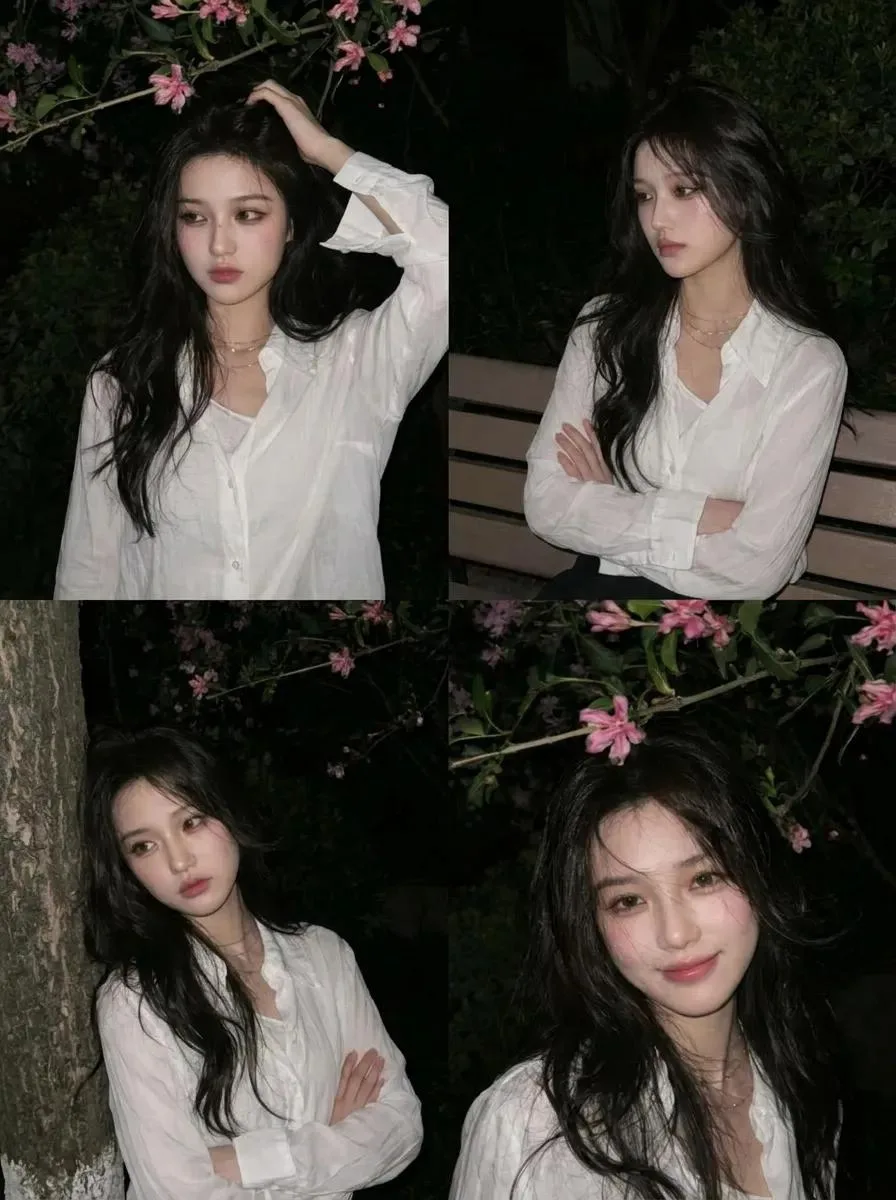
168 wordsA highly realistic candid mobile photo of my original face without altering my real facial structure. A young Asian woman standing beneath blooming pink flower branches at night, with long messy black hair blown by the wind partially covering her face. Natural pale skin with visible real texture and pores, sleepy half-open eyes with faded brown makeup slightly smudged, glossy plump pink lips slightly parted while biting a small pink flower, softly flushed cheeks, dreamy melancholic empty expression. Wearing a loose white shirt with a slightly open collar, surrounded by dark green leaves and pink flowers close to the camera. Harsh direct smartphone flash lighting creating overexposed highlights and deep shadows, low-light nighttime atmosphere, imperfect spontaneous composition like a real candid shot, slight motion blur, natural soft focus, authentic iPhone camera grain, vintage 2010s Tumblr aesthetic, intimate close-up framing, cinematic yet natural look, flash reflection in the eyes, thin messy bangs, realistic handheld shot, no studio lighting, no excessive editing, raw mobile photography, extremely realistic. Aspect Ratio: 3:4
About this prompt
Night Blossom Candid Portrait is a ready-to-use portrait prompt for GPT Image 2 on Image 2. Copy the 168 words below, paste them into the Create form, and you will get a result close to the preview above. Tweak the Portrait, Beauty, Vintage tag if you want to push it somewhere new.
Use it as a starting point, then adjust the subject, lighting, or composition to suit your idea. The credit cost stays the same whether you use it as written or customize it.
Use case
A strong starting point for Portrait
Start here when you want a portrait image inspired by Night Blossom Candid Portrait. The prompt already sets the look and composition; replace the subject, product, colors, or scene details to match your project.
Easy places to tweak
- Subject Swap in your person, product, place, or object without changing the overall composition.
- Look and mood Tune the lighting, palette, camera angle, or materials so the image fits your brand.
- Final format Set the aspect ratio, background, text, or layout notes before you generate.
More prompt paths to explore
Find more GPT Image 2 prompts with a similar style, use case, or subject.
How to use it
- Step 1
Copy the prompt
Hit the Copy button above to grab the full text.
- Step 2
Open Image 2 Create
Head to the Create form and paste it in.
- Step 3
Generate
Hit Generate. Your version lands in seconds.
Make it yours
Load the prompt into the Create form with one click, then start tweaking.