Prompt
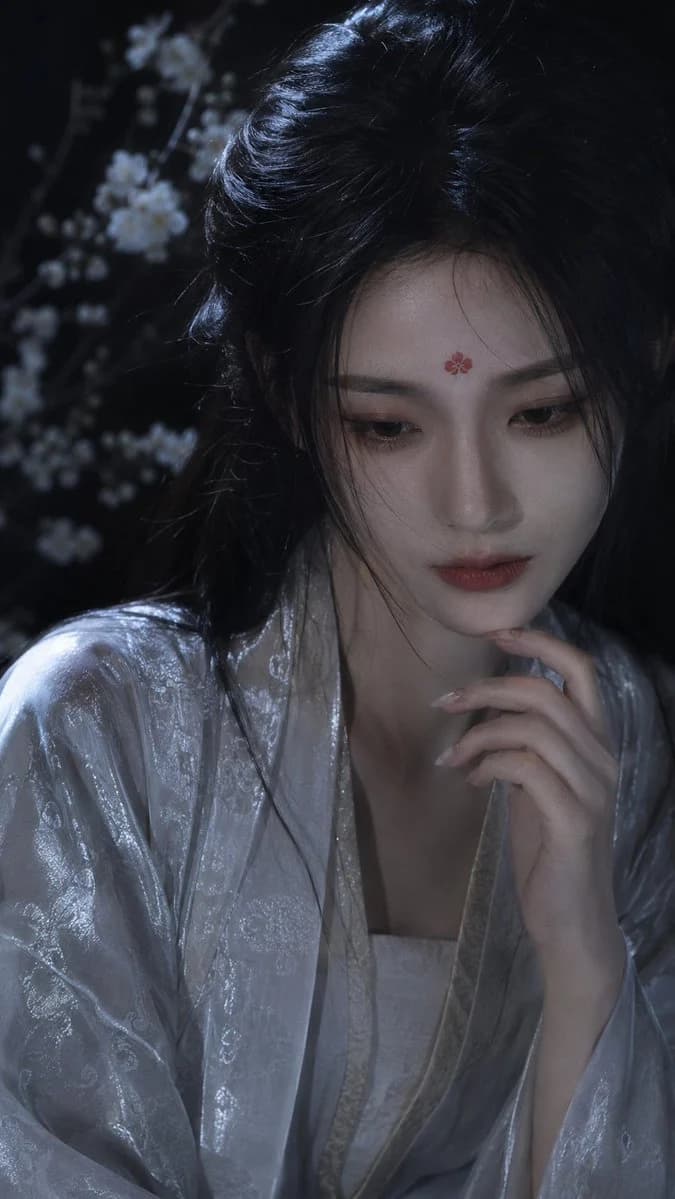
186 wordsCreate a vertical cinematic close-up portrait of {argument name="character name" default="an ethereal young East Asian woman"} in an ancient Chinese xianxia style, seated in a dark moonlit garden at night. She has porcelain-pale skin, delicate features, soft red lips, lowered contemplative eyes, and long {argument name="hair color" default="glossy black"} hair styled half-up with loose wisps falling across her face. Add one small red five-petal flower mark centered on her forehead. She wears a flowing {argument name="robe color" default="silvery white"} hanfu with subtle jacquard floral embroidery, satin sheen, layered collars, and wide sleeves; the robe catches cool blue highlights. Her right hand is raised gently to her chin with long pale manicured nails, creating a quiet, pensive pose. The background is very dark and softly blurred, with exactly one visible flowering branch on the left side covered in small white blossoms, rendered as dreamy bokeh. Use moody low-key lighting, cool blue-gray moonlight from the upper left, soft shadows, shallow depth of field, realistic skin texture, elegant fantasy-drama styling, high-end editorial photography, 9:16 vertical composition, face placed in the upper-right center, no text, no watermark, no modern accessories.About this prompt
Moonlit Xianxia Hanfu Portrait is a ready-to-use portrait prompt for GPT Image 2 on Image 2. Copy the 186 words below, paste them into the Create form, and you will get a result close to the preview above. Tweak the Portrait, Fashion, Cinematic tag if you want to push it somewhere new.
Use it as a starting point, then adjust the subject, lighting, or composition to suit your idea. The credit cost stays the same whether you use it as written or customize it.
Use case
A strong starting point for Portrait
Start here when you want a portrait image inspired by Moonlit Xianxia Hanfu Portrait. The prompt already sets the look and composition; replace the subject, product, colors, or scene details to match your project.
Easy places to tweak
- Subject Swap in your person, product, place, or object without changing the overall composition.
- Look and mood Tune the lighting, palette, camera angle, or materials so the image fits your brand.
- Final format Set the aspect ratio, background, text, or layout notes before you generate.
More prompt paths to explore
Find more GPT Image 2 prompts with a similar style, use case, or subject.
How to use it
- Step 1
Copy the prompt
Hit the Copy button above to grab the full text.
- Step 2
Open Image 2 Create
Head to the Create form and paste it in.
- Step 3
Generate
Hit Generate. Your version lands in seconds.
Make it yours
Load the prompt into the Create form with one click, then start tweaking.