Prompt
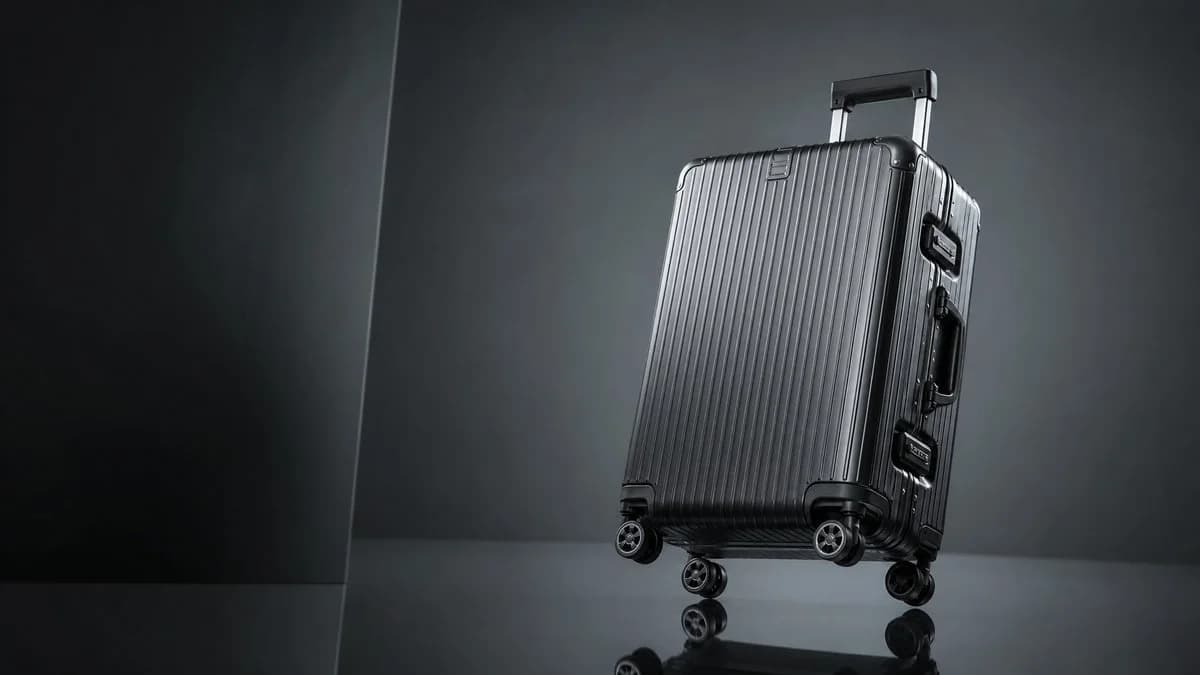
162 wordsCreate a high-end studio product photograph of a {argument name="product type" default="premium hard-shell rolling suitcase"} in {argument name="case color" default="glossy gunmetal black"}, positioned on the right side of a wide horizontal frame with generous negative space on the left. The suitcase is a rigid aluminum-style carry-on with vertical ribbed grooves across the front, rounded reinforced black corner protectors, two visible side latches, a side handle, an extended telescoping pull handle, and exactly 4 double-spinner wheels visible near the base. Show it standing upright but slightly tilted back, photographed from a low three-quarter front angle so the front and right side are visible. Use dramatic luxury advertising lighting: dark charcoal-gray studio background, subtle vertical wall seam on the left, reflective black floor with soft reflections of the wheels and lower case, cool highlights along the ribs, controlled rim light, and a moody gradient backdrop. Keep the image photorealistic, sharp, premium, minimal, and cinematic, with no text, no logo, no people, and no clutter.About this prompt
Luxury Ribbed Suitcase Product Photo is a ready-to-use ad creative prompt for GPT Image 2 on Image 2. Copy the 162 words below, paste them into the Create form, and you will get a result close to the preview above. Tweak the Product Ad, Ad Creative, Product tag if you want to push it somewhere new.
Use it as a starting point, then adjust the subject, lighting, or composition to suit your idea. The credit cost stays the same whether you use it as written or customize it.
Use case
A strong starting point for Ad Creative
Start here when you want a ad creative image inspired by Luxury Ribbed Suitcase Product Photo. The prompt already sets the look and composition; replace the subject, product, colors, or scene details to match your project.
Easy places to tweak
- Subject Swap in your person, product, place, or object without changing the overall composition.
- Look and mood Tune the lighting, palette, camera angle, or materials so the image fits your brand.
- Final format Set the aspect ratio, background, text, or layout notes before you generate.
More prompt paths to explore
Find more GPT Image 2 prompts with a similar style, use case, or subject.
How to use it
- Step 1
Copy the prompt
Hit the Copy button above to grab the full text.
- Step 2
Open Image 2 Create
Head to the Create form and paste it in.
- Step 3
Generate
Hit Generate. Your version lands in seconds.
Make it yours
Load the prompt into the Create form with one click, then start tweaking.