Prompt
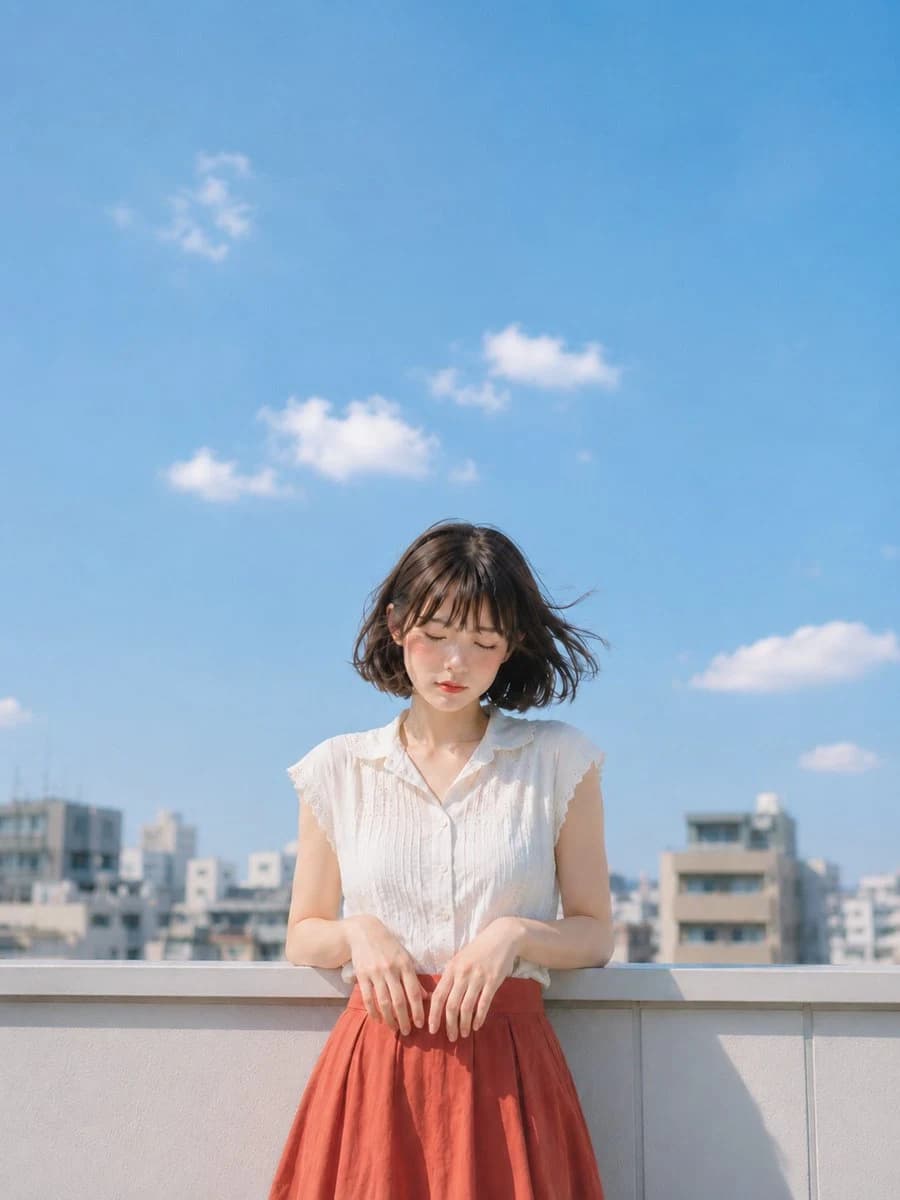
431 wordsSubject: Hands counting clouds. Subject: A vertical 4:5 photographic portrait. Under a bright summer sky, on the rooftop of a city apartment, a {argument name="gender" default="woman"} with a natural atmosphere is leaning against a white railing. The figure is positioned slightly below the center of the screen, including the upper body to above the knees, and the upper half of the screen is a wide margin of blue sky. Character/Expression: Short dark brown bob hair. Thin bangs and hair around the face flow lightly to the side in the wind. Eyes closed, quiet expression with mouth relaxed. Natural complexion and small highlights on cheeks, clean Japanese-style makeup. The face is slightly downward, giving a gentle impression as if catching the dazzling summer sun. Clothing/Pose: A {argument name="top" default="white sleeveless"} summer blouse. Fine pintucks on the chest, modest lace on the cuffs, and a light transparency of thin cotton. Below is a {argument name="bottom" default="reddish terracotta-colored"} high-waisted skirt. Bring both elbows close to the inside of the railing and hang both hands forward. The figure's own left and right fingertips naturally bend loosely and fall along gravity on the railing. The shoulders and neck are relaxed, and only the ends of the hair and clothes sway slightly in the wind. Background/Light: The background is a rooftop where a group of low-rise apartments in the city can be seen blurred in the distance. The sky is bright light blue, with only a few small natural white clouds floating in the sky. The main light is strong summer sunlight from the upper left of the screen. The face, shoulders, and top of the blouse are brightly lit, and sharp shadows fall on the railing and skirt. Composition/Camera: The camera is slightly lower than chest height and closer to the front. Use a medium telephoto lens to shallowly blur the background and focus on the texture of the person's face, hair, hands, and clothes. Leave a large sky margin above the person's head, and cut the lower end naturally in the middle of the skirt. Texture/Style: Realistic photographic expression. Carefully describe the transparent summer air, natural skin texture, thin cotton fibers, fine roughness of the white railing, and soft wrinkles of the skirt. Colors are centered on white, blue, and terracotta, with a light contrast like a bright and clean Japanese film photograph. Negative: Unnatural face, unnatural gaze, extra fingers, missing fingers, fusion of hands and feet, breakdown of joints, poor contact with the railing, floating objects, unnatural gravity, incorrect perspective, shadows contradicting the light source, garbled characters, logo, watermark, excessive skin correction, plastic-like skin.About this prompt
Japanese Summer Rooftop Portrait is a ready-to-use portrait prompt for GPT Image 2 on Image 2. Copy the 431 words below, paste them into the Create form, and you will get a result close to the preview above. Tweak the Portrait, Fashion, Beauty tag if you want to push it somewhere new.
Use it as a starting point, then adjust the subject, lighting, or composition to suit your idea. The credit cost stays the same whether you use it as written or customize it.
Use case
A strong starting point for Portrait
Start here when you want a portrait image inspired by Japanese Summer Rooftop Portrait. The prompt already sets the look and composition; replace the subject, product, colors, or scene details to match your project.
Easy places to tweak
- Subject Swap in your person, product, place, or object without changing the overall composition.
- Look and mood Tune the lighting, palette, camera angle, or materials so the image fits your brand.
- Final format Set the aspect ratio, background, text, or layout notes before you generate.
More prompt paths to explore
Find more GPT Image 2 prompts with a similar style, use case, or subject.
How to use it
- Step 1
Copy the prompt
Hit the Copy button above to grab the full text.
- Step 2
Open Image 2 Create
Head to the Create form and paste it in.
- Step 3
Generate
Hit Generate. Your version lands in seconds.
Make it yours
Load the prompt into the Create form with one click, then start tweaking.