Prompt
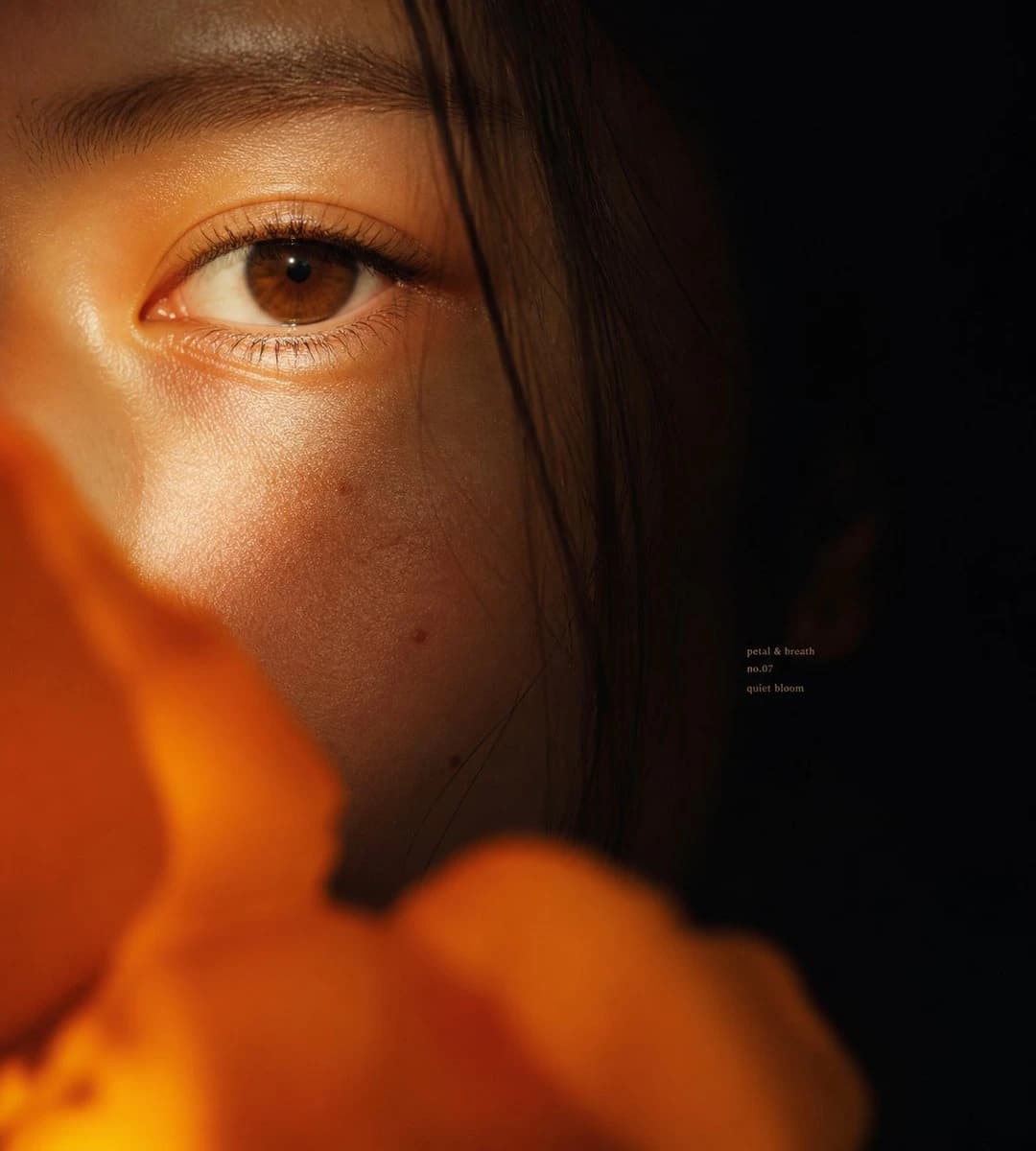
197 wordsCreate an intimate cinematic macro portrait of {argument name="subject" default="a young East Asian woman"}, extremely close crop showing only the left half of the face with one brown eye in sharp focus, eyebrow, luminous cheek texture, and a few fine dark hair strands falling vertically across the face. The right half of the frame fades into deep black shadow, while warm golden-orange light grazes the skin from the lower left, emphasizing pores, eyelashes, subtle moles, and quiet emotion in the dark areas. Place large out-of-focus {argument name="foreground flower" default="orange flower petals"} across the bottom and lower left foreground, soft bokeh and partially obscuring the face, creating a private floral veil. Use shallow depth of field, realistic editorial beauty photography, high dynamic range but low-key mood, rich amber highlights, soft film grain, natural skin, no heavy makeup, contemplative gaze looking slightly toward the camera. Square 1:1 composition, eye positioned in the upper-left third, expansive negative black space on the right. Add tiny understated serif text in the mid-right shadow area reading exactly three lines: {argument name="small text" default="petal & breath\nno.07\nquiet bloom"}. Avoid extra objects, avoid bright background, avoid glamour retouching, keep the image tactile, close, emotional, and atmospheric.About this prompt
Intimate Floral Macro Portrait is a ready-to-use portrait prompt for GPT Image 2 on Image 2. Copy the 197 words below, paste them into the Create form, and you will get a result close to the preview above. Tweak the Portrait, Beauty tag if you want to push it somewhere new.
Use it as a starting point, then adjust the subject, lighting, or composition to suit your idea. The credit cost stays the same whether you use it as written or customize it.
Use case
A strong starting point for Portrait
Start here when you want a portrait image inspired by Intimate Floral Macro Portrait. The prompt already sets the look and composition; replace the subject, product, colors, or scene details to match your project.
Easy places to tweak
- Subject Swap in your person, product, place, or object without changing the overall composition.
- Look and mood Tune the lighting, palette, camera angle, or materials so the image fits your brand.
- Final format Set the aspect ratio, background, text, or layout notes before you generate.
More prompt paths to explore
Find more GPT Image 2 prompts with a similar style, use case, or subject.
How to use it
- Step 1
Copy the prompt
Hit the Copy button above to grab the full text.
- Step 2
Open Image 2 Create
Head to the Create form and paste it in.
- Step 3
Generate
Hit Generate. Your version lands in seconds.
Make it yours
Load the prompt into the Create form with one click, then start tweaking.