프롬프트
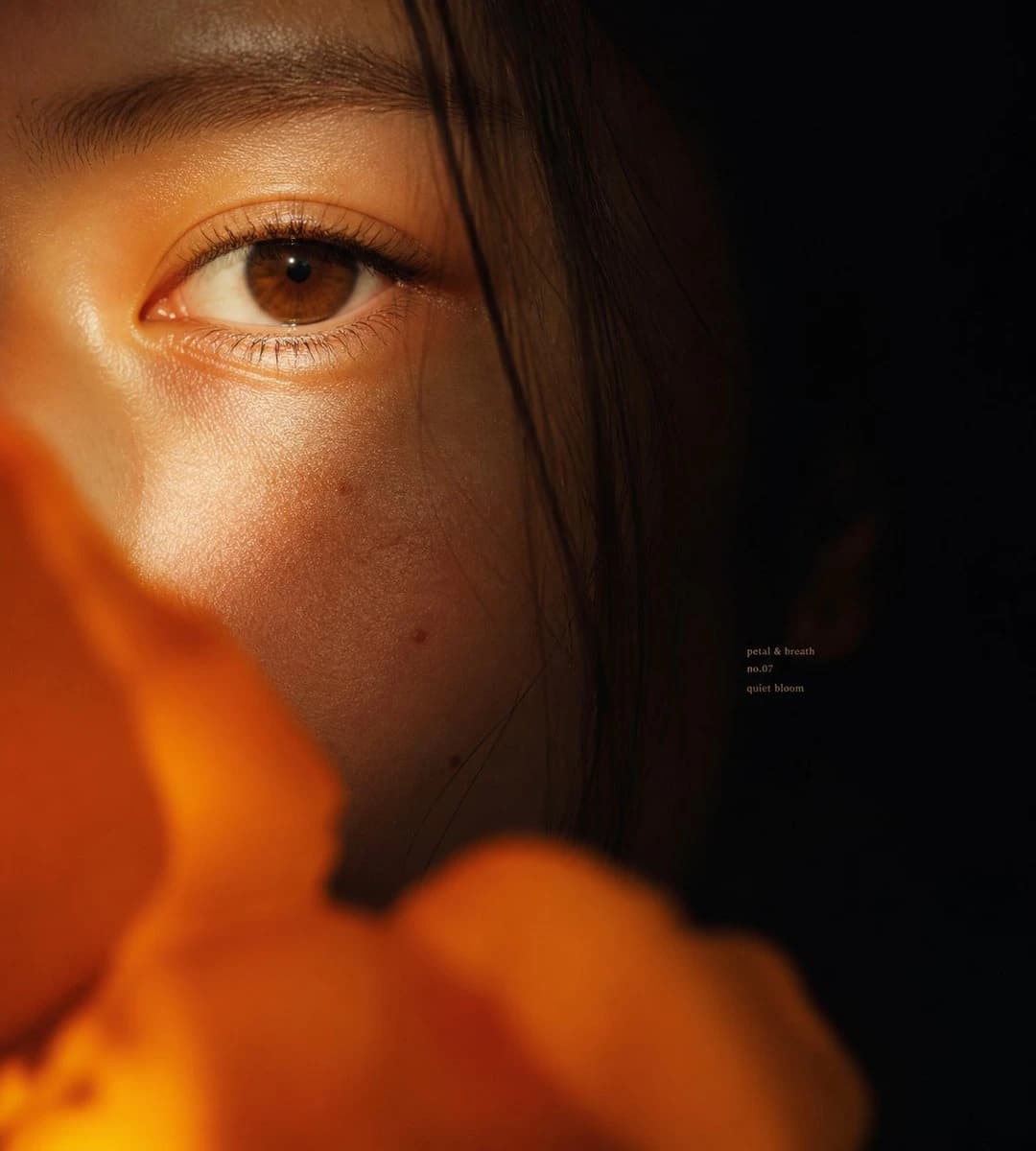
1166자Create an intimate cinematic macro portrait of {argument name="subject" default="a young East Asian woman"}, extremely close crop showing only the left half of the face with one brown eye in sharp focus, eyebrow, luminous cheek texture, and a few fine dark hair strands falling vertically across the face. The right half of the frame fades into deep black shadow, while warm golden-orange light grazes the skin from the lower left, emphasizing pores, eyelashes, subtle moles, and quiet emotion in the dark areas. Place large out-of-focus {argument name="foreground flower" default="orange flower petals"} across the bottom and lower left foreground, soft bokeh and partially obscuring the face, creating a private floral veil. Use shallow depth of field, realistic editorial beauty photography, high dynamic range but low-key mood, rich amber highlights, soft film grain, natural skin, no heavy makeup, contemplative gaze looking slightly toward the camera. Square 1:1 composition, eye positioned in the upper-left third, expansive negative black space on the right. Add tiny understated serif text in the mid-right shadow area reading exactly three lines: {argument name="small text" default="petal & breath\nno.07\nquiet bloom"}. Avoid extra objects, avoid bright background, avoid glamour retouching, keep the image tactile, close, emotional, and atmospheric.이 프롬프트 소개
Image 2에서 GPT Image 2에 바로 사용할 수 있는 인물 프롬프트 ‘친밀한 플로럴 매크로 초상화’입니다. 아래 1166자를 복사해 Create 폼에 붙여 넣으면 위 미리보기와 비슷한 이미지를 만들 수 있습니다. 인물, 뷰티 태그를 조정하면 새로운 방향으로 확장할 수 있습니다.
먼저 그대로 사용해 본 뒤 피사체, 조명, 구도를 작업에 맞게 조정해 보세요. 원문을 그대로 쓰거나 수정해도 생성 비용은 같습니다.
사용 사례
인물 작업의 좋은 출발점
‘친밀한 플로럴 매크로 초상화’처럼 표현한 인물 이미지를 만들고 싶다면 이 GPT Image 2 프롬프트로 시작해 보세요. 스타일과 구도는 이미 잡혀 있으므로 인물, 제품, 색상, 장면 요소만 작업에 맞게 바꾸면 됩니다.
먼저 손보기 좋은 부분
- 피사체 인물, 제품, 장소, 오브젝트를 내 내용으로 바꾸고 전체 구도는 유지합니다.
- 분위기 조명, 색감, 카메라 각도, 소재 디테일을 브랜드나 용도에 맞춥니다.
- 결과 형식 생성 전에 비율, 배경, 텍스트, 레이아웃 지시를 정리합니다.
사용 방법
- 1단계
프롬프트 복사
위의 복사 버튼을 눌러 전체 텍스트를 가져옵니다.
- 2단계
Image 2 Create 열기
Create 폼으로 이동해 붙여 넣습니다.
- 3단계
생성
Generate를 누르면 몇 초 안에 내 버전이 완성됩니다.
내 버전으로 만들기
한 번의 클릭으로 Create 폼에 불러오고 바로 조정하세요.