Prompt
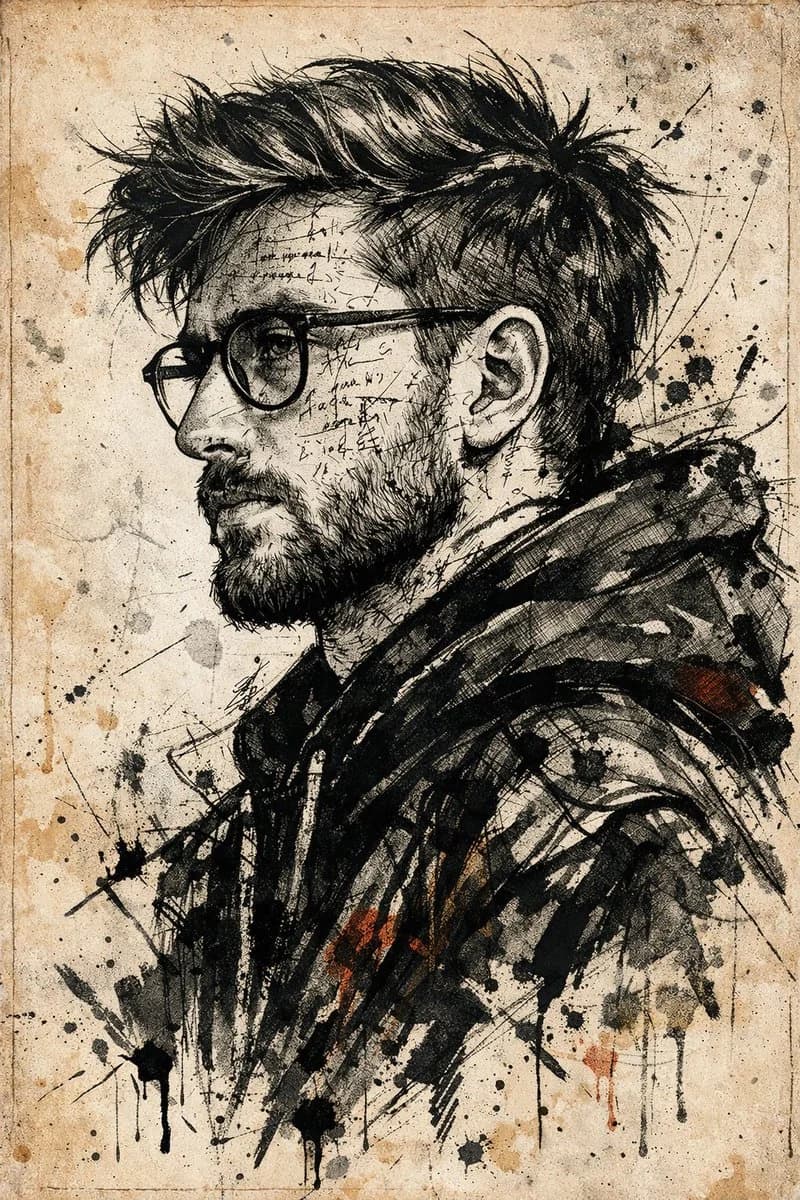
161 wordsUse the uploaded photo as the primary face reference. Preserve the person's exact facial structure, skin tone, beard shape, nose, eyes, expression, likeness, and proportions from the reference image. Create a dramatic, high-impact side-profile portrait in an expressive ink sketch and mixed-media illustration style. The man should feel intense, chaotic, and emotionally charged, with his face and upper body layered in cryptic handwritten text, abstract symbols, and glyph-like marks that wrap around the facial contours, suggesting inner turmoil and hidden meaning. Dress him in a dark abstract jacket built from heavy textured strokes, sharp angular linework, vibrant ink accents, fine pen details, aggressive brush marks, splashes, and controlled smears. The visual language should feel raw, rebellious, bold, experimental, and editorial, blending precise illustration with conceptual art. Use a pale aged-parchment background with subtle grain, faded paper texture, delicate linework, ink stains, and the feeling of an old manuscript or forgotten document. Keep the composition high contrast, expressive, intense, and artistically precise.
About this prompt
Ink Manuscript Side Portrait is a ready-to-use portrait prompt for GPT Image 2 on Image 2. Copy the 161 words below, paste them into the Create form, and you will get a result close to the preview above. Tweak the Portrait, Fashion, Watercolor tag if you want to push it somewhere new.
Use it as a starting point, then adjust the subject, lighting, or composition to suit your idea. The credit cost stays the same whether you use it as written or customize it.
Use case
A strong starting point for Portrait
Start here when you want a portrait image inspired by Ink Manuscript Side Portrait. The prompt already sets the look and composition; replace the subject, product, colors, or scene details to match your project.
Easy places to tweak
- Subject Swap in your person, product, place, or object without changing the overall composition.
- Look and mood Tune the lighting, palette, camera angle, or materials so the image fits your brand.
- Final format Set the aspect ratio, background, text, or layout notes before you generate.
More prompt paths to explore
Find more GPT Image 2 prompts with a similar style, use case, or subject.
How to use it
- Step 1
Copy the prompt
Hit the Copy button above to grab the full text.
- Step 2
Open Image 2 Create
Head to the Create form and paste it in.
- Step 3
Generate
Hit Generate. Your version lands in seconds.
Make it yours
Load the prompt into the Create form with one click, then start tweaking.