Prompt
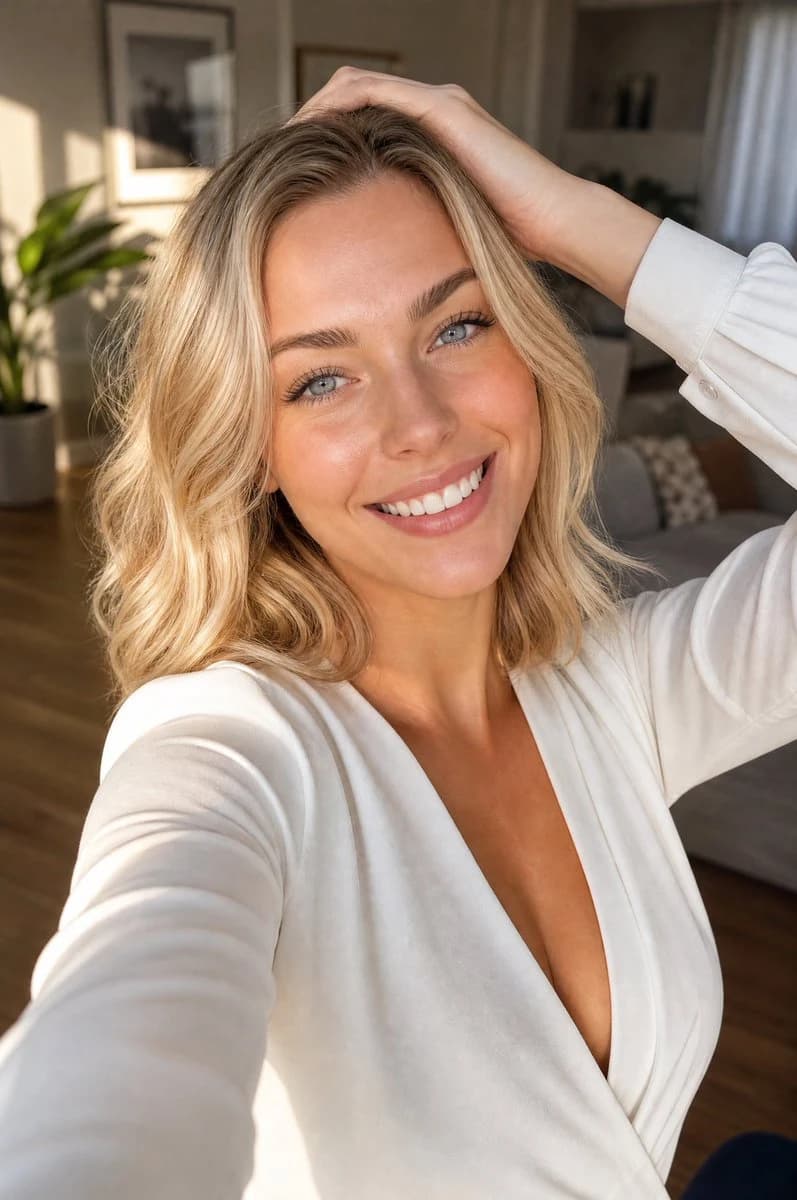
176 wordsCreate a photorealistic high-angle selfie portrait of a beautiful {argument name="subject description" default="young blonde woman with shoulder-length wavy hair, bright blue eyes, clear glowing skin, and a warm natural smile"} looking directly into the camera. The camera is held above her face at arm’s length, creating a flattering overhead perspective with her extended arm visible in the foreground and her other hand resting casually on top of her hair. She wears a {argument name="outfit" default="soft white long-sleeve wrap blouse with a deep V neckline and buttoned cuff"}. Use warm golden-hour sunlight from the side, soft natural shadows, realistic skin texture, sharp eyes, glossy lips, subtle makeup, and a cheerful intimate lifestyle mood. The setting is a cozy modern apartment living room with wooden floor, a gray sofa, pale curtains, framed wall art, shelves, and one large leafy potted plant in the softly blurred background. Compose as a vertical 2:3 portrait, close crop from upper torso to head, shallow depth of field, smartphone selfie realism, natural lens perspective, high detail, no text, no watermark, no extra people.About this prompt
High-Angle Blonde Selfie Portrait is a ready-to-use portrait prompt for GPT Image 2 on Image 2. Copy the 176 words below, paste them into the Create form, and you will get a result close to the preview above. Tweak the Portrait, Fashion, Architecture tag if you want to push it somewhere new.
Use it as a starting point, then adjust the subject, lighting, or composition to suit your idea. The credit cost stays the same whether you use it as written or customize it.
Use case
A strong starting point for Portrait
Start here when you want a portrait image inspired by High-Angle Blonde Selfie Portrait. The prompt already sets the look and composition; replace the subject, product, colors, or scene details to match your project.
Easy places to tweak
- Subject Swap in your person, product, place, or object without changing the overall composition.
- Look and mood Tune the lighting, palette, camera angle, or materials so the image fits your brand.
- Final format Set the aspect ratio, background, text, or layout notes before you generate.
More prompt paths to explore
Find more GPT Image 2 prompts with a similar style, use case, or subject.
How to use it
- Step 1
Copy the prompt
Hit the Copy button above to grab the full text.
- Step 2
Open Image 2 Create
Head to the Create form and paste it in.
- Step 3
Generate
Hit Generate. Your version lands in seconds.
Make it yours
Load the prompt into the Create form with one click, then start tweaking.