Prompt
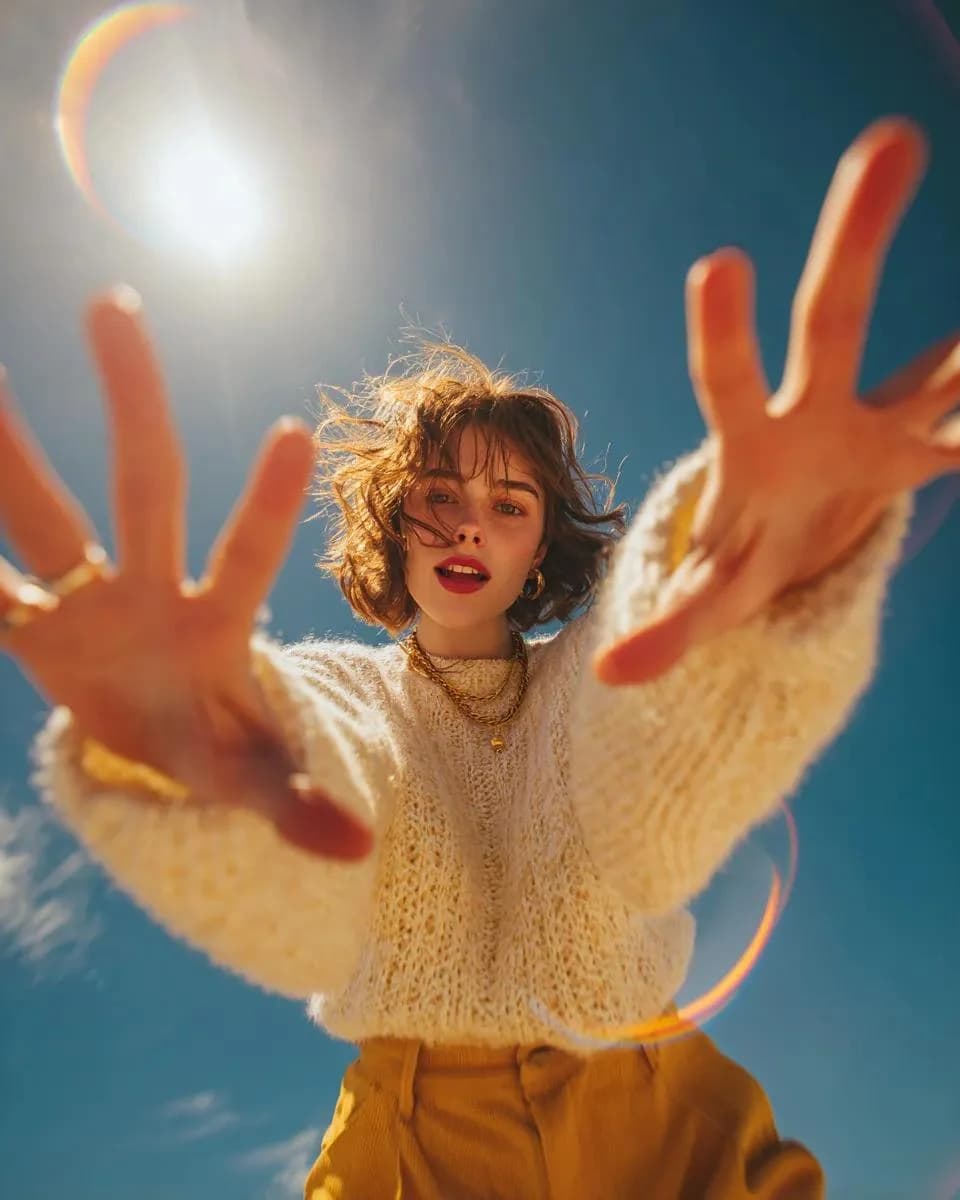
159 wordsUltra-realistic editorial fashion portrait captured from an ultra-low-angle worm's-eye view, camera placed on the ground pointing straight up toward the subject. A {argument name="subject" default="stylish young woman"} leans over the camera with both hands reaching toward the lens, oversized hands creating dramatic forced perspective. Soft smile, relaxed expression, {argument name="hair style" default="short messy wavy bob hair"} blowing naturally in the wind, minimal makeup, delicate gold jewelry, wearing an {argument name="outfit" default="oversized chunky cream cable-knit sweater and mustard corduroy trousers"}. Bright clear blue sky background with the sun positioned behind her head creating strong golden backlighting, cinematic rim light around the hair, natural lens flare rings, rainbow optical flare, glowing sun halo, subtle haze, dreamy atmosphere, shallow depth of field, hands slightly out of focus while the face remains tack sharp, 24mm ultra-wide lens, f/2.0, cinematic composition, Kodak Portra 400 color grading, warm golden-hour tones, natural skin texture, editorial magazine photography, high dynamic range, premium fashion campaign, ultra-detailed, photorealistic, 8K.About this prompt
Editorial Low-Angle Fashion Portrait is a ready-to-use ad creative prompt for GPT Image 2 on Image 2. Copy the 159 words below, paste them into the Create form, and you will get a result close to the preview above. Tweak the Product Ad, Ad Creative, Fashion tag if you want to push it somewhere new.
Use it as a starting point, then adjust the subject, lighting, or composition to suit your idea. The credit cost stays the same whether you use it as written or customize it.
Use case
A strong starting point for Ad Creative
Start here when you want a ad creative image inspired by Editorial Low-Angle Fashion Portrait. The prompt already sets the look and composition; replace the subject, product, colors, or scene details to match your project.
Easy places to tweak
- Subject Swap in your person, product, place, or object without changing the overall composition.
- Look and mood Tune the lighting, palette, camera angle, or materials so the image fits your brand.
- Final format Set the aspect ratio, background, text, or layout notes before you generate.
More prompt paths to explore
Find more GPT Image 2 prompts with a similar style, use case, or subject.
How to use it
- Step 1
Copy the prompt
Hit the Copy button above to grab the full text.
- Step 2
Open Image 2 Create
Head to the Create form and paste it in.
- Step 3
Generate
Hit Generate. Your version lands in seconds.
Make it yours
Load the prompt into the Create form with one click, then start tweaking.