Prompt
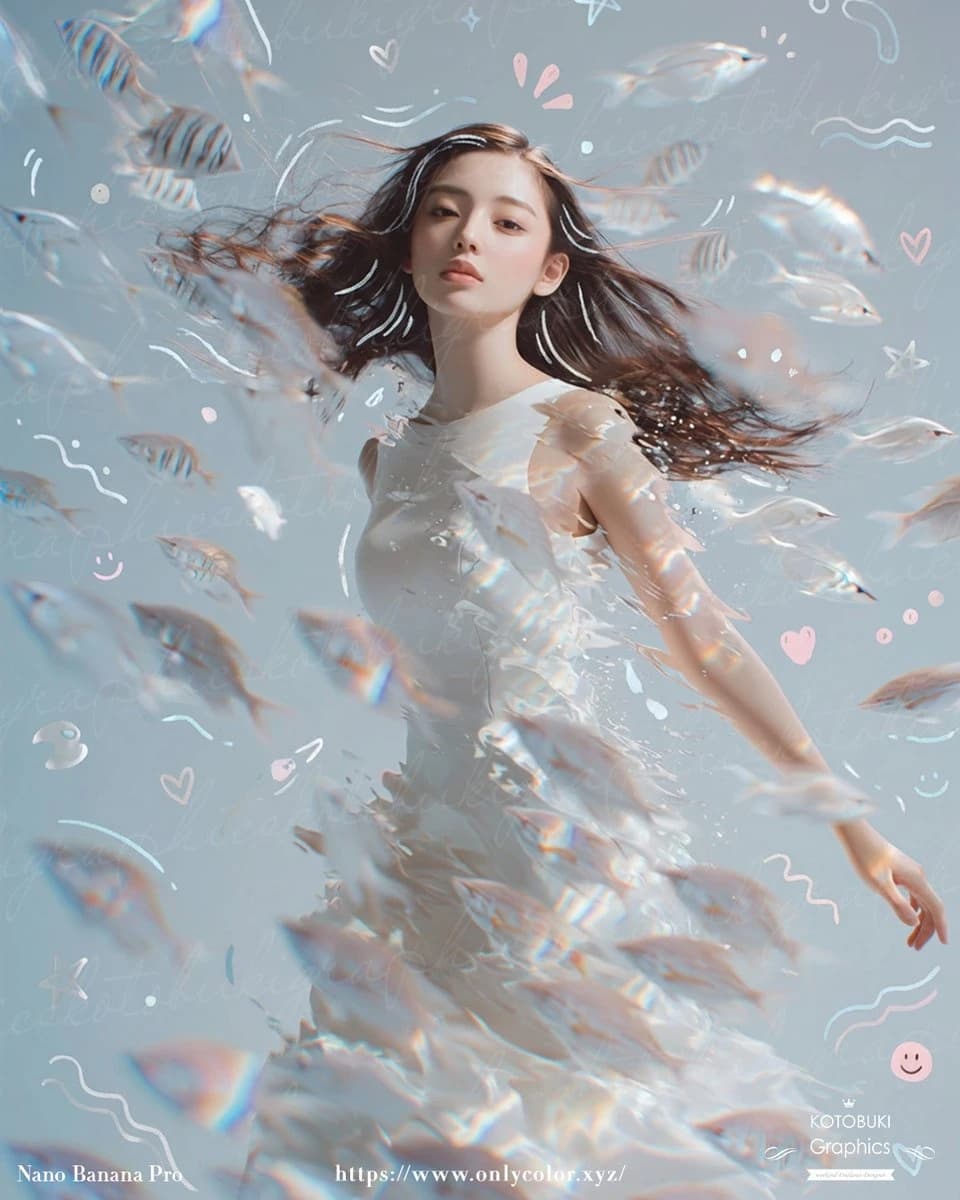
258 wordsA dreamy surreal portrait of a {argument name="subject" default="young woman"} standing underwater or in a liquid-like ethereal space, shown from about mid-thigh up, wearing a flowing sleeveless white dress that appears to dissolve into translucent water and shimmering fragments. Her long {argument name="hair color" default="dark brown"} hair streams dramatically sideways as if suspended in water, and her face is intentionally obscured by a soft vertical blur block for anonymity. Surround her with an exact count of about 30 small translucent fish, some striped and some pale silvery white, swimming in multiple depths of field across the foreground, midground, and background, with several fish passing in front of her body and hair to create strong motion and depth. Use a soft pastel {argument name="background color" default="powder blue"} background with faint handwritten script texture layered across it, plus whimsical doodles scattered throughout: white and pale pink hearts, stars, curved squiggles, wave lines, dots, sparkles, and 2 smiley faces. Add prismatic rainbow refractions, glossy caustic highlights, and subtle lens-like chromatic shimmer on the fish and dress. The mood should feel delicate, introspective, airy, and magical, with high-key lighting, gentle contrast, soft focus in the foreground, and crisp detail on the torso and hair. Compose the figure slightly off-center with one arm relaxed downward and the body turned lightly in motion, as if drifting peacefully through a school of fish. Include tiny elegant footer text in white near the bottom edge, with a left signature, a centered website URL, and a small right credit mark, resembling an art-poster or social-media showcase image.About this prompt
Dreamy Underwater Woman With Translucent Fish is a ready-to-use portrait prompt for GPT Image 2 on Image 2. Copy the 258 words below, paste them into the Create form, and you will get a result close to the preview above. Tweak the Mockup, Portrait, Fashion tag if you want to push it somewhere new.
Use it as a starting point and keep iterating: change the subject, lighting, or composition until it looks right. The credit cost stays the same whether you run it as-is or remix it.
Use case
A strong starting point for Portrait
Start here when you want a portrait image in the same direction as Dreamy Underwater Woman With Translucent Fish. The prompt already sets the look and structure; swap in your own subject, product, colors, or scene details for the brief you have in mind.
Easy places to tweak
- Subject Swap in your person, product, place, or object without changing the overall composition.
- Look and mood Tune the lighting, palette, camera angle, or materials so the image fits your brand.
- Final format Set the aspect ratio, background, text, or layout notes before you generate.
More prompt paths to explore
Find more GPT Image 2 prompts with a similar style, use case, or subject.
How to use it
- Step 1
Copy the prompt
Hit the Copy button above to grab the full text.
- Step 2
Open Image 2 Create
Head to the Create form and paste it in.
- Step 3
Generate
Hit Generate. Your version lands in seconds.
Make it yours
Load the prompt into the Create form with one click, then start tweaking.