Prompt
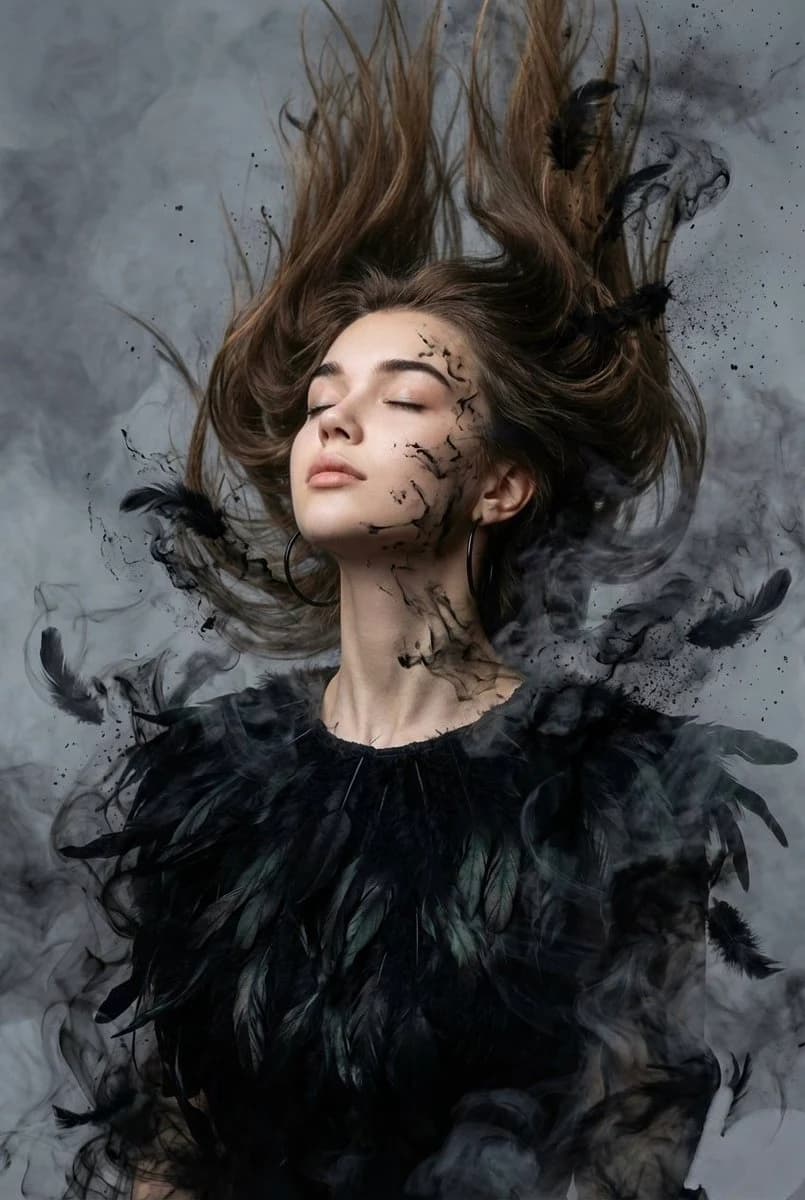
115 wordsSurreal, dark cinematic, ethereal portrait. Close-up from chest upward of a woman with the features of the {argument name="subject" default="reference image"}, head tilted back, eyes closed, expression of freedom and release. She wears a {argument name="clothing" default="long-sleeve blouse made of organic, layered deep matte black raven feathers"}, with large black hoop earrings. Her hair is loose, dynamically suspended, blowing upward and forward by wind, dissolving into feathers and hair merging with black ink splatters, charcoal dust, and wisps of dark smoke. Fine black ink splatters and wisps spread across her face and neck. Background: {argument name="background" default="smoky gray moody atmosphere"}, thick dense layered smoke swirling throughout the frame. High-resolution, cinematic moody lighting diffused through smoke.About this prompt
Dark Ethereal Raven Feather Portrait is a ready-to-use portrait prompt for GPT Image 2 on Image 2. Copy the 115 words below, paste them into the Create form, and you will get a result close to the preview above. Tweak the Portrait, Fashion, Watercolor tag if you want to push it somewhere new.
Use it as a starting point, then adjust the subject, lighting, or composition to suit your idea. The credit cost stays the same whether you use it as written or customize it.
Use case
A strong starting point for Portrait
Start here when you want a portrait image inspired by Dark Ethereal Raven Feather Portrait. The prompt already sets the look and composition; replace the subject, product, colors, or scene details to match your project.
Easy places to tweak
- Subject Swap in your person, product, place, or object without changing the overall composition.
- Look and mood Tune the lighting, palette, camera angle, or materials so the image fits your brand.
- Final format Set the aspect ratio, background, text, or layout notes before you generate.
More prompt paths to explore
Find more GPT Image 2 prompts with a similar style, use case, or subject.
How to use it
- Step 1
Copy the prompt
Hit the Copy button above to grab the full text.
- Step 2
Open Image 2 Create
Head to the Create form and paste it in.
- Step 3
Generate
Hit Generate. Your version lands in seconds.
Make it yours
Load the prompt into the Create form with one click, then start tweaking.