Prompt
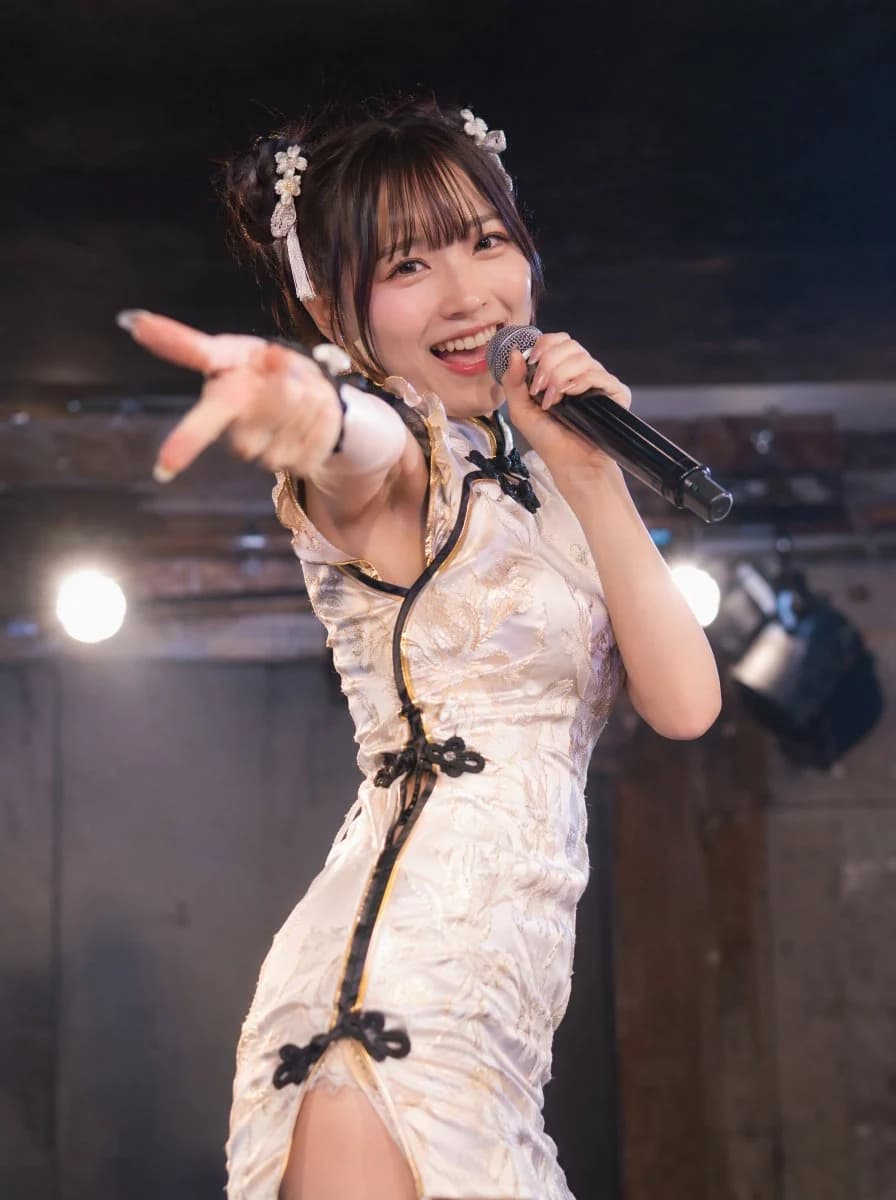
212 wordsCreate a realistic vertical concert photo of a cheerful young Japanese idol singer named {argument name="character name" default="a smiling idol singer"} performing on a small live-house stage. She is shown from mid-thigh upward in a dynamic close perspective, leaning toward the camera, smiling with her mouth open while singing, holding exactly 1 black handheld microphone in her right hand and reaching her left arm toward the viewer with a playful pointing gesture. She wears a glossy white Chinese-inspired idol dress, a fitted sleeveless qipao-style mini dress with pale floral brocade texture, gold piping, black frog closures, black trim, and a front slit; use {argument name="outfit color" default="ivory white with gold and black accents"}. Her hair is {argument name="hair color" default="dark brown"}, styled with straight bangs and exactly 2 small messy side buns, decorated with exactly 2 white floral hair ornaments and trailing white ribbons. The stage background is dim and industrial, with dark ceiling beams, concrete walls, shallow depth of field, and exactly 2 bright circular stage lights glowing behind her, creating warm rim light and bokeh. Use a high-quality DSLR concert photography look, natural skin tones, sharp focus on her face and microphone, slight motion energy in the extended hand, 3:4 vertical composition, intimate idol performance atmosphere, no text, no watermark.About this prompt
Chinese-Style Idol Concert Portrait is a ready-to-use portrait prompt for GPT Image 2 on Image 2. Copy the 212 words below, paste them into the Create form, and you will get a result close to the preview above. Tweak the Social Media, Portrait, Fashion tag if you want to push it somewhere new.
Use it as a starting point, then adjust the subject, lighting, or composition to suit your idea. The credit cost stays the same whether you use it as written or customize it.
Use case
A strong starting point for Portrait
Start here when you want a portrait image inspired by Chinese-Style Idol Concert Portrait. The prompt already sets the look and composition; replace the subject, product, colors, or scene details to match your project.
Easy places to tweak
- Subject Swap in your person, product, place, or object without changing the overall composition.
- Look and mood Tune the lighting, palette, camera angle, or materials so the image fits your brand.
- Final format Set the aspect ratio, background, text, or layout notes before you generate.
More prompt paths to explore
Find more GPT Image 2 prompts with a similar style, use case, or subject.
How to use it
- Step 1
Copy the prompt
Hit the Copy button above to grab the full text.
- Step 2
Open Image 2 Create
Head to the Create form and paste it in.
- Step 3
Generate
Hit Generate. Your version lands in seconds.
Make it yours
Load the prompt into the Create form with one click, then start tweaking.