Prompt
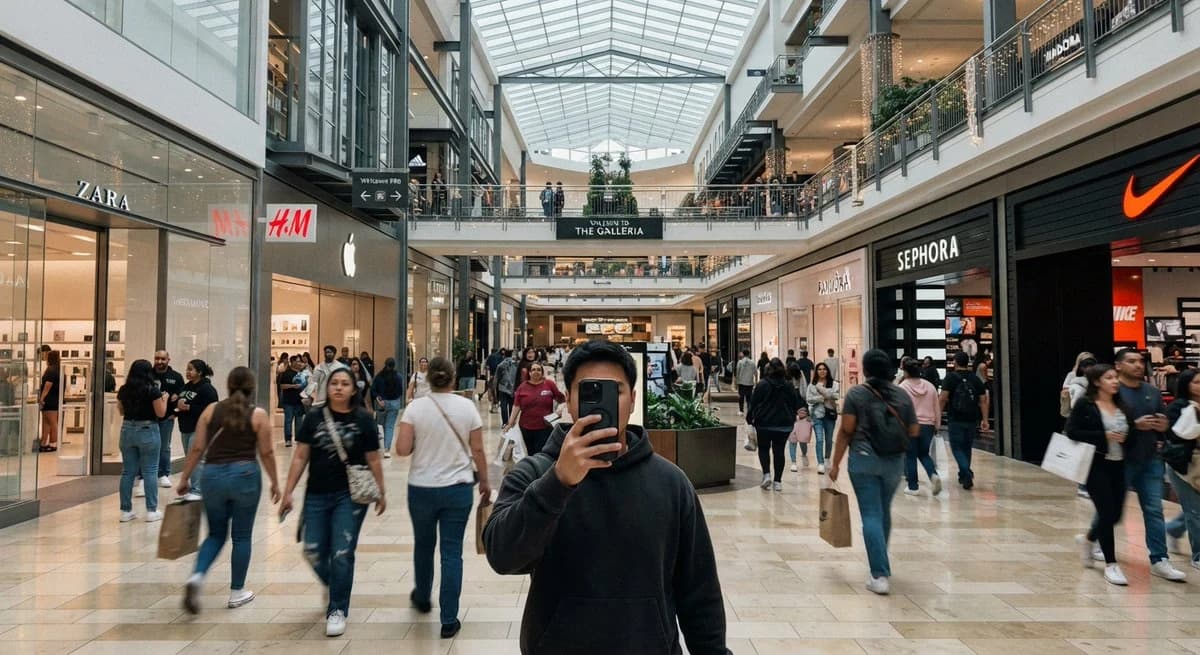
236 wordsCreate a casual iPhone-style ultra-wide photo taken inside a modern indoor shopping mall, as if shot at chest height by a person taking a mirrorless front-facing selfie with their phone. In the foreground, center a young man wearing a dark charcoal hoodie, holding a black smartphone directly in front of his face so his face is mostly hidden. The mall is bright and busy, with many shoppers walking in both directions, slight motion blur on moving people, and a polished beige stone tile floor reflecting soft overhead light. Use a wide 16:9 horizontal composition with strong central perspective leading down the main concourse. The architecture has two visible shopping levels, glass railings, dark metal beams, balconies, hanging warm string lights, planters with greenery, and a large geometric glass skylight ceiling. Include exactly five prominent recognizable storefront signs: ZARA on the left, H&M on the left-center, an Apple logo store on the left-center, SEPHORA on the right, and a Nike swoosh storefront on the far right. Add a central overhead sign reading {argument name="mall sign text" default="THE GALLERIA"}. Make the image look like a realistic casual smartphone snapshot rather than a staged commercial photo: natural indoor lighting, mild lens distortion, candid crowd spacing, imperfect framing, and documentary realism. The main customizable subject is {argument name="selfie subject" default="a young man in a dark charcoal hoodie"}; keep the setting as {argument name="mall type" default="a large upscale indoor shopping mall"}.About this prompt
Casual Mall Selfie Snapshot is a ready-to-use social media prompt for GPT Image 2 on Image 2. Copy the 236 words below, paste them into the Create form, and you will get a result close to the preview above. Tweak the Product Ad, Social Media, Architecture tag if you want to push it somewhere new.
Use it as a starting point, then adjust the subject, lighting, or composition to suit your idea. The credit cost stays the same whether you use it as written or customize it.
Use case
A strong starting point for Social Media
Start here when you want a social media image inspired by Casual Mall Selfie Snapshot. The prompt already sets the look and composition; replace the subject, product, colors, or scene details to match your project.
Easy places to tweak
- Subject Swap in your person, product, place, or object without changing the overall composition.
- Look and mood Tune the lighting, palette, camera angle, or materials so the image fits your brand.
- Final format Set the aspect ratio, background, text, or layout notes before you generate.
More prompt paths to explore
Find more GPT Image 2 prompts with a similar style, use case, or subject.
How to use it
- Step 1
Copy the prompt
Hit the Copy button above to grab the full text.
- Step 2
Open Image 2 Create
Head to the Create form and paste it in.
- Step 3
Generate
Hit Generate. Your version lands in seconds.
Make it yours
Load the prompt into the Create form with one click, then start tweaking.