Prompt
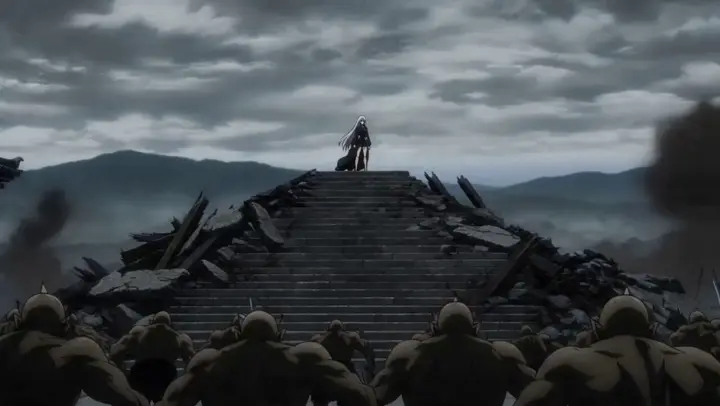
124 wordsA young hunter wearing futuristic armor, glowing emerald visor and twin energy blades, rendered in ultra-premium Japanese anime rendering, dark dungeon action anime visual style, high-contrast cel shading, dramatic anime lighting, glowing VFX - 0–4s: enters a colossal dungeon beneath a ruined city where giant crystal beasts emerge from the darkness; - 4–10s: sprints across collapsing platforms, cutting through monsters while crystal explosions illuminate the cavern, camera performing rapid anime-style orbit shots around every attack; - 10–15s: reaches the dungeon boss, a mountain-sized crystal dragon, and pierces its core with a blinding energy strike, ending with the dragon shattering into millions of glowing fragments while the hunter stands at the center of the collapse Epic dungeon raid anime, massive boss battle, premium sakuga spectacle.
About this prompt
Epic Anime Dungeon Raid Battle is a Anime Seedance 2.0 prompt with 124 words, structured around shot timing, camera direction, motion cues, and remixable scene details.
Use the preview clip when available to understand pacing, then treat the prompt text as a production brief you can adapt for your own subject, brand, or story.
Video prompt structure
Use it for Anime videos
Best for Seedance 2.0 generations that need Anime, VFX. Replace the subject, setting, product, dialogue, music, and timing before sending it to the generator.
Customize before generating
- Swap the subject. Keep the camera and timing structure, but change the character, product, or environment.
- Tighten the timeline. Shorten or expand shot blocks so they match the duration you want to render.
- Add reference media. Use first frames, last frames, images, video, or audio when the prompt depends on a specific look or rhythm.
More Seedance paths to explore
Browse adjacent styles and techniques from the same Seedance 2.0 prompt library.
How to use it
- Step 1
Copy or start from this prompt
Use the full prompt as a structured draft rather than rewriting the whole video brief.
- Step 2
Open Seedance 2.0
Send the text into the Seedance generator and choose text, image, or reference mode.
- Step 3
Adapt and render
Tune duration, aspect ratio, reference media, camera notes, and dialogue before generating.
Make it a Seedance video
Start from this prompt in the Seedance 2.0 generator, then adjust the scene, duration, aspect ratio, and reference media.