Prompt
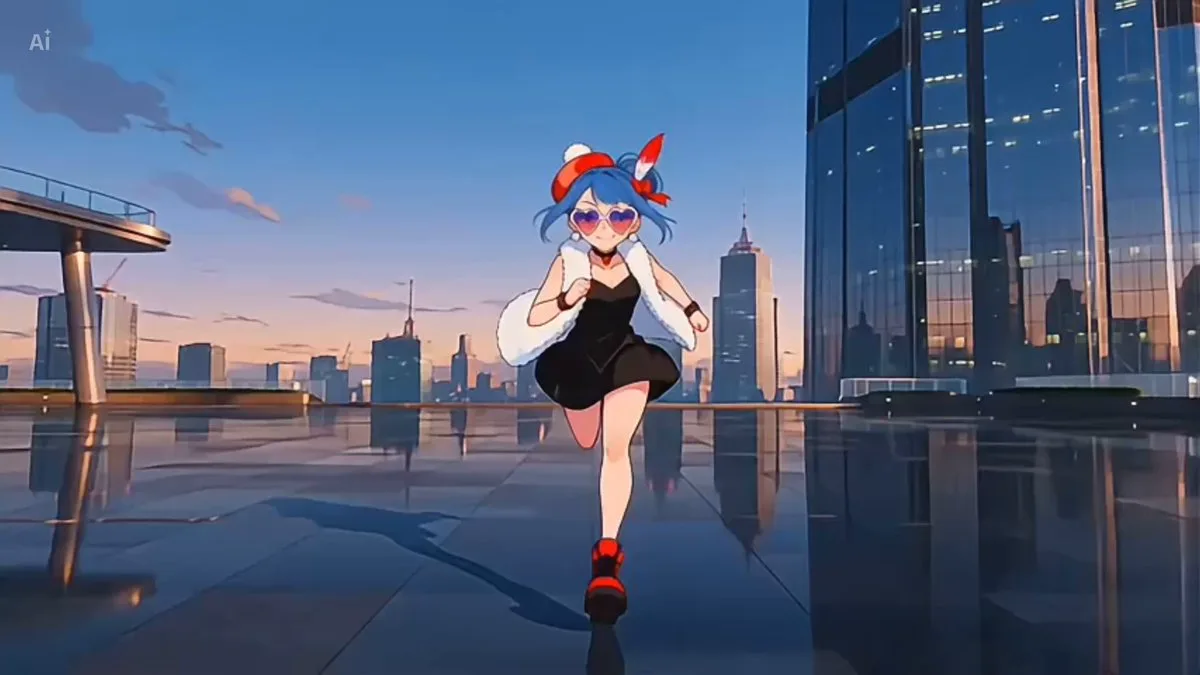
737 wordsUse the character from the reference image as the protagonist. 15 seconds, 24fps. Japanese full-color anime. High-quality animation style like a theatrical feature film. High frame count. A short dance video designed to go viral with strong cuteness. The protagonist is the character from the reference image themselves. Maintain the hairstyle, hair color, eyes, facial features, build, age, clothing impression, accessories, and overall atmosphere of the reference image. The background is a bright and cute, organized classroom-like or studio-like space. Keep the background simple so the person is the star, but with a pop and fresh atmosphere. Music: Japanese song. No existing real songs should be used. Visual Concept: The protagonist performs a cute dance. Priority on cuteness. Slightly flirtatious, friendly, and strongly projecting the feeling of dancing for the camera. 2D flat animations, as if made in After Effects, appear in sync with the dance movements. Effects are hand-drawn cute illustrations with a texture like crayon or oil pastel. Circles, stars, hearts, flowers, notes, arrows, ribbons, crowns, sparkles, wavy lines, swirly lines, speech bubble frames, checker patterns, diagonal lines, halftone dots, etc. All are flat 2D animations. Color palette centered on pink, light blue, yellow, white, lavender, and mint green, harmonizing with the character's colors. Camera Composition: A 5-camera setup. Cameras are not fixed; they switch every 2 seconds. Cameras used: Front, Top (High Angle), Left, Right, and Back. Regardless of the camera angle, the protagonist always remains aware of the lens and maintains eye contact. Even in non-front angles, they look at the lens by turning their head or shifting their gaze. In the back-angle camera, they look over their shoulder at the lens. Viral-ready camerawork with varied angles and good tempo. Cameras are not static; they shake lightly to the beat with small vertical bounces, short punch-ins, and slight side-to-side sways. Intentional and clean camera shake, not messy. Dance Content: Cute and easy-to-mimic dance. Light side steps, hand heart in front of chest, one-hand heart, cheek peace sign, opening hands by cheeks, pointing, small shoulder bounces, light hip sways, leg out and back, small turns, and ending with a wink. Focus on upper body moves for high impact in a short duration. Always maintain eye contact as if dancing directly for the viewer. 15-Second Timeline: 0.0-2.0s: Front camera. Protagonist in the center, keeping rhythm, making a hand heart in front of the chest with small side steps. Light vertical camera bounce. Crayon hearts, stars, and circles appear around the hands and face. Front-facing eye contact. 2.0-4.0s: Top camera. Slightly high-angle cute shot. Looking up at the lens with cheek peace sign, one-hand heart, and pointing. Crowns, flowers, and bubble frames appear around the face. 4.0-6.0s: Left camera. Body turned slightly left but face and gaze toward the lens. Hip sways, one hand on cheek, other hand waving. Crayon ribbon lines, notes, and stars follow hand movements. Light side camera sway. 6.0-8.0s: Right camera. Body turned right, maintaining eye contact. Rhythmic shoulder bounces, arm movements, and leg steps. Flowers, circles, and halftone dots burst at the feet and shoulders. Short beat-matched punch-in. 8.0-10.0s: Back camera. Starts from the back, but they spin to look over the shoulder at the lens. Small turn with pointing and a finger-heart or blow-kiss gesture. Swirly lines and stars appear around the hair and clothes. 10.0-12.0s: Back to front camera. High energy section. Opening arms wide, small bounces. Larger hearts, stars, and flowers increase to maximize cuteness. Short camera shakes with each move. 12.0-14.0s: Back to top camera. Looking up, opening hands by face, one-hand heart. Frames, hearts, and flowers spread in the background. Continuous eye contact. 14.0-15.0s: Front hero shot. Bust-up close shot. Smiling and ending with a wink. Crayon four-pointed stars, hearts, and ribbons burst from the eye. Short punch-in and stop on the final viral cut. AE-style 2D Animation Direction: All effects are flat 2D animations as if made in After Effects but with a rough, hand-drawn crayon/pastel texture. Movements include appearing, bouncing, scaling, rotating, and fading. Effects are synchronized with hands, face, feet, and body movements without obscuring the face. Constraints: No other people except the protagonist. Maintain character consistency from the reference image (face, hair, eyes, age, clothing). Do not change characters or outfits. Use the 5-camera composition switching every 2 seconds. Constant eye contact at all times. Crayon hand-drawn style effects only. No realistic fire, smoke, or excessive glitch. No text, subtitles, or logos.
About this prompt
Anime Dance with Hand-Drawn Crayon Effects is a Anime Seedance 2.0 prompt with 737 words, structured around shot timing, camera direction, motion cues, and remixable scene details.
Use the preview clip when available to understand pacing, then treat the prompt text as a production brief you can adapt for your own subject, brand, or story.
Video prompt structure
Use it for Anime videos
Best for Seedance 2.0 generations that need Anime, Multi-Shot, Dialogue. Replace the subject, setting, product, dialogue, music, and timing before sending it to the generator.
Customize before generating
- Swap the subject. Keep the camera and timing structure, but change the character, product, or environment.
- Tighten the timeline. Shorten or expand shot blocks so they match the duration you want to render.
- Add reference media. Use first frames, last frames, images, video, or audio when the prompt depends on a specific look or rhythm.
More Seedance paths to explore
Browse adjacent styles and techniques from the same Seedance 2.0 prompt library.
How to use it
- Step 1
Copy or start from this prompt
Use the full prompt as a structured draft rather than rewriting the whole video brief.
- Step 2
Open Seedance 2.0
Send the text into the Seedance generator and choose text, image, or reference mode.
- Step 3
Adapt and render
Tune duration, aspect ratio, reference media, camera notes, and dialogue before generating.
Make it a Seedance video
Start from this prompt in the Seedance 2.0 generator, then adjust the scene, duration, aspect ratio, and reference media.