Prompt
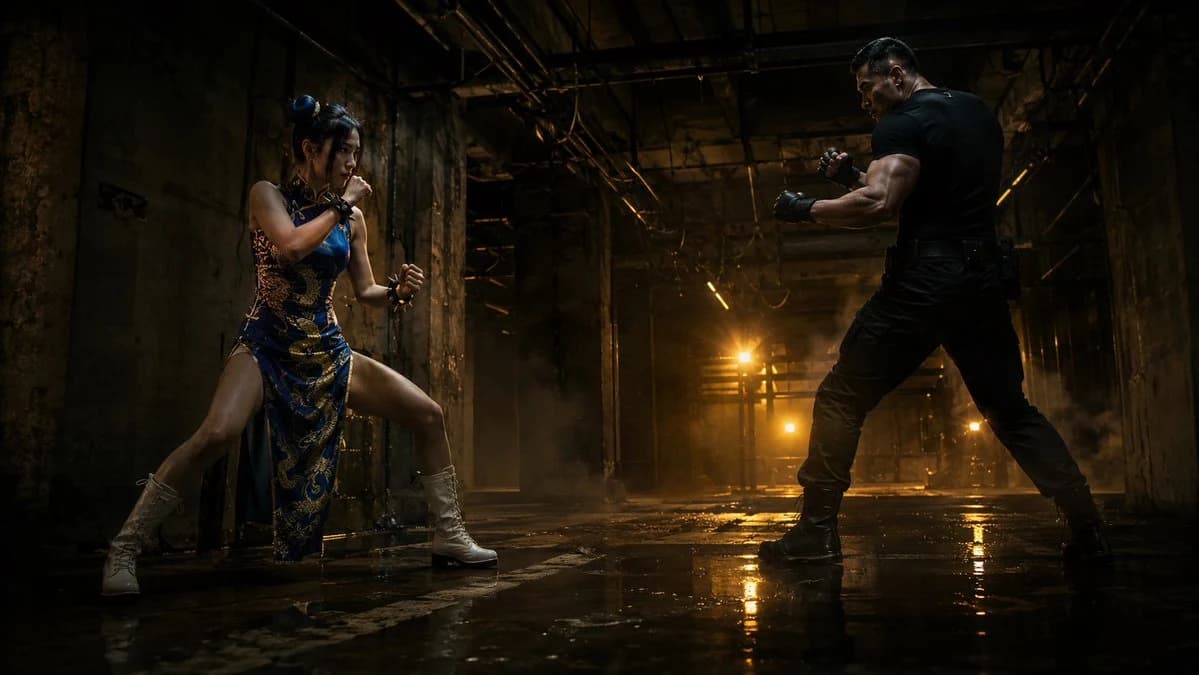
194 wordsCreate a cinematic ultra-wide action keyframe in a 16:9 aspect ratio, set inside a dark abandoned industrial warehouse with damaged concrete walls, exposed steel beams, hanging cables, broken pipes, grimy pillars, a high shadowy ceiling, drifting haze, and a wet dirty floor that creates strong mirror-like reflections. Show exactly two fighters facing off across the frame: on the left, {argument name="female fighter outfit" default="a blue and gold Chinese-inspired qipao combat dress with high side slit"}, white lace-up combat boots, hair in two buns, crouched in a guarded martial-arts stance with fists raised; on the right, {argument name="male fighter outfit" default="a tight black tactical T-shirt, black cargo pants, black boots, and fingerless gloves"}, muscular build, standing wide in a boxer stance with clenched fists. Use dramatic low-angle framing, strong negative space between them, and intense backlighting from warm amber industrial lights deep in the corridor, with golden reflections on the wet floor. The mood should be gritty, tense, realistic, and high-budget, like a live-action fight scene keyframe. Emphasize cinematic contrast, volumetric smoke, rim light on both bodies, detailed textures, realistic skin, damp concrete, and deep shadows. No text, no logos, no extra characters, no weapons.About this prompt
Warehouse Martial Arts Showdown is a ready-to-use storyboard prompt for GPT Image 2 on Image 2. Copy the 194 words below, paste them into the Create form, and you will get a result close to the preview above. Tweak the Comic, Storyboard, Fashion tag if you want to push it somewhere new.
Use it as a starting point, then adjust the subject, lighting, or composition to suit your idea. The credit cost stays the same whether you use it as written or customize it.
Use case
A strong starting point for Storyboard
Start here when you want a storyboard image inspired by Warehouse Martial Arts Showdown. The prompt already sets the look and composition; replace the subject, product, colors, or scene details to match your project.
Easy places to tweak
- Subject Swap in your person, product, place, or object without changing the overall composition.
- Look and mood Tune the lighting, palette, camera angle, or materials so the image fits your brand.
- Final format Set the aspect ratio, background, text, or layout notes before you generate.
More prompt paths to explore
Find more GPT Image 2 prompts with a similar style, use case, or subject.
How to use it
- Step 1
Copy the prompt
Hit the Copy button above to grab the full text.
- Step 2
Open Image 2 Create
Head to the Create form and paste it in.
- Step 3
Generate
Hit Generate. Your version lands in seconds.
Make it yours
Load the prompt into the Create form with one click, then start tweaking.