Prompt
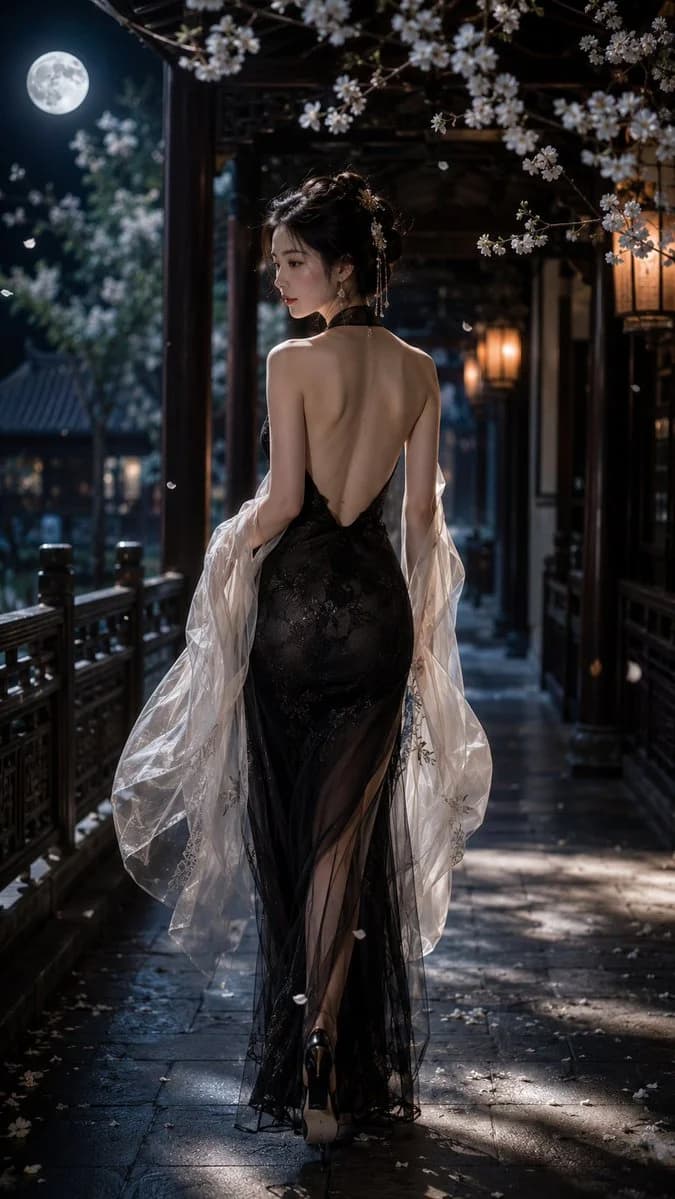
9 words一位成年东方女性,9:16 竖版构图,写实风格,全身偏背面人像,人物行走在一条古典中式回廊之中,画面从后方略低机位捕捉她的身影,人物为绝对视觉中心。她微微回首,露出精致柔和的侧脸与安静迷人的神情,整体气质清冷、优雅、神秘而极具女性魅力。 她拥有纤细修长的身材,肌肤白皙细腻,黑色长发优雅盘起,发丝柔顺,点缀少量精致发饰。她身穿一袭黑色修身礼服 / 新中式晚礼裙,采用深V露背设计,背部大面积裸露,清晰展现女性优雅流畅的背部线条、肩胛轮廓与纤细腰身。礼服面料贴合身体曲线,从腰部自然收束,顺着身体向下延展,重点突出圆润饱满、流畅自然的臀部曲线,以及优雅的腰臀比例,呈现成熟女性含蓄而高级的性感气质。 外层披覆一层轻薄透明的白色薄纱披帛,薄纱在行走间轻轻飘动,增添柔美、朦胧和梦幻感。裙摆下摆带开衩或半透明叠层设计,在光影中展现细腻层次。整体体态修长挺拔,姿态自然优雅,强调女性身体线条的柔和力量感。 场景设定在夜色或月光下的中式庭院长廊,木质廊柱与雕花栏杆向远处延伸,形成强烈纵深感。四周盛开的白色花枝从前景与顶部穿插进入画面,花瓣在空气中轻轻飘落。远处挂着暖色灯笼或灯火,冷色月光与微暖灯光交织,营造静谧、空灵、诗意的氛围。地面与回廊中有斑驳光影,背景略带薄雾与浅景深虚化,突出人物主体。 整体风格要求: 高级写实风,东方电影感,美术摄影质感,唯美清冷,柔和光影,真实肌肤质感,精致服装面料,重点表现女性背部与臀部的优雅曲线,性感,梦幻氛围,超高细节,无文字,无水印。
About this prompt
中式深V礼服月下回眸 is a ready-to-use portrait prompt for GPT Image 2 on Image 2. Copy the 9 words below, paste them into the Create form, and you will get a result close to the preview above. Tweak the Portrait tag if you want to push it somewhere new.
Use it as a starting point, then adjust the subject, lighting, or composition to suit your idea. The credit cost stays the same whether you use it as written or customize it.
Use case
A strong starting point for Portrait
Start here when you want a portrait image inspired by 中式深V礼服月下回眸. The prompt already sets the look and composition; replace the subject, product, colors, or scene details to match your project.
Easy places to tweak
- Subject Swap in your person, product, place, or object without changing the overall composition.
- Look and mood Tune the lighting, palette, camera angle, or materials so the image fits your brand.
- Final format Set the aspect ratio, background, text, or layout notes before you generate.
More prompt paths to explore
Find more GPT Image 2 prompts with a similar style, use case, or subject.
How to use it
- Step 1
Copy the prompt
Hit the Copy button above to grab the full text.
- Step 2
Open Image 2 Create
Head to the Create form and paste it in.
- Step 3
Generate
Hit Generate. Your version lands in seconds.
Make it yours
Load the prompt into the Create form with one click, then start tweaking.