Prompt
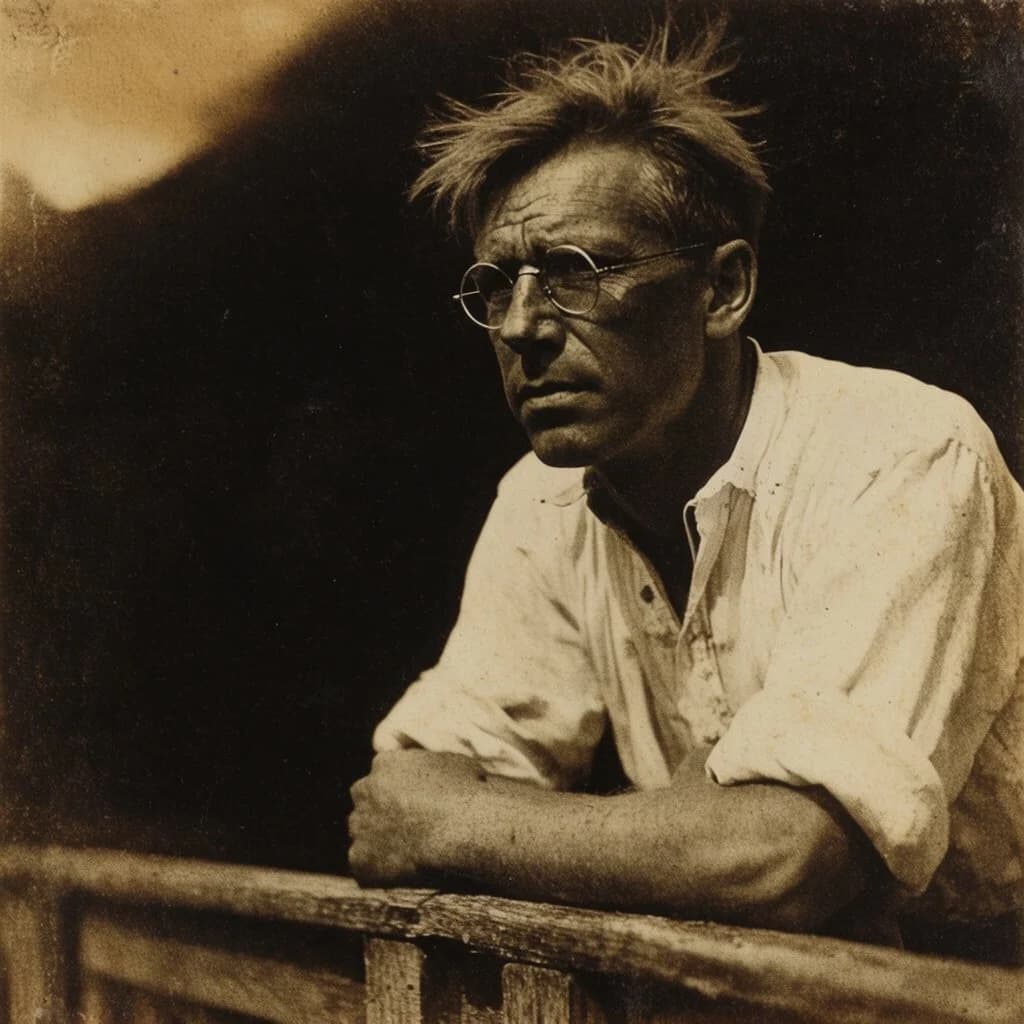
176 wordsCreate a sepia-toned vintage photographic portrait of {argument name="subject" default="a middle-aged intellectual man"} leaning forward on a rough wooden railing, shown from the chest up in a three-quarter view facing left. He has a weathered face, deep forehead lines, a serious contemplative expression, messy windblown light hair, and small round wire-rim glasses. He wears {argument name="clothing" default="a loose white linen shirt with rolled sleeves and an open collar"}, slightly wrinkled and sunlit. His forearms rest across the rustic railing in the foreground. Use dramatic natural light from the upper left, with the face partly illuminated and the background falling into deep black shadow, suggesting an outdoor porch or rural setting. Render as an early 20th-century sepia gelatin silver or albumen print: warm brown monochrome tones, high contrast, soft focus at the edges, visible film grain, dust specks, scratches, vignetting, uneven exposure, aged paper texture, and slightly faded archival wear. Composition should be intimate and documentary, with the subject placed slightly right of center, large dark negative space behind him, no modern objects, no text, no watermark.About this prompt
Sepia Vintage Intellectual Portrait is a ready-to-use portrait prompt for GPT Image 2 on Image 2. Copy the 176 words below, paste them into the Create form, and you will get a result close to the preview above. Tweak the Portrait, Fashion, 3D tag if you want to push it somewhere new.
Use it as a starting point, then adjust the subject, lighting, or composition to suit your idea. The credit cost stays the same whether you use it as written or customize it.
Use case
A strong starting point for Portrait
Start here when you want a portrait image inspired by Sepia Vintage Intellectual Portrait. The prompt already sets the look and composition; replace the subject, product, colors, or scene details to match your project.
Easy places to tweak
- Subject Swap in your person, product, place, or object without changing the overall composition.
- Look and mood Tune the lighting, palette, camera angle, or materials so the image fits your brand.
- Final format Set the aspect ratio, background, text, or layout notes before you generate.
More prompt paths to explore
Find more GPT Image 2 prompts with a similar style, use case, or subject.
How to use it
- Step 1
Copy the prompt
Hit the Copy button above to grab the full text.
- Step 2
Open Image 2 Create
Head to the Create form and paste it in.
- Step 3
Generate
Hit Generate. Your version lands in seconds.
Make it yours
Load the prompt into the Create form with one click, then start tweaking.