Prompt
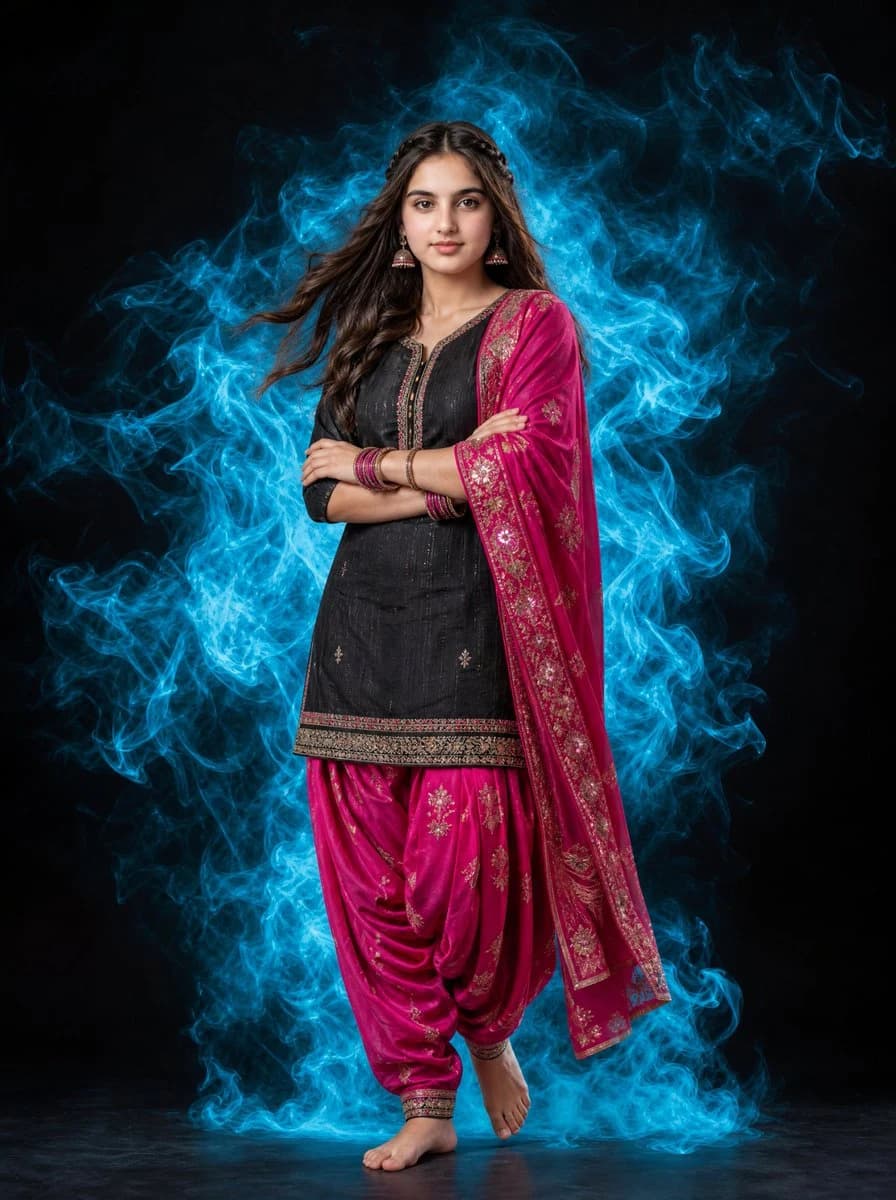
114 wordsA full-length portrait of a beautiful {argument name="subject" default="young Indian woman"} standing gracefully against a solid black background. She is wearing a {argument name="clothing" default="traditional black kurti paired with vibrant pink patiala salwar and a matching pink dupatta featuring intricate gold patterns"}. Her long, dark hair is styled with a soft, natural wave and a subtle braid, appearing to flow slightly as if in a gentle breeze. Surrounding her is a dramatic, swirling aura of {argument name="smoke color" default="glowing cyan smoke"} that contrasts sharply with the black backdrop and her outfit. She is barefoot, posing confidently with arms crossed, wearing traditional bangles and elegant earrings. Cinematic lighting, high contrast, professional photography, hyper-realistic, 8k resolution.About this prompt
Indian Woman Portrait with Cyan Smoke is a ready-to-use portrait prompt for GPT Image 2 on Image 2. Copy the 114 words below, paste them into the Create form, and you will get a result close to the preview above. Tweak the Portrait, Fashion tag if you want to push it somewhere new.
Use it as a starting point, then adjust the subject, lighting, or composition to suit your idea. The credit cost stays the same whether you use it as written or customize it.
Use case
A strong starting point for Portrait
Start here when you want a portrait image inspired by Indian Woman Portrait with Cyan Smoke. The prompt already sets the look and composition; replace the subject, product, colors, or scene details to match your project.
Easy places to tweak
- Subject Swap in your person, product, place, or object without changing the overall composition.
- Look and mood Tune the lighting, palette, camera angle, or materials so the image fits your brand.
- Final format Set the aspect ratio, background, text, or layout notes before you generate.
More prompt paths to explore
Find more GPT Image 2 prompts with a similar style, use case, or subject.
How to use it
- Step 1
Copy the prompt
Hit the Copy button above to grab the full text.
- Step 2
Open Image 2 Create
Head to the Create form and paste it in.
- Step 3
Generate
Hit Generate. Your version lands in seconds.
Make it yours
Load the prompt into the Create form with one click, then start tweaking.