Prompt
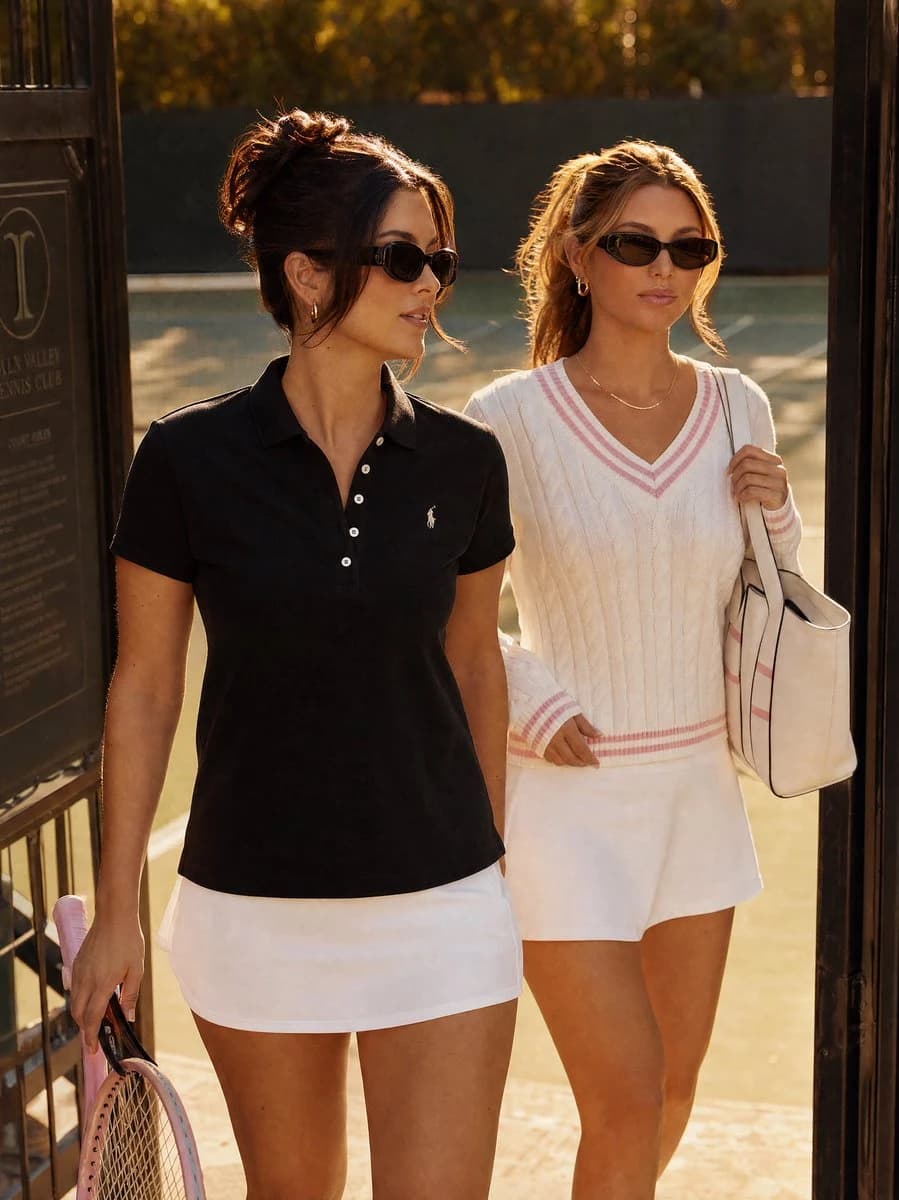
209 wordsCreate a realistic editorial fashion photograph of two stylish young women entering or leaving a tennis club through a dark metal gate at golden hour. The foreground woman has dark brunette hair in a loose messy bun with face-framing strands, slim black oval sunglasses, small hoop earrings, a fitted black short-sleeve polo shirt with a tiny white chest logo, a white tennis mini skirt, and holds a pink tennis racket down at her side. The second woman walks just behind her, with blonde hair in a relaxed ponytail, black cat-eye sunglasses, small gold hoop earrings, a delicate necklace, a cream cable-knit tennis sweater with pink striped V-neck cuffs and hem, a white tennis skirt, and a large cream tote bag over one shoulder. Show exactly two women, both mid-stride, confident and relaxed, with warm sun rim-lighting their hair and shoulders. The setting is an upscale tennis club entrance with a partially visible dark signboard on the left, black gate posts framing the image, blurred green tennis court and trees in the background, and a luxurious late-afternoon atmosphere. Use a vertical 3:4 composition, waist-to-thigh fashion framing, shallow depth of field, natural skin texture, warm cinematic color grading, high-end lifestyle magazine photography, no readable text emphasis, no extra people, no watermark.
About this prompt
Golden Hour Tennis Club Fashion Photo is a ready-to-use ad creative prompt for GPT Image 2 on Image 2. Copy the 209 words below, paste them into the Create form, and you will get a result close to the preview above. Tweak the Product Ad, Ad Creative, Fashion tag if you want to push it somewhere new.
Use it as a starting point, then adjust the subject, lighting, or composition to suit your idea. The credit cost stays the same whether you use it as written or customize it.
Use case
A strong starting point for Ad Creative
Start here when you want a ad creative image inspired by Golden Hour Tennis Club Fashion Photo. The prompt already sets the look and composition; replace the subject, product, colors, or scene details to match your project.
Easy places to tweak
- Subject Swap in your person, product, place, or object without changing the overall composition.
- Look and mood Tune the lighting, palette, camera angle, or materials so the image fits your brand.
- Final format Set the aspect ratio, background, text, or layout notes before you generate.
More prompt paths to explore
Find more GPT Image 2 prompts with a similar style, use case, or subject.
How to use it
- Step 1
Copy the prompt
Hit the Copy button above to grab the full text.
- Step 2
Open Image 2 Create
Head to the Create form and paste it in.
- Step 3
Generate
Hit Generate. Your version lands in seconds.
Make it yours
Load the prompt into the Create form with one click, then start tweaking.