Prompt
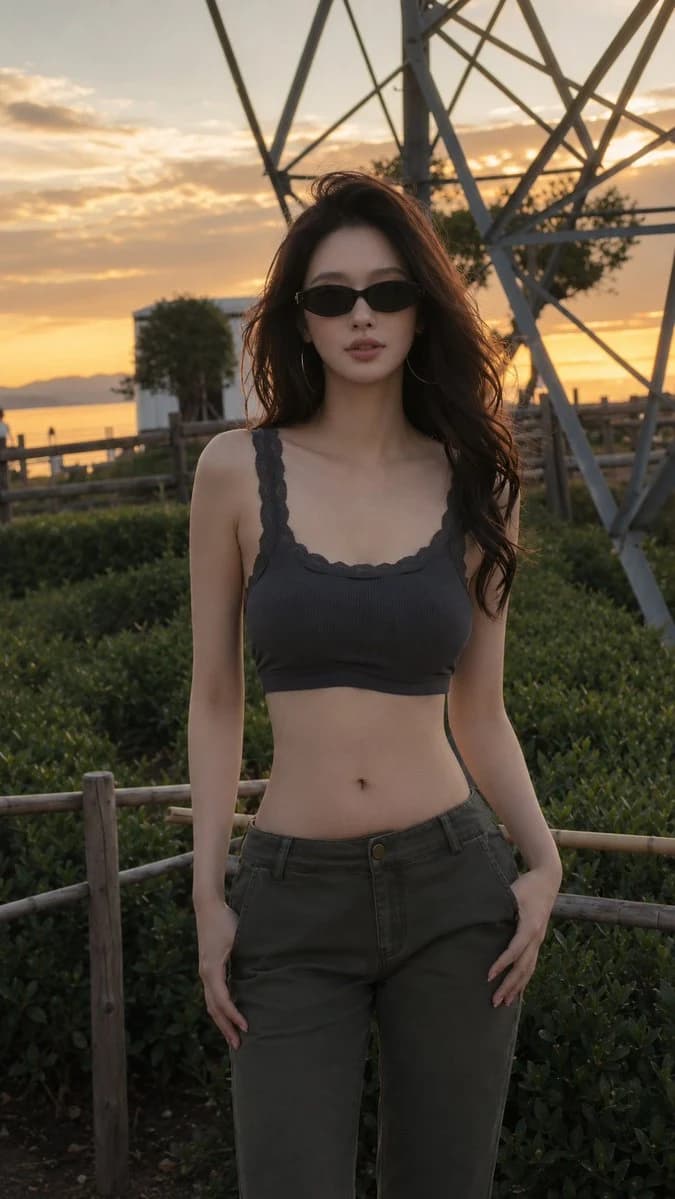
187 wordsCreate a realistic vertical fashion portrait photo of a {argument name="subject" default="young East Asian woman"} standing outdoors near the seaside at golden hour, framed from head to upper thighs and centered in the composition. She has long voluminous wavy dark brown hair blowing slightly in the wind, smooth natural makeup, a calm confident expression, and wears narrow black oval sunglasses plus large thin hoop earrings. Outfit: a dark charcoal ribbed cropped tank top with lace-trim straps and neckline, revealing the midriff, paired with low-rise dark olive cargo-style pants; one hand rests in a pocket while the other hangs naturally by her thigh. Background: sunset sky with warm orange clouds, distant water and low mountains on the left, a wooden fence and dense green shrubs in the foreground, and a large gray metal lattice tower structure rising behind her on the right. Lighting should be cinematic backlit sunset with warm rim light on hair and shoulders, soft natural shadows on the face, shallow depth of field, realistic skin texture, high-end editorial street-fashion photography, 35mm lens look, natural colors, no text, no watermark, no extra people in the foreground.About this prompt
Golden Hour Seaside Fashion Portrait is a ready-to-use portrait prompt for GPT Image 2 on Image 2. Copy the 187 words below, paste them into the Create form, and you will get a result close to the preview above. Tweak the Portrait, Fashion, Beauty tag if you want to push it somewhere new.
Use it as a starting point, then adjust the subject, lighting, or composition to suit your idea. The credit cost stays the same whether you use it as written or customize it.
Use case
A strong starting point for Portrait
Start here when you want a portrait image inspired by Golden Hour Seaside Fashion Portrait. The prompt already sets the look and composition; replace the subject, product, colors, or scene details to match your project.
Easy places to tweak
- Subject Swap in your person, product, place, or object without changing the overall composition.
- Look and mood Tune the lighting, palette, camera angle, or materials so the image fits your brand.
- Final format Set the aspect ratio, background, text, or layout notes before you generate.
More prompt paths to explore
Find more GPT Image 2 prompts with a similar style, use case, or subject.
How to use it
- Step 1
Copy the prompt
Hit the Copy button above to grab the full text.
- Step 2
Open Image 2 Create
Head to the Create form and paste it in.
- Step 3
Generate
Hit Generate. Your version lands in seconds.
Make it yours
Load the prompt into the Create form with one click, then start tweaking.