Prompt
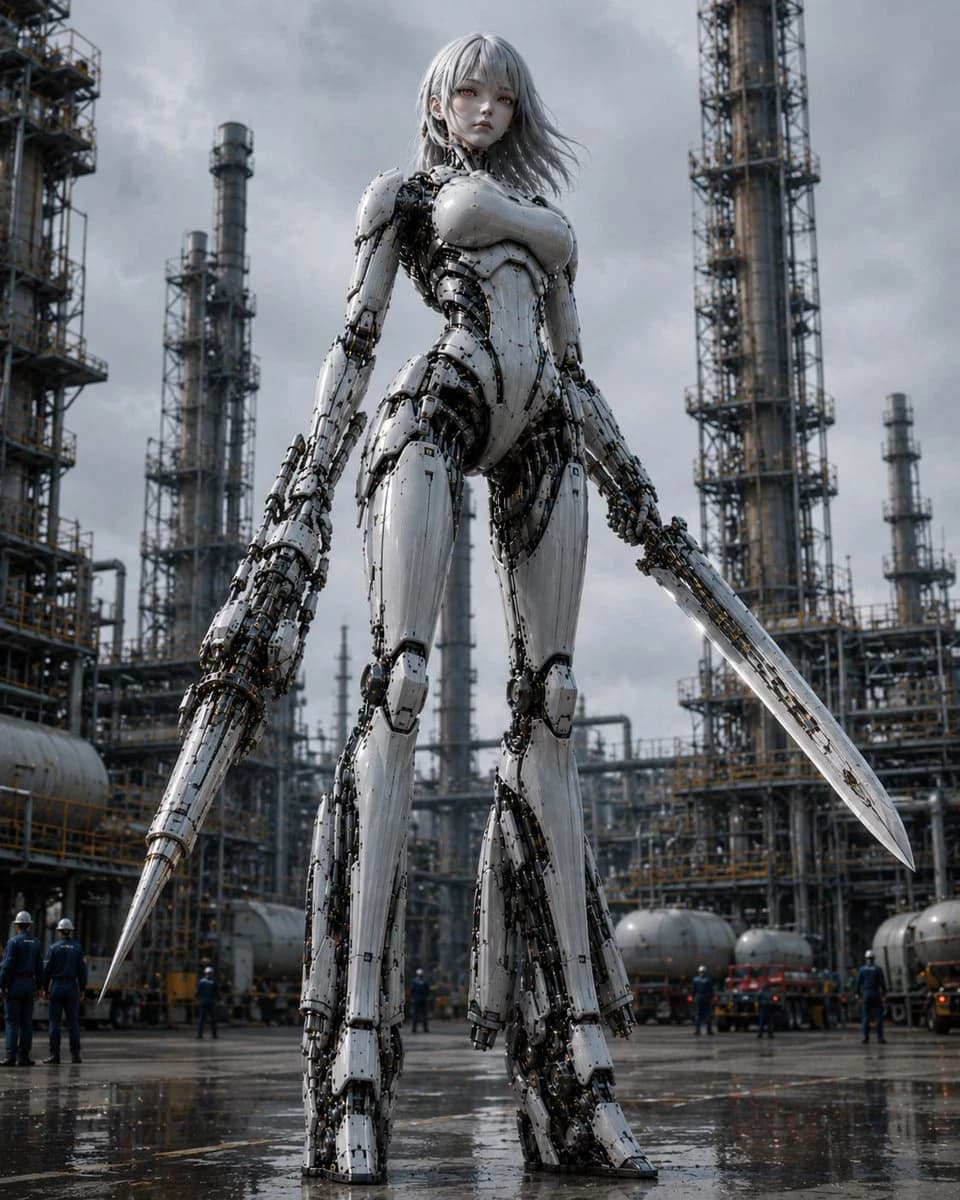
210 wordsCreate a cinematic photorealistic vertical image of one gigantic humanoid female combat robot standing in the center of an industrial oil refinery under a dark overcast sky. The robot has a pale porcelain-white armored body with exposed black mechanical joints, cables, pistons, screws, and intricate inner machinery visible between segmented plates; she has a slim feminine silhouette, broad armored chest, long legs, large mechanical feet, a calm doll-like face, pale skin, red eyes, and shoulder-length {argument name="hair color" default="silver-gray"} hair blowing slightly in the wind. She is holding exactly two weapons: one long conical spear-like blade integrated into or gripped by her left hand, pointing downward to the wet ground, and one long straight sword-like blade in her right hand, angled down and outward. Show her from a low-angle perspective so she towers over the scene, emphasizing immense scale. Surround her with a sprawling refinery: exactly five prominent vertical distillation towers or chimneys visible in the background, plus dense scaffolding, catwalks, pipes, tanks, railings, and small human workers in helmets at ground level for scale. The ground is wet asphalt with puddles and reflections, suggesting recent rain. Use cool gray colors, high contrast metal textures, realistic lighting, shallow atmospheric haze, and dramatic sci-fi realism. No text, no logo, no watermark.About this prompt
Giant Weaponized Robot in Refinery is a ready-to-use social media prompt for GPT Image 2 on Image 2. Copy the 210 words below, paste them into the Create form, and you will get a result close to the preview above. Tweak the Social Media, Comic, Storyboard tag if you want to push it somewhere new.
Use it as a starting point, then adjust the subject, lighting, or composition to suit your idea. The credit cost stays the same whether you use it as written or customize it.
Use case
A strong starting point for Social Media
Start here when you want a social media image inspired by Giant Weaponized Robot in Refinery. The prompt already sets the look and composition; replace the subject, product, colors, or scene details to match your project.
Easy places to tweak
- Subject Swap in your person, product, place, or object without changing the overall composition.
- Look and mood Tune the lighting, palette, camera angle, or materials so the image fits your brand.
- Final format Set the aspect ratio, background, text, or layout notes before you generate.
More prompt paths to explore
Find more GPT Image 2 prompts with a similar style, use case, or subject.
How to use it
- Step 1
Copy the prompt
Hit the Copy button above to grab the full text.
- Step 2
Open Image 2 Create
Head to the Create form and paste it in.
- Step 3
Generate
Hit Generate. Your version lands in seconds.
Make it yours
Load the prompt into the Create form with one click, then start tweaking.