Prompt
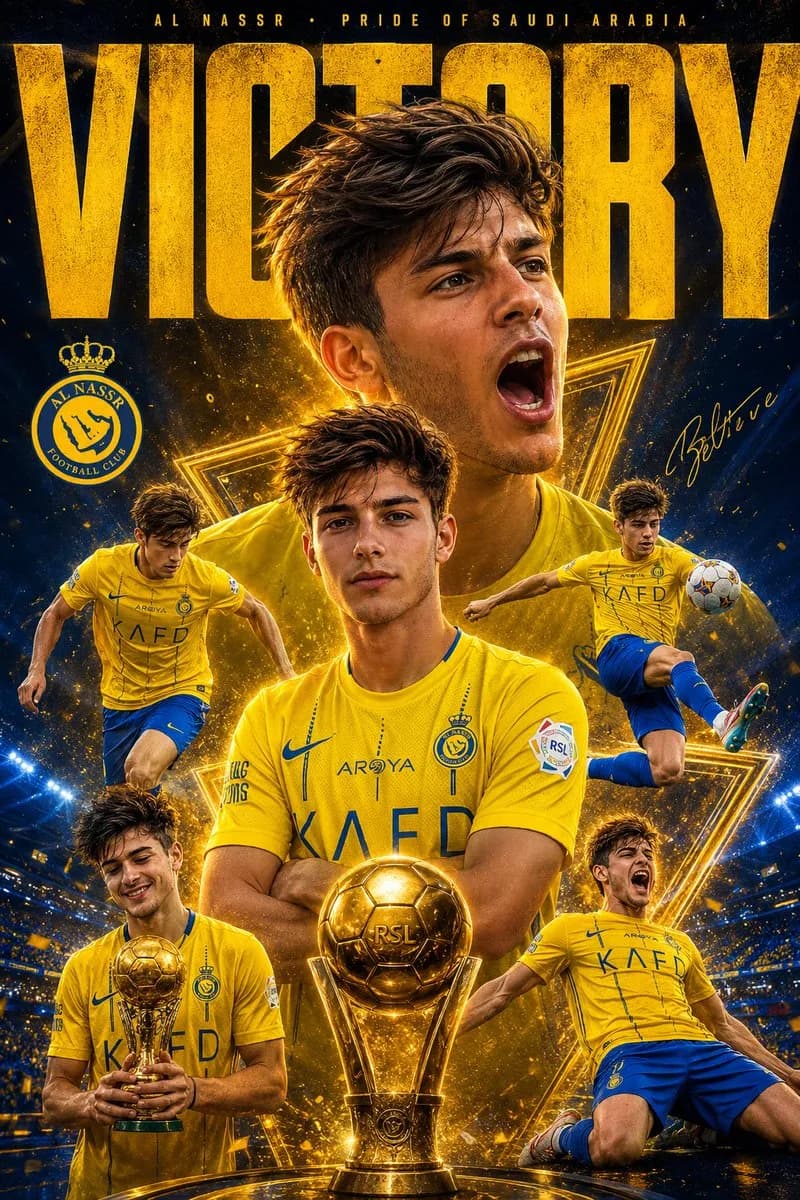
114 wordsUltra-detailed sports poster design featuring multiple dynamic versions of a football player in a yellow Al Nassr football kit, celebrating victory. One giant side-profile screaming portrait in the background, surrounded by action poses: standing confidently, dribbling, trophy celebration, knee-slide celebration, and mid-air football action. Dark blue and golden cinematic background with glowing triangular light effects, dramatic stadium atmosphere, dust particles, high contrast lighting, realistic skin texture, ultra sharp focus, vibrant yellow and blue color grading, epic sports photography style, highly detailed jersey fabric, glowing highlights, depth of field, professional poster composition, bold typography saying “VICTORY” at the top, realistic football trophy in the foreground, energetic and emotional mood, 4K, hyper-realistic, cinematic sports poster art.
About this prompt
Football Victory Poster is a ready-to-use poster prompt for GPT Image 2 on Image 2. Copy the 114 words below, paste them into the Create form, and you will get a result close to the preview above. Tweak the Poster, Sports, World Cup 2026 AI tag if you want to push it somewhere new.
Use it as a starting point, then adjust the subject, lighting, or composition to suit your idea. The credit cost stays the same whether you use it as written or customize it.
Use case
A strong starting point for Poster
Start here when you want a poster image inspired by Football Victory Poster. The prompt already sets the look and composition; replace the subject, product, colors, or scene details to match your project.
Easy places to tweak
- Subject Swap in your person, product, place, or object without changing the overall composition.
- Look and mood Tune the lighting, palette, camera angle, or materials so the image fits your brand.
- Final format Set the aspect ratio, background, text, or layout notes before you generate.
More prompt paths to explore
Find more GPT Image 2 prompts with a similar style, use case, or subject.
How to use it
- Step 1
Copy the prompt
Hit the Copy button above to grab the full text.
- Step 2
Open Image 2 Create
Head to the Create form and paste it in.
- Step 3
Generate
Hit Generate. Your version lands in seconds.
Make it yours
Load the prompt into the Create form with one click, then start tweaking.