Prompt
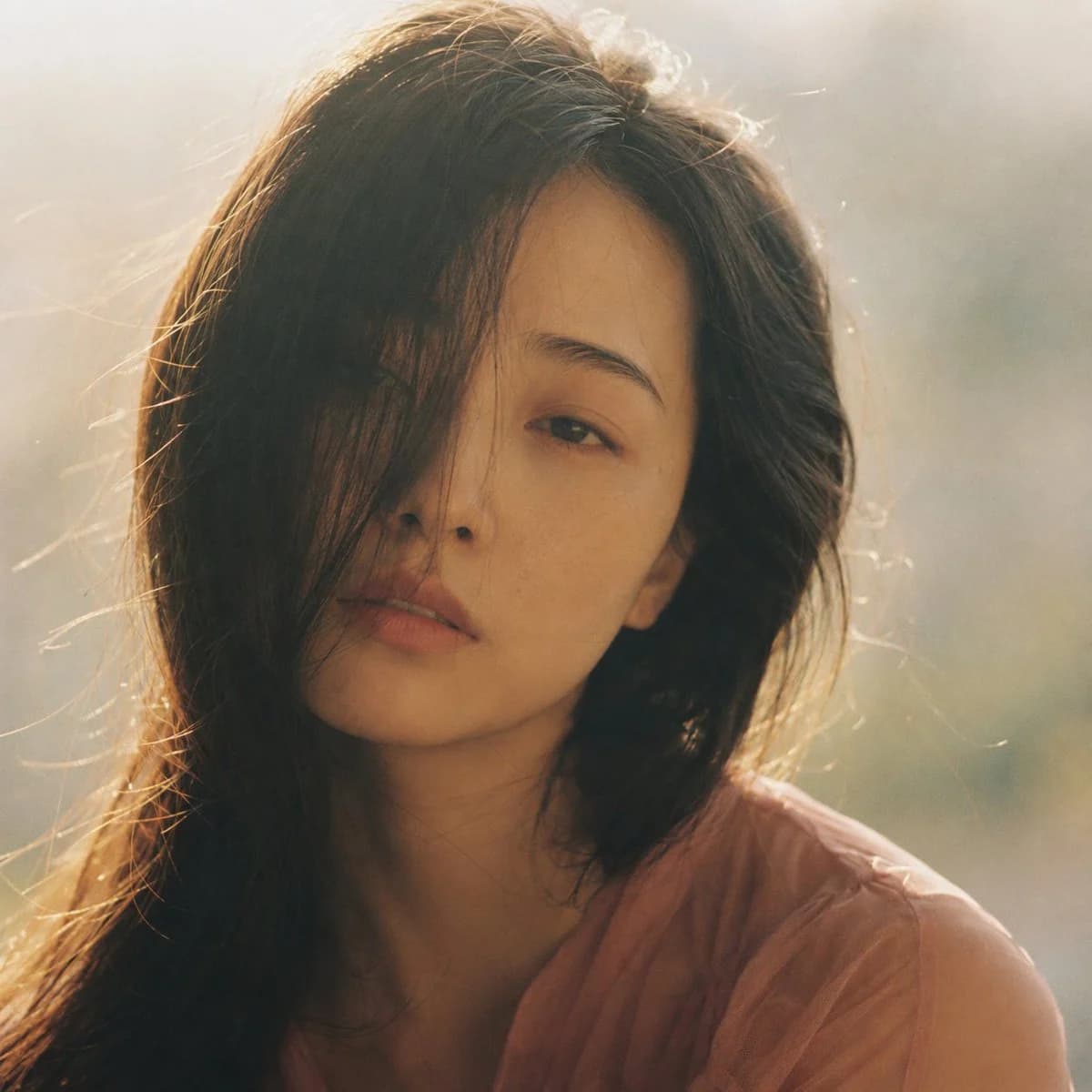
132 wordsPortrait shot on 85mm f/1.4, square crop close-up of a {argument name="subject" default="Japanese woman"} in her {argument name="age" default="early 20s"}, soft features, single side parted dark hair falling across cheek partially obscuring one eye, eyes with pale unfocused gaze, expression: dreaming while awake. She wears a {argument name="outfit" default="sheer dusty rose blouse"}. Square composition, face centered, hair falling across left eye, negative space to the right, shallow depth of field with background in complete blur. Backlit afternoon hazy light, golden diffused through clouds, soft rim light on hair, face slightly underlit and soft. Photographic texture and quality: Kodak Portra 400 palette, warm skin tones slightly faded, subtle halation around hair highlights, film grain in shadow and mid-tone areas, stray hairs backlit by haze. Avoid: sharp contrast, blue-cool tones, AI-polished skin. --ar 1:1About this prompt
Dreamy Hazy Film Portrait is a ready-to-use portrait prompt for GPT Image 2 on Image 2. Copy the 132 words below, paste them into the Create form, and you will get a result close to the preview above. Tweak the Portrait, Fashion, Minimalist tag if you want to push it somewhere new.
Use it as a starting point, then adjust the subject, lighting, or composition to suit your idea. The credit cost stays the same whether you use it as written or customize it.
Use case
A strong starting point for Portrait
Start here when you want a portrait image inspired by Dreamy Hazy Film Portrait. The prompt already sets the look and composition; replace the subject, product, colors, or scene details to match your project.
Easy places to tweak
- Subject Swap in your person, product, place, or object without changing the overall composition.
- Look and mood Tune the lighting, palette, camera angle, or materials so the image fits your brand.
- Final format Set the aspect ratio, background, text, or layout notes before you generate.
More prompt paths to explore
Find more GPT Image 2 prompts with a similar style, use case, or subject.
How to use it
- Step 1
Copy the prompt
Hit the Copy button above to grab the full text.
- Step 2
Open Image 2 Create
Head to the Create form and paste it in.
- Step 3
Generate
Hit Generate. Your version lands in seconds.
Make it yours
Load the prompt into the Create form with one click, then start tweaking.