Prompt
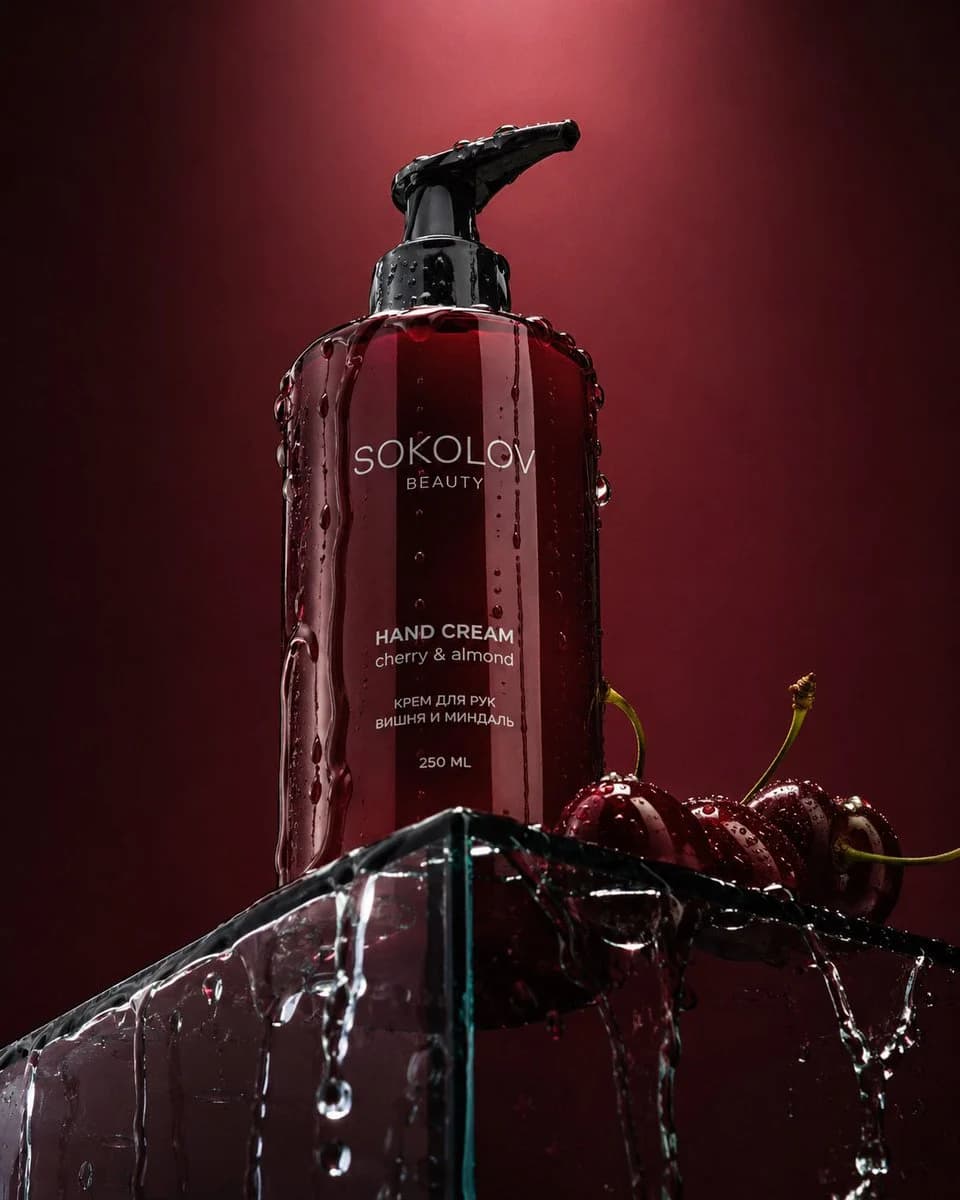
114 wordsDramatic low-angle product photography of the {argument name="color" default="dark red"} {argument name="product" default="Sokolov Beauty hand cream"} bottle standing on the sharp edge of a transparent glass podium. The bottle is shot from a low perspective looking up. Clear water is elegantly dripping and flowing down the sides of the bottle and across the glass surface. Several juicy, glossy {argument name="fruit" default="dark red cherries"} are placed next to the bottle on the podium. Deep burgundy background with a soft light gradient fading toward the top. Dramatic cinematic lighting with strong highlights and deep shadows, creating a luxurious and sensual mood. Highly detailed water droplets and reflections, premium commercial beauty photography, sharp focus, 8K resolution, photorealistic.About this prompt
Dramatic Low-Angle Beauty Product Photography is a ready-to-use ad creative prompt for GPT Image 2 on Image 2. Copy the 114 words below, paste them into the Create form, and you will get a result close to the preview above. Tweak the Product Ad, Ad Creative, Product tag if you want to push it somewhere new.
Use it as a starting point, then adjust the subject, lighting, or composition to suit your idea. The credit cost stays the same whether you use it as written or customize it.
Use case
A strong starting point for Ad Creative
Start here when you want a ad creative image inspired by Dramatic Low-Angle Beauty Product Photography. The prompt already sets the look and composition; replace the subject, product, colors, or scene details to match your project.
Easy places to tweak
- Subject Swap in your person, product, place, or object without changing the overall composition.
- Look and mood Tune the lighting, palette, camera angle, or materials so the image fits your brand.
- Final format Set the aspect ratio, background, text, or layout notes before you generate.
More prompt paths to explore
Find more GPT Image 2 prompts with a similar style, use case, or subject.
How to use it
- Step 1
Copy the prompt
Hit the Copy button above to grab the full text.
- Step 2
Open Image 2 Create
Head to the Create form and paste it in.
- Step 3
Generate
Hit Generate. Your version lands in seconds.
Make it yours
Load the prompt into the Create form with one click, then start tweaking.