Prompt
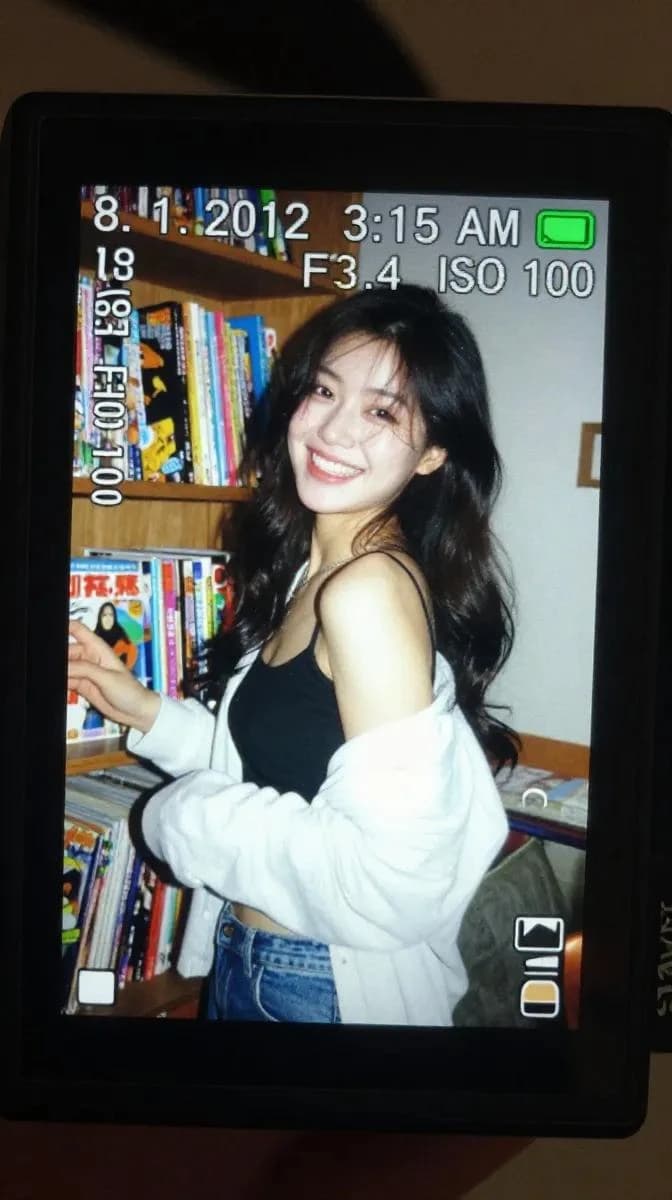
222 wordsA realistic close-up shot of a small digital camera screen glowing brightly in a dark indoor environment. Displayed on the LCD is a candid early-2010s style photograph of a young East Asian woman with long dark wavy hair standing beside a wooden shelf packed tightly with colorful comic books and magazines. She wears a black spaghetti-strap top with a loose white cardigan hanging casually from both shoulders and faded blue jeans. Captured mid-laugh while turning her face slightly sideways, her expression feels spontaneous and natural, with hair falling softly across part of her cheek. The harsh direct flash from the compact camera creates strong highlights on her face and cardigan while flattening shadows in the background, producing an authentic nostalgic digicam aesthetic. Slight motion blur and digital grain enhance the candid realism. Camera UI overlays are visible across the LCD screen, including the timestamp “8. 1. 2012 3:15 AM,” exposure data “1/30 F3.4 ISO 100,” focus indicators, and a small green battery symbol in the corner. The image preserves visible screen pixel structure, slight glare reflections, chromatic softness, and compressed digital texture. Outside the LCD, the surrounding darkness fades smoothly into blur, emphasizing the glowing nostalgic screen. Shot to resemble an authentic Sony Cyber-shot point-and-shoot camera from the early 2010s using a CCD sensor with vintage digital rendering and imperfect flash exposure.
About this prompt
Digicam LCD Nostalgia Shot is a ready-to-use portrait prompt for GPT Image 2 on Image 2. Copy the 222 words below, paste them into the Create form, and you will get a result close to the preview above. Tweak the Portrait, Vintage tag if you want to push it somewhere new.
Use it as a starting point, then adjust the subject, lighting, or composition to suit your idea. The credit cost stays the same whether you use it as written or customize it.
Use case
A strong starting point for Portrait
Start here when you want a portrait image inspired by Digicam LCD Nostalgia Shot. The prompt already sets the look and composition; replace the subject, product, colors, or scene details to match your project.
Easy places to tweak
- Subject Swap in your person, product, place, or object without changing the overall composition.
- Look and mood Tune the lighting, palette, camera angle, or materials so the image fits your brand.
- Final format Set the aspect ratio, background, text, or layout notes before you generate.
More prompt paths to explore
Find more GPT Image 2 prompts with a similar style, use case, or subject.
How to use it
- Step 1
Copy the prompt
Hit the Copy button above to grab the full text.
- Step 2
Open Image 2 Create
Head to the Create form and paste it in.
- Step 3
Generate
Hit Generate. Your version lands in seconds.
Make it yours
Load the prompt into the Create form with one click, then start tweaking.