Prompt
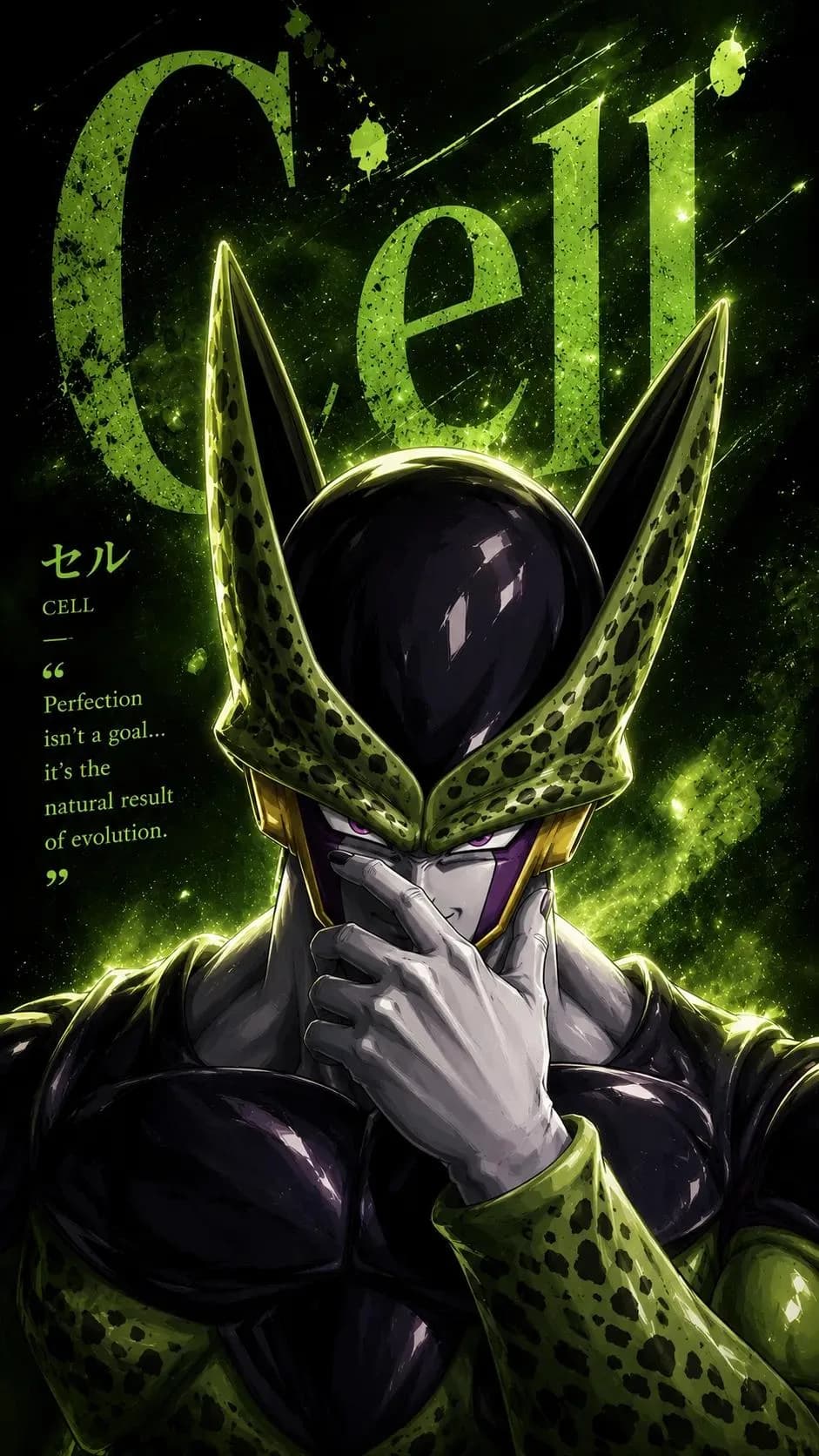
135 wordsUltra-detailed anime villain portrait poster, dark cosmic background, legendary antagonist standing front-facing, one hand covering the lower face in a sinister pose, glowing eyes staring directly at the viewer, powerful aura exploding around the body, energy particles, nebula clouds, ink splashes, cosmic dust, dramatic rim lighting, high contrast shadows, cinematic anime illustration, sharp facial details, muscular physique, premium manga cover aesthetic, vibrant monochromatic color theme matching the character, giant distressed typography behind the character displaying the name in huge bold letters, Japanese kanji and English subtitles, character quote on the side, power stats panel, classification section, signature abilities list, collectible trading-card layout, magazine infographic design, luxury poster composition, white and black graphic elements, ultra-clean typography, layered visual hierarchy, glowing effects, dynamic atmosphere, masterpiece anime artwork, poster design, highly detailed, 8K, vertical wallpaper, trending on ArtStation.
About this prompt
Cosmic Anime Villain Poster is a ready-to-use poster prompt for GPT Image 2 on Image 2. Copy the 135 words below, paste them into the Create form, and you will get a result close to the preview above. Tweak the Infographic, Poster, Anime tag if you want to push it somewhere new.
Use it as a starting point and keep iterating: change the subject, lighting, or composition until it looks right. The credit cost stays the same whether you run it as-is or remix it.
Use case
A strong starting point for Poster
Start here when you want a poster image in the same direction as Cosmic Anime Villain Poster. The prompt already sets the look and structure; swap in your own subject, product, colors, or scene details for the brief you have in mind.
Easy places to tweak
- Subject Swap in your person, product, place, or object without changing the overall composition.
- Look and mood Tune the lighting, palette, camera angle, or materials so the image fits your brand.
- Final format Set the aspect ratio, background, text, or layout notes before you generate.
More prompt paths to explore
Find more GPT Image 2 prompts with a similar style, use case, or subject.
How to use it
- Step 1
Copy the prompt
Hit the Copy button above to grab the full text.
- Step 2
Open Image 2 Create
Head to the Create form and paste it in.
- Step 3
Generate
Hit Generate. Your version lands in seconds.
Make it yours
Load the prompt into the Create form with one click, then start tweaking.