Prompt
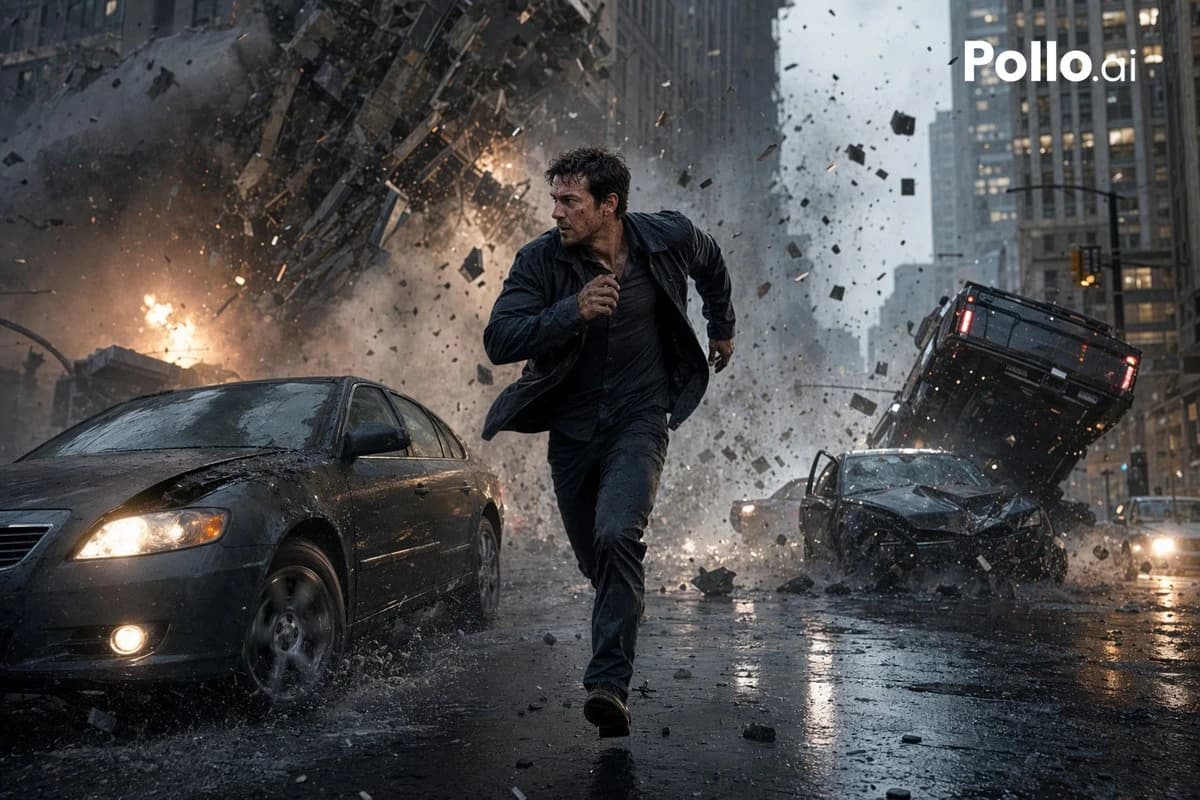
213 wordsA cinematic photorealistic action scene in a rainy downtown city street canyon, showing {argument name="main subject" default="a dark-haired man in his 30s"} sprinting directly toward the camera in the center foreground with a tense survival expression, wearing a soaked dark jacket, dark shirt, and dark pants, mid-stride with one arm pumping forward. Behind him, a massive urban explosion tears through the street and lower facade of a high-rise building, sending a huge cloud of smoke, fire, dust, shattered concrete, glass, and metal debris outward in all directions. The scene includes exactly 3 visible damaged vehicles: 1 dark sedan in the left foreground with headlights on and a crumpled hood splashing through rainwater, 1 wrecked dark car in the right midground with severe front-end damage, and 1 overturned or airborne black SUV tilted upward behind it on the right side. Wet asphalt reflects headlights, firelight, and gray skyscrapers. Dense debris fills the air, with chunks of rubble frozen in motion. Overcast stormy daylight, desaturated blue-gray color palette with orange fire accents, dramatic motion blur in flying debris but sharp focus on the running figure, low-angle wide-lens composition, blockbuster disaster-movie realism, ultra-detailed textures, high contrast, dynamic depth, volumetric smoke, rain spray, cinematic lighting. Add a white {argument name="watermark text" default="Pollo.ai"} logo in the top-right corner.About this prompt
Cinematic City Explosion Chase is a ready-to-use ui mockup prompt for GPT Image 2 on Image 2. Copy the 213 words below, paste them into the Create form, and you will get a result close to the preview above. Tweak the UI, Mockup, Sports tag if you want to push it somewhere new.
Use it as a starting point and keep iterating: change the subject, lighting, or composition until it looks right. The credit cost stays the same whether you run it as-is or remix it.
Use case
A strong starting point for UI Mockup
Start here when you want a ui mockup image in the same direction as Cinematic City Explosion Chase. The prompt already sets the look and structure; swap in your own subject, product, colors, or scene details for the brief you have in mind.
Easy places to tweak
- Subject Swap in your person, product, place, or object without changing the overall composition.
- Look and mood Tune the lighting, palette, camera angle, or materials so the image fits your brand.
- Final format Set the aspect ratio, background, text, or layout notes before you generate.
More prompt paths to explore
Find more GPT Image 2 prompts with a similar style, use case, or subject.
How to use it
- Step 1
Copy the prompt
Hit the Copy button above to grab the full text.
- Step 2
Open Image 2 Create
Head to the Create form and paste it in.
- Step 3
Generate
Hit Generate. Your version lands in seconds.
Make it yours
Load the prompt into the Create form with one click, then start tweaking.