Prompt
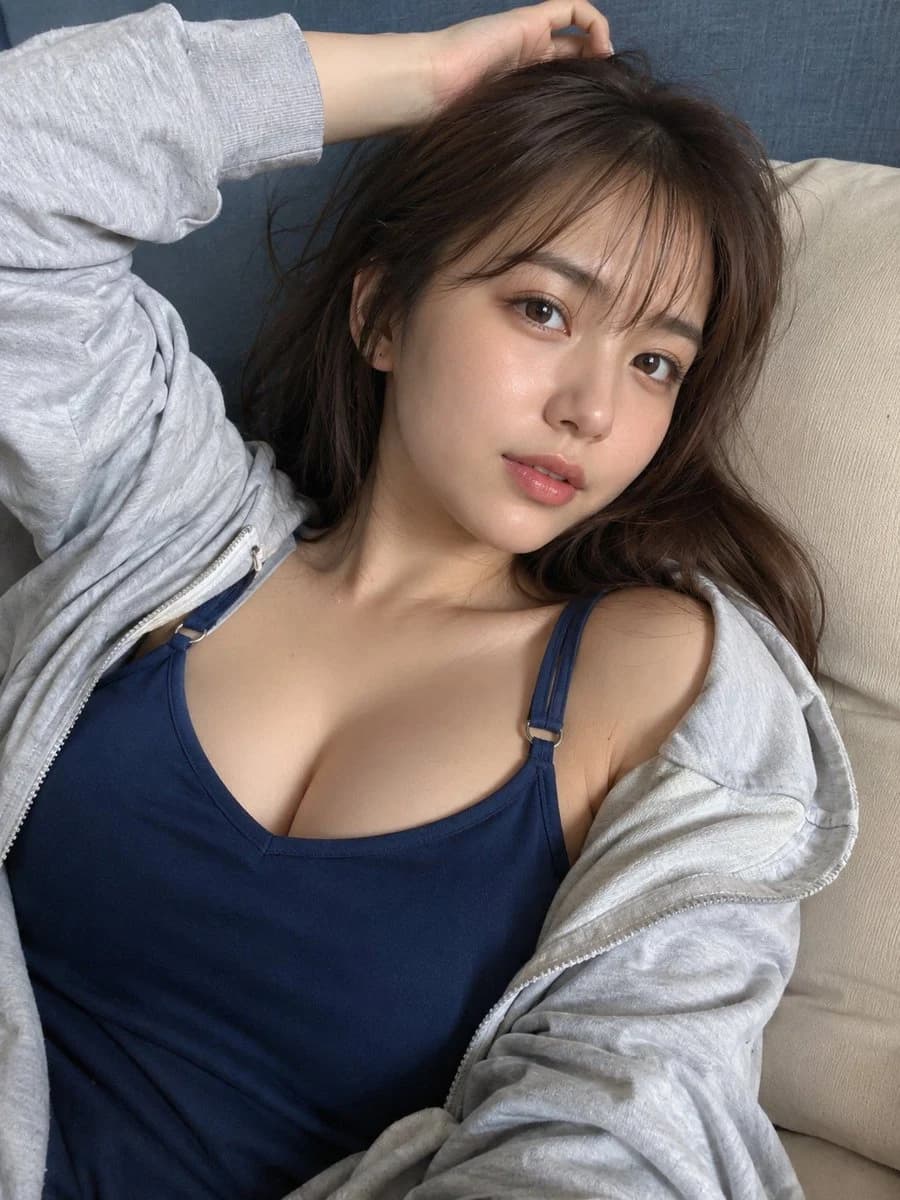
203 wordsCreate a highly realistic casual smartphone photo of {argument name="character name" default="a young Japanese woman"} reclining on a beige sofa indoors, framed as an intimate vertical selfie from slightly above and close to her face and upper torso. She has {argument name="hair color" default="soft dark brown"} long slightly messy hair with wispy bangs, natural glossy skin, subtle peach makeup, brown eyes, and a calm relaxed expression while looking directly into the phone lens as if a friend just took the picture. Her left arm is raised above her head with her hand resting in her hair, and her body is angled diagonally across the couch. She wears {argument name="top color" default="navy blue"} fitted camisole or tank top with thin straps and a light gray zip hoodie worn open and slipping casually off one shoulder. Background is simple: a beige cushion on one side and a muted blue-gray fabric sofa back behind her. Use soft daylight from the front-left, gentle shadows, realistic skin texture, natural fabric wrinkles, shallow phone-camera depth, no studio lighting, no glamour set, no text, no watermark. The mood should feel like a believable photo from a friend’s camera roll rather than a posed fashion shoot, but still flattering and scroll-stopping.About this prompt
Casual Sofa Selfie Portrait is a ready-to-use portrait prompt for GPT Image 2 on Image 2. Copy the 203 words below, paste them into the Create form, and you will get a result close to the preview above. Tweak the Portrait, Fashion, Beauty tag if you want to push it somewhere new.
Use it as a starting point, then adjust the subject, lighting, or composition to suit your idea. The credit cost stays the same whether you use it as written or customize it.
Use case
A strong starting point for Portrait
Start here when you want a portrait image inspired by Casual Sofa Selfie Portrait. The prompt already sets the look and composition; replace the subject, product, colors, or scene details to match your project.
Easy places to tweak
- Subject Swap in your person, product, place, or object without changing the overall composition.
- Look and mood Tune the lighting, palette, camera angle, or materials so the image fits your brand.
- Final format Set the aspect ratio, background, text, or layout notes before you generate.
More prompt paths to explore
Find more GPT Image 2 prompts with a similar style, use case, or subject.
How to use it
- Step 1
Copy the prompt
Hit the Copy button above to grab the full text.
- Step 2
Open Image 2 Create
Head to the Create form and paste it in.
- Step 3
Generate
Hit Generate. Your version lands in seconds.
Make it yours
Load the prompt into the Create form with one click, then start tweaking.