Prompt
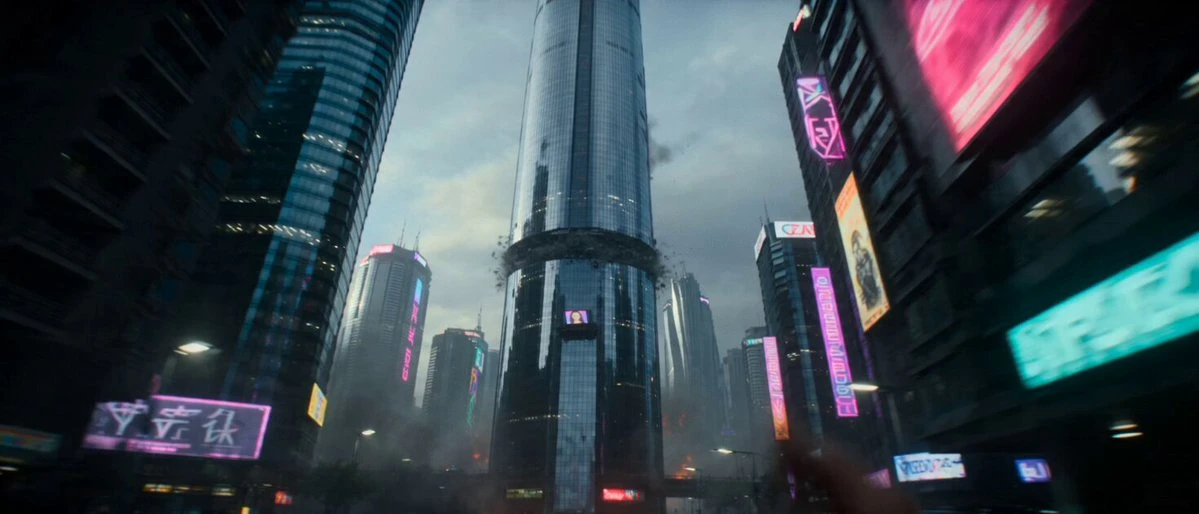
151 words10-second cinematic sci-fi action sequence, 16:9, ultra-realistic, realistic physics, extreme speed, large-format cinema quality, no visible face, no text, no dialogue.\nA futuristic pilot is flying a small interceptor fighter through a gigantic rotating ring world in space.\nThe entire ring is spinning.\nSuddenly the pilot loses control.\nThe fighter is sucked into the interior machinery.\nThe camera locks behind the aircraft.\nNow the fighter is flying through moving city-sized gears.\nBuildings rotate upside down.\nEntire landscapes pass overhead.\nThe pilot dives through gaps that close seconds later.\nA rotating section slams shut behind him.\nA bridge-sized gear tooth nearly shears off the wings.\nThe fighter enters a tunnel formed by moving machinery.\nThe tunnel starts collapsing from both ends.\nThe opening gets smaller and smaller.\nThe aircraft barely fits.\nThe camera shakes violently.\nThe pilot commits.\nThe fighter shoots through the final gap with millimeters to spare as two continent-sized machine sections collide behind him.\nCut.\nExtreme speed, impossible scale, constant danger, visual confusion that becomes instantly understandable, stop-scrolling spectacle.
About this prompt
Sci-Fi Fighter Ring World Escape is a Short Drama Seedance 2.0 prompt with 151 words, structured around shot timing, camera direction, motion cues, and remixable scene details.
Use the preview clip when available to understand pacing, then treat the prompt text as a production brief you can adapt for your own subject, brand, or story.
Video prompt structure
Use it for Short Drama videos
Best for Seedance 2.0 generations that need Short Drama, Multi-Shot, Dialogue. Replace the subject, setting, product, dialogue, music, and timing before sending it to the generator.
Customize before generating
- Swap the subject. Keep the camera and timing structure, but change the character, product, or environment.
- Tighten the timeline. Shorten or expand shot blocks so they match the duration you want to render.
- Add reference media. Use first frames, last frames, images, video, or audio when the prompt depends on a specific look or rhythm.
More Seedance paths to explore
Browse adjacent styles and techniques from the same Seedance 2.0 prompt library.
How to use it
- Step 1
Copy or start from this prompt
Use the full prompt as a structured draft rather than rewriting the whole video brief.
- Step 2
Open Seedance 2.0
Send the text into the Seedance generator and choose text, image, or reference mode.
- Step 3
Adapt and render
Tune duration, aspect ratio, reference media, camera notes, and dialogue before generating.
Make it a Seedance video
Start from this prompt in the Seedance 2.0 generator, then adjust the scene, duration, aspect ratio, and reference media.