Prompt
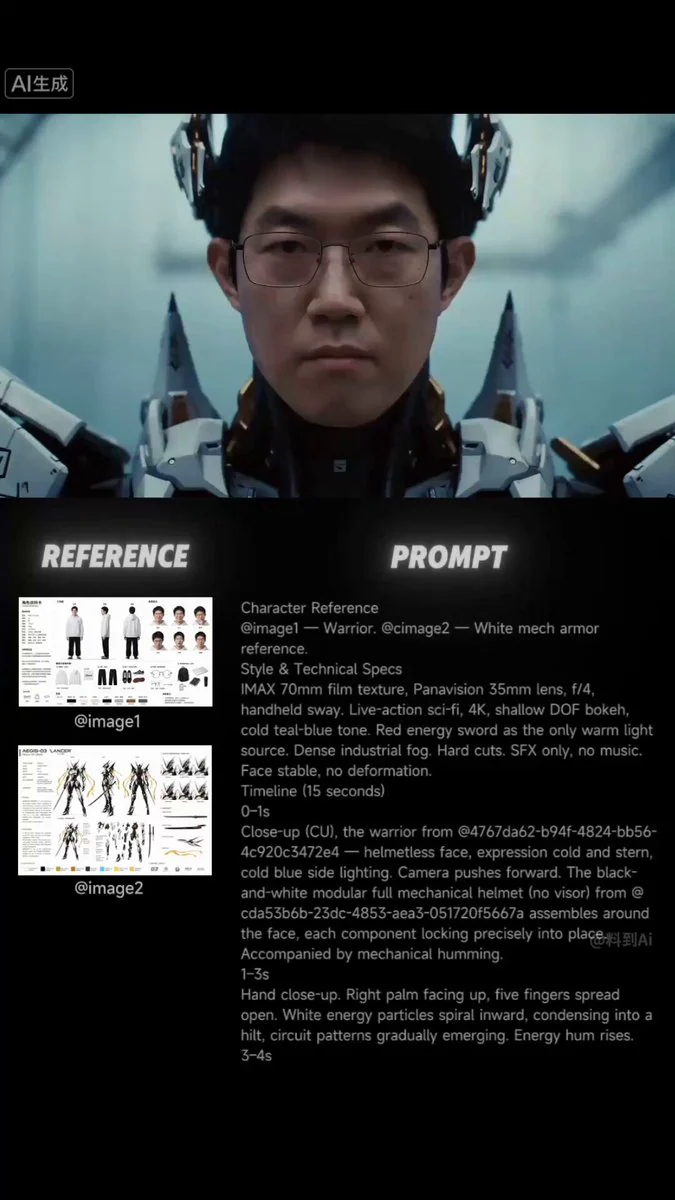
450 wordsCharacter Reference @Image1 for warrior’s facial features; @Image2 as reference for futuristic samurai mech armor with white, black and gold color scheme. Style & Technical Specifications large-format 70mm film texture, Panavision 35mm lens, aperture f/4, subtle handheld camera shake. Live-action sci-fi aesthetic, 4K resolution, shallow depth of field with bokeh, cool cyan-blue color grading. The red energy sword serves as the only warm light source. Dense industrial mist. Hard cut editing. Sound effects only, no musical score. Facial features remain consistent, no distortion or warping. Timeline (15 Seconds) 0–1s CU (Close-Up). Helmetless face of the warrior from @Image1, stern expression, lit by cool blue side light. Camera dolly in. Modular futuristic samurai full helmet from @Image2 with sharp angular lines, no faceplate and pointed fin-shaped armor assembles around the face, every component locks precisely. Accompanied by mechanical hum. 1–3s Hand close-up. Right palm faces upward, fingers spread open. Red energy particles spiral inward and converge to form a sword hilt, circuit patterns gradually emerge. Energy hum intensifies. 3–4s Side CU. Hand grips the hilt — a red blade surges upward, particles solidify into a translucent blade. Fully armed warrior wearing white-black-gold futuristic samurai armor from @Image2 with flowing gold sashes turns to face forward. Accompanied by explosive energy resonance. 4–5s Rear MS (Medium Shot). Sword-wielding warrior stands at the edge of an industrial platform. Six black crustacean creatures emerge through mist, paired red eyes faintly glowing. Camera pull out to reveal the warrior is surrounded. Creature screeches heard. 5–6s Low-angle shot. Warrior takes combat stance. Six pairs of red eyes loom faintly within mist. Crane frames and steel cables visible overhead. Combat boot stomps heavily on the ground. Energy sword hum rises in pitch. 6–7s First creature charges forward. Warrior engages — horizontal slash pierces its torso, the creature flies 3 meters and crashes into a railing, bending the metal. Brief red electric arc trails linger. Camera tracks sideways capturing the full action sequence. Sounds of carapace tearing and metal impact. 7–8s Second creature attacks from the left — reverse slash severs its forelimb, red sparks spray. Third creature strikes from the right — warrior spins and delivers a kick, slamming it into the fourth creature; both tumble out of frame. Camera orbits rapidly. Sounds of limb fracture, kick impact and creatures colliding. 8–9s CU of the helmet faceplate from @Image2, splattered with dark fluid. Heavy filtered breathing sounds echo. Red sword light flickers and reflects across metallic surfaces. 9–10s Fifth creature ambushes from behind. Warrior reverses grip on the sword and thrusts backward, piercing its torso; red light bleeds out through the creature’s back. Warrior spins and hurls the impaled creature into the sixth one, both vanish into mist.
About this prompt
Futuristic Samurai Cinematic Action is a VFX Seedance 2.0 prompt with 450 words, structured around shot timing, camera direction, motion cues, and remixable scene details.
Use the preview clip when available to understand pacing, then treat the prompt text as a production brief you can adapt for your own subject, brand, or story.
Video prompt structure
Use it for VFX videos
Best for Seedance 2.0 generations that need VFX, Multi-Shot, Audio. Replace the subject, setting, product, dialogue, music, and timing before sending it to the generator.
Customize before generating
- Swap the subject. Keep the camera and timing structure, but change the character, product, or environment.
- Tighten the timeline. Shorten or expand shot blocks so they match the duration you want to render.
- Add reference media. Use first frames, last frames, images, video, or audio when the prompt depends on a specific look or rhythm.
More Seedance paths to explore
Browse adjacent styles and techniques from the same Seedance 2.0 prompt library.
How to use it
- Step 1
Copy or start from this prompt
Use the full prompt as a structured draft rather than rewriting the whole video brief.
- Step 2
Open Seedance 2.0
Send the text into the Seedance generator and choose text, image, or reference mode.
- Step 3
Adapt and render
Tune duration, aspect ratio, reference media, camera notes, and dialogue before generating.
Make it a Seedance video
Start from this prompt in the Seedance 2.0 generator, then adjust the scene, duration, aspect ratio, and reference media.