Prompt
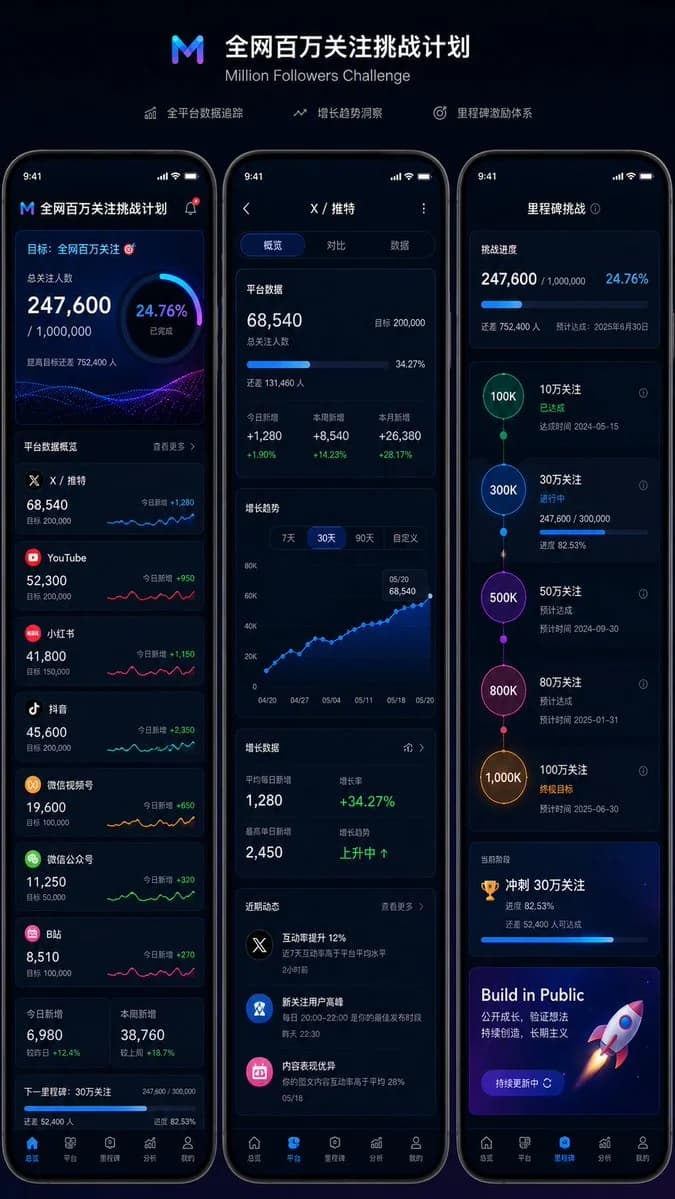
13 words想做一个 全网百万关注 挑战计划,准备做个页面来展示我全平台的 关注人数和 目标人数🎯,目前平台包括 X/推特、youtube、小红书、抖音、微信视频号、微信公众号、B站 等,帮我想办法设计下这个页面,做一套UI效果图,支持 Web 和 mobile,另外设计个小组件,方便在 OBS 直播中叠加 效果👉
About this prompt
全网百万关注挑战UI设计 is a ready-to-use ui mockup prompt for GPT Image 2 on Image 2. Copy the 13 words below, paste them into the Create form, and you will get a result close to the preview above. Tweak the Social Media, UI, Mockup tag if you want to push it somewhere new.
Use it as a starting point and keep iterating: change the subject, lighting, or composition until it looks right. The credit cost stays the same whether you run it as-is or remix it.
Use case
A strong starting point for UI Mockup
Start here when you want a ui mockup image in the same direction as 全网百万关注挑战UI设计. The prompt already sets the look and structure; swap in your own subject, product, colors, or scene details for the brief you have in mind.
Easy places to tweak
- Subject Swap in your person, product, place, or object without changing the overall composition.
- Look and mood Tune the lighting, palette, camera angle, or materials so the image fits your brand.
- Final format Set the aspect ratio, background, text, or layout notes before you generate.
More prompt paths to explore
Find more GPT Image 2 prompts with a similar style, use case, or subject.
How to use it
- Step 1
Copy the prompt
Hit the Copy button above to grab the full text.
- Step 2
Open Image 2 Create
Head to the Create form and paste it in.
- Step 3
Generate
Hit Generate. Your version lands in seconds.
Make it yours
Load the prompt into the Create form with one click, then start tweaking.