Prompt
228 words{
"task": "image_to_image_style_transfer",
"input_image": "{{USER_IMAGE}}",
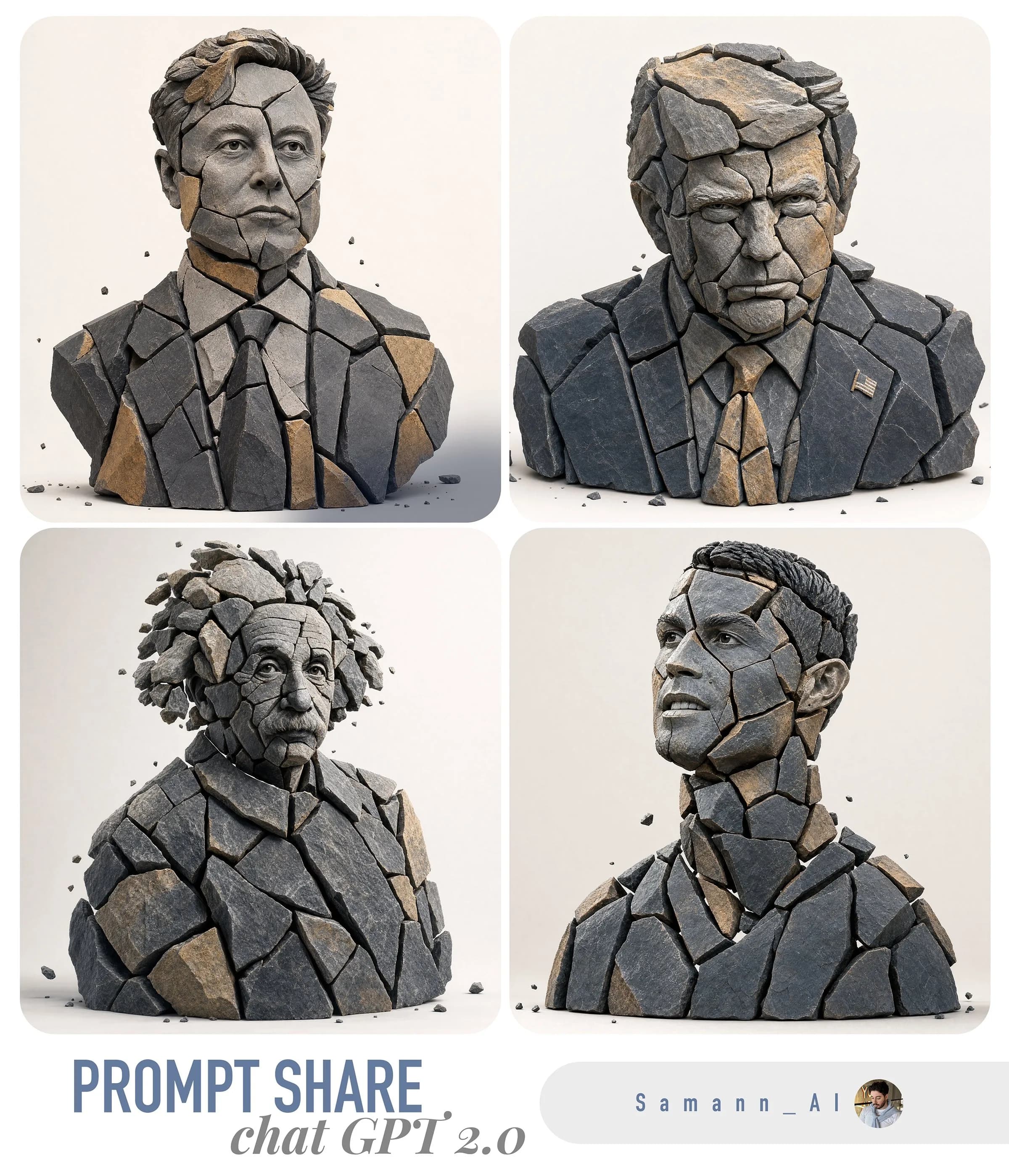
"prompt": "Create a hyper-real 3D studio composition that recreates the main subject from the provided image as a fragmented stone assemblage. The subject must be built from separate, clearly detached rock pieces with small visible gaps between shards (no pieces merging). Material look: fragmented slate + sandstone shards with chiseled edges, crisp fractures, visible stone grain, micro-scratches, and realistic roughness. Color palette: predominantly dark slate with subtle warm-ochre sandstone accents. Lighting: soft studio key light from top-left, gentle fill, subtle contact shadows under each shard, realistic ambient occlusion in crevices, clean reflections kept minimal. Background: minimal off-white seamless backdrop, no texture. Framing: centered, clean, straight-on, subject fully readable. Add a few tiny debris chips floating or resting near the base for depth. Preserve the subject’s identity, proportions, and recognizable silhouette from the input image while transforming all surfaces into stone fragments. Hyper-real, high detail, sharp focus, 8k render quality.",
"negative_prompt": "text, typography, logo, watermark, signature, extra props, busy background, fog, heavy bloom, cartoon, illustration, lowpoly, plastic, metal, glossy paint, melted shapes, merged fragments, unreadable subject, blur, noise, low resolution, oversharpening halos, distorted face/body, extra limbs, deformed geometry",
"output": {
"aspect_ratio": "use_input_aspect_ratio",
"background": "off_white",
"camera": {
"angle": "straight_on",
"framing": "centered",
"distance": "medium"
}
},
"params": {
"style_strength": 0.75,
"identity_preservation": 0.9,
"detail_level": "very_high",
"lighting_preset": "soft_studio_top_left",
"shadow_intensity": "subtle",
"gap_visibility": "clear",
"debris_chips": "few_tiny",
"no_text": true
}
}About this prompt
Shattered Stone Style Transfer is a ready-to-use comparison prompt for GPT Image 2 on Image 2. Copy the 228 words below, paste them into the Create form, and you will get a result close to the preview above. Tweak the Comparison, 3D, Minimalist tag if you want to push it somewhere new.
Use it as a starting point and keep iterating: change the subject, lighting, or composition until it looks right. The credit cost stays the same whether you run it as-is or remix it.
Use case
A strong starting point for Comparison
Start here when you want a comparison image in the same direction as Shattered Stone Style Transfer. The prompt already sets the look and structure; swap in your own subject, product, colors, or scene details for the brief you have in mind.
Easy places to tweak
- Subject Swap in your person, product, place, or object without changing the overall composition.
- Look and mood Tune the lighting, palette, camera angle, or materials so the image fits your brand.
- Final format Set the aspect ratio, background, text, or layout notes before you generate.
More prompt paths to explore
Find more GPT Image 2 prompts with a similar style, use case, or subject.
How to use it
- Step 1
Copy the prompt
Hit the Copy button above to grab the full text.
- Step 2
Open Image 2 Create
Head to the Create form and paste it in.
- Step 3
Generate
Hit Generate. Your version lands in seconds.
Make it yours
Load the prompt into the Create form with one click, then start tweaking.