Prompt
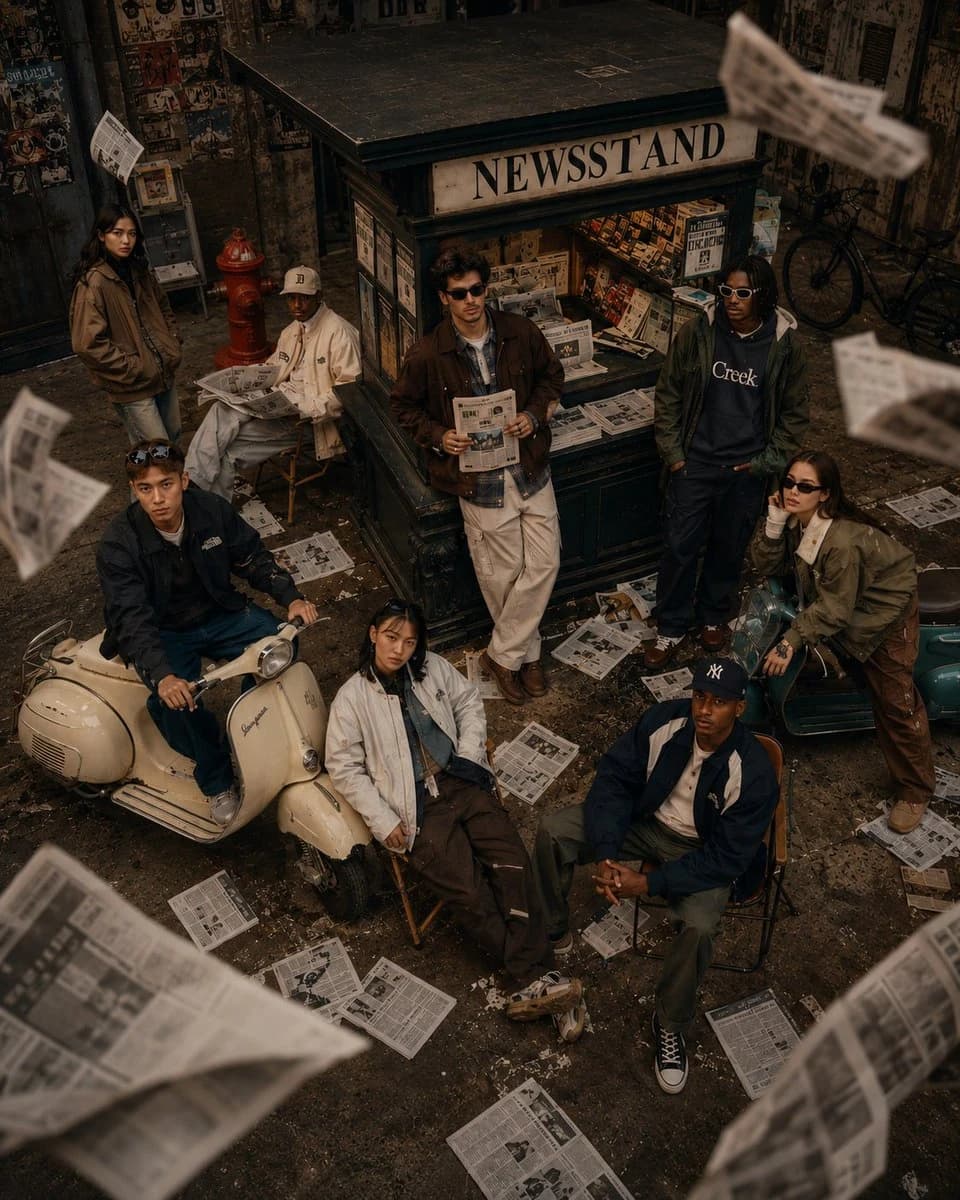
190 wordsA cinematic fashion editorial scene of 8 diverse young adults gathered around a vintage urban newsstand kiosk with a bold "NEWSSTAND" sign, set in a gritty indoor street environment with worn concrete floors, dark industrial walls, and subtle urban details. Newspapers fly dynamically through the air in mid-motion, creating layered depth and energy with natural motion blur. The group is styled in coordinated 90s-inspired retro streetwear - oversized jackets, layered fits, sunglasses, caps, and muted earth tones. (olive green, brown, cream, navy). Composition is carefully balanced: one subject leans casually against the kiosk holding a newspaper, one sits confidently on a cream vintage scooter in the foreground, another rests on a teal scooter, while others stand or sit on chairs with relaxed, confident poses and subtle attitude. Shot from a slightly elevated angle (top-down perspective), wide 35mm lens, maintaining natural proportions. Lighting is soft cinematic with warm highlights and diffused shadows, creating a premium fashion campaign mood. Background includes scattered newspapers, a red fire hydrant, and industrial textures for realism. Ultra-detailed, photorealistic, shallow depth of field, crisp subject focus, soft film grain, natural color grading, high-end magazine aesthetic, 4K quality.
About this prompt
Retro Newsstand Fashion Scene is a ready-to-use portrait prompt for GPT Image 2 on Image 2. Copy the 190 words below, paste them into the Create form, and you will get a result close to the preview above. Tweak the Product Ad, Portrait, Fashion tag if you want to push it somewhere new.
Use it as a starting point and keep iterating: change the subject, lighting, or composition until it looks right. The credit cost stays the same whether you run it as-is or remix it.
Use case
A strong starting point for Portrait
Start here when you want a portrait image in the same direction as Retro Newsstand Fashion Scene. The prompt already sets the look and structure; swap in your own subject, product, colors, or scene details for the brief you have in mind.
Easy places to tweak
- Subject Swap in your person, product, place, or object without changing the overall composition.
- Look and mood Tune the lighting, palette, camera angle, or materials so the image fits your brand.
- Final format Set the aspect ratio, background, text, or layout notes before you generate.
More prompt paths to explore
Find more GPT Image 2 prompts with a similar style, use case, or subject.
How to use it
- Step 1
Copy the prompt
Hit the Copy button above to grab the full text.
- Step 2
Open Image 2 Create
Head to the Create form and paste it in.
- Step 3
Generate
Hit Generate. Your version lands in seconds.
Make it yours
Load the prompt into the Create form with one click, then start tweaking.