Prompt
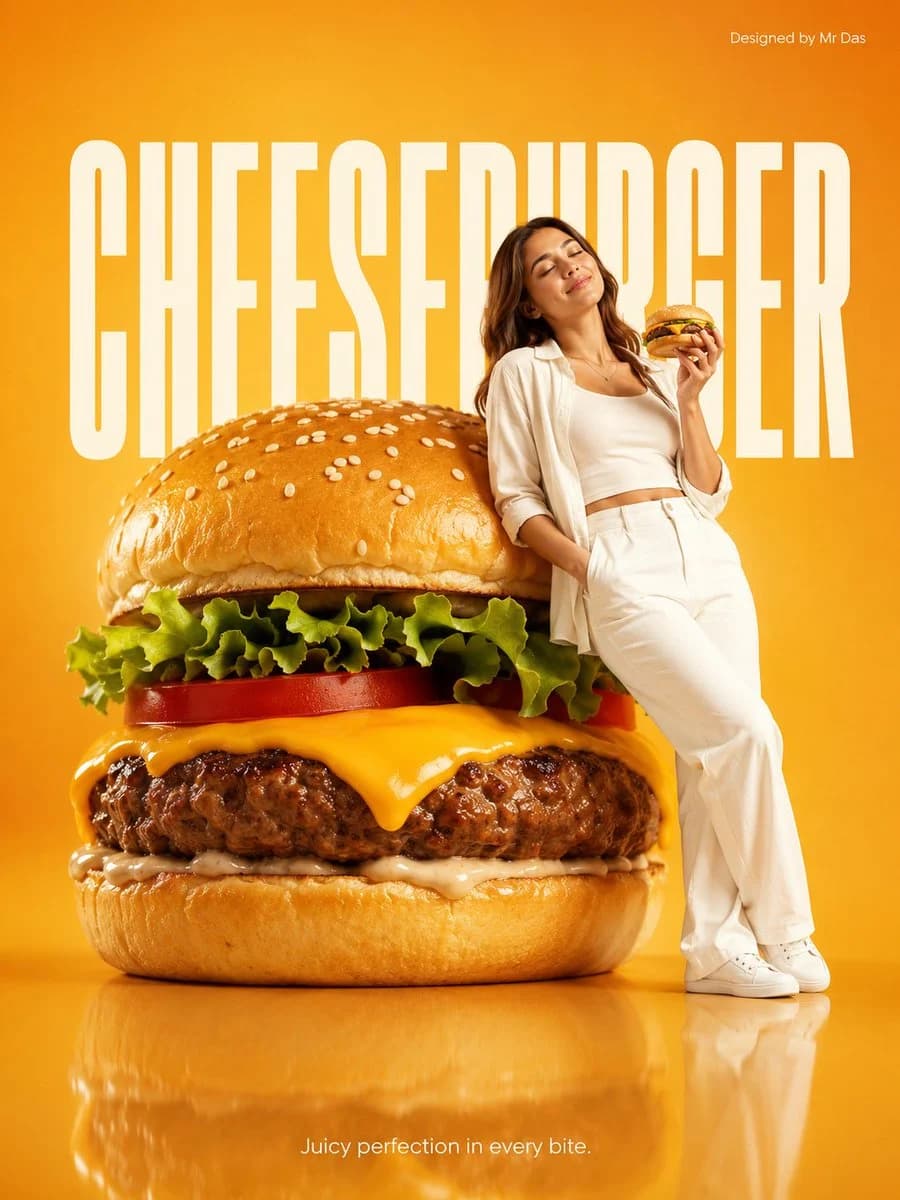
89 wordsMinimalist commercial ad featuring oversized premium cheeseburger with perfectly melted cheese, juicy beef patty, fresh lettuce, tomato, and sesame bun, ultra-clean design. A young woman in all-white outfit leans casually against the giant cheeseburger, relaxed confident pose, eyes closed, also holding a regular-sized cheeseburger in her hand. Soft gradient vibrant warm {argument name="background color" default="golden-orange"} background with large bold white “{argument name="headline" default="CHEESEBURGER"}” text behind. Glossy reflective floor, soft studio lighting, modern high-end food/product photography. Bottom center tagline in small white font: “{argument name="tagline" default="Juicy perfection in every bite."}”About this prompt
Minimalist Giant Cheeseburger Ad Concept is a ready-to-use ad creative prompt for GPT Image 2 on Image 2. Copy the 89 words below, paste them into the Create form, and you will get a result close to the preview above. Tweak the Product Ad, Ad Creative, Portrait tag if you want to push it somewhere new.
Use it as a starting point and keep iterating: change the subject, lighting, or composition until it looks right. The credit cost stays the same whether you run it as-is or remix it.
Use case
A strong starting point for Ad Creative
Start here when you want a ad creative image in the same direction as Minimalist Giant Cheeseburger Ad Concept. The prompt already sets the look and structure; swap in your own subject, product, colors, or scene details for the brief you have in mind.
Easy places to tweak
- Subject Swap in your person, product, place, or object without changing the overall composition.
- Look and mood Tune the lighting, palette, camera angle, or materials so the image fits your brand.
- Final format Set the aspect ratio, background, text, or layout notes before you generate.
More prompt paths to explore
Find more GPT Image 2 prompts with a similar style, use case, or subject.
How to use it
- Step 1
Copy the prompt
Hit the Copy button above to grab the full text.
- Step 2
Open Image 2 Create
Head to the Create form and paste it in.
- Step 3
Generate
Hit Generate. Your version lands in seconds.
Make it yours
Load the prompt into the Create form with one click, then start tweaking.