Prompt
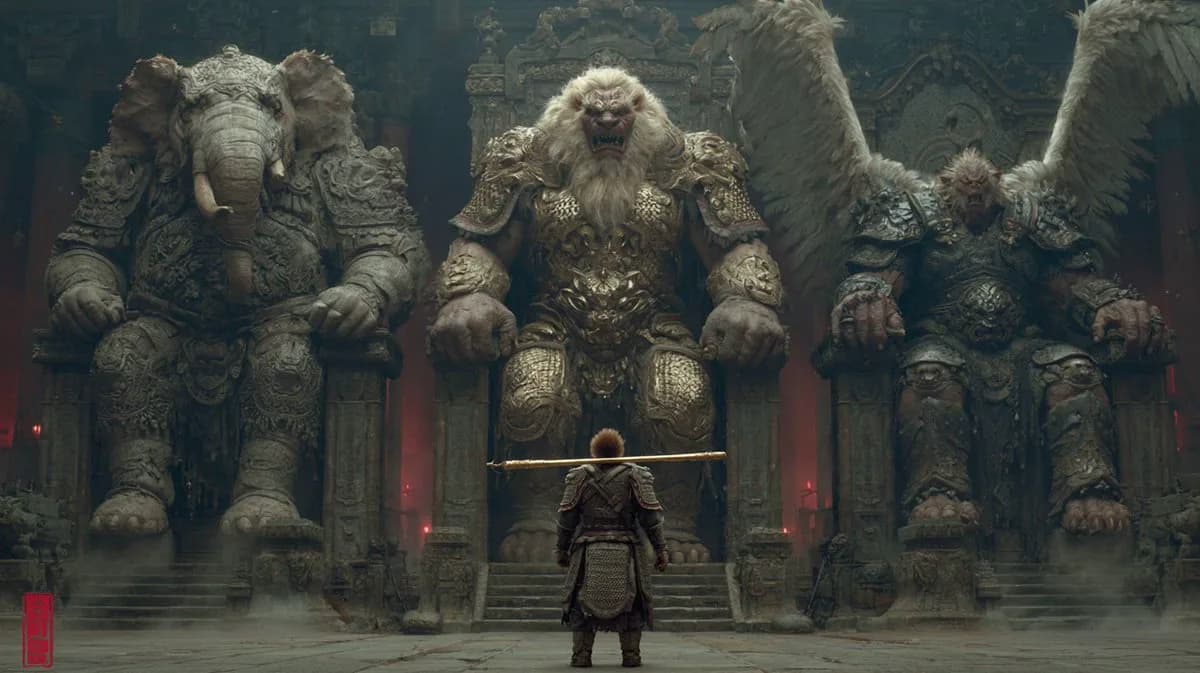
109 wordsDark, eerie Chinese mythological atmosphere blending traditional aesthetics with cinematic realism, meticulous detail, multi-pass rendering, flawless modeling. Journey to the West — the treacherous Lion-Camel Ridge, teeming with countless demons. Three massive thrones: the heavily armored Demon Elephant King seated on the left, the heavily armored Demon Lion King enthroned at center, the heavily armored Great Roc Demon King on the right. A diminutive Sun Wukong — back turned to the viewer — marches forward with his Ruyi Jingu Bang resting on his shoulder, clad in full battle armor. Low-angle upward shot, telephoto compression, dramatic hard shadows. Maximum detail, multiple refinement passes, precise perspective and structural lines, exquisite craftsmanship.
About this prompt
Lion-Camel Ridge Demon Court is a ready-to-use poster prompt for GPT Image 2 on Image 2. Copy the 109 words below, paste them into the Create form, and you will get a result close to the preview above. Tweak the Poster, 3D, Cinematic tag if you want to push it somewhere new.
Use it as a starting point and keep iterating: change the subject, lighting, or composition until it looks right. The credit cost stays the same whether you run it as-is or remix it.
Use case
A strong starting point for Poster
Start here when you want a poster image in the same direction as Lion-Camel Ridge Demon Court. The prompt already sets the look and structure; swap in your own subject, product, colors, or scene details for the brief you have in mind.
Easy places to tweak
- Subject Swap in your person, product, place, or object without changing the overall composition.
- Look and mood Tune the lighting, palette, camera angle, or materials so the image fits your brand.
- Final format Set the aspect ratio, background, text, or layout notes before you generate.
More prompt paths to explore
Find more GPT Image 2 prompts with a similar style, use case, or subject.
How to use it
- Step 1
Copy the prompt
Hit the Copy button above to grab the full text.
- Step 2
Open Image 2 Create
Head to the Create form and paste it in.
- Step 3
Generate
Hit Generate. Your version lands in seconds.
Make it yours
Load the prompt into the Create form with one click, then start tweaking.