Prompt
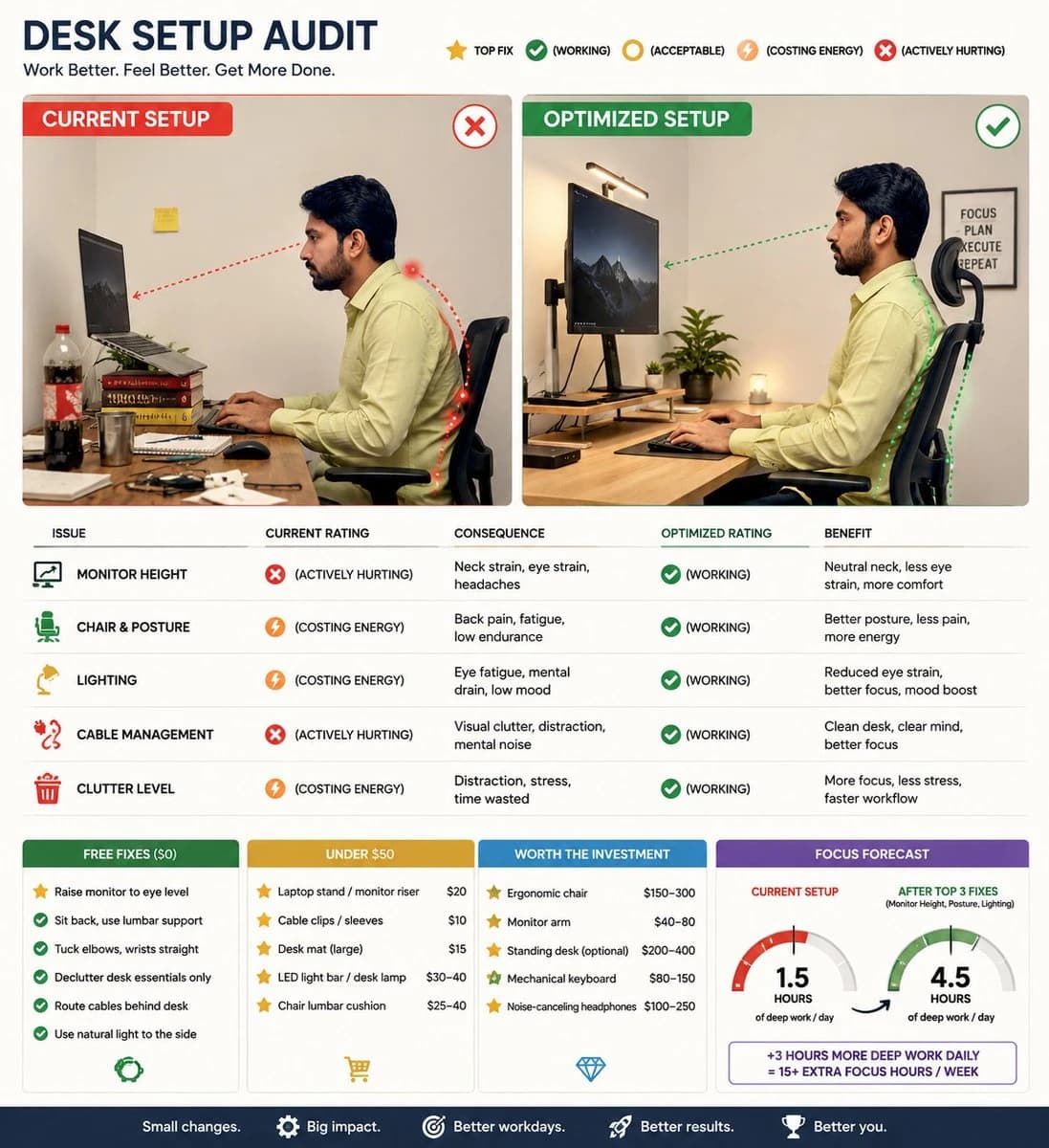
105 wordsCreate a visual-first, editorial-style infographic auditing the desk setup in the attached photo. Show a side-by-side of current vs. optimized setup with annotations on monitor height, chair position, lighting, cable management, and clutter. Rate each issue with symbols like Top Fix, (working), (acceptable), (costing energy), and (actively hurting), tying each to a consequence like back pain, eye strain, or focus loss. Rank fixes by impact and group them into free fixes, under $50, and worth the investment. Include a Focus Forecast gauge predicting daily deep work hours possible with the current setup vs. after the top 3 fixes. Keep it clean, minimal text, no paragraphs.
About this prompt
Desk Setup Audit Infographic is a ready-to-use ui mockup prompt for GPT Image 2 on Image 2. Copy the 105 words below, paste them into the Create form, and you will get a result close to the preview above. Tweak the Infographic, UI, Mockup tag if you want to push it somewhere new.
Use it as a starting point and keep iterating: change the subject, lighting, or composition until it looks right. The credit cost stays the same whether you run it as-is or remix it.
Use case
A strong starting point for UI Mockup
Start here when you want a ui mockup image in the same direction as Desk Setup Audit Infographic. The prompt already sets the look and structure; swap in your own subject, product, colors, or scene details for the brief you have in mind.
Easy places to tweak
- Subject Swap in your person, product, place, or object without changing the overall composition.
- Look and mood Tune the lighting, palette, camera angle, or materials so the image fits your brand.
- Final format Set the aspect ratio, background, text, or layout notes before you generate.
More prompt paths to explore
Find more GPT Image 2 prompts with a similar style, use case, or subject.
How to use it
- Step 1
Copy the prompt
Hit the Copy button above to grab the full text.
- Step 2
Open Image 2 Create
Head to the Create form and paste it in.
- Step 3
Generate
Hit Generate. Your version lands in seconds.
Make it yours
Load the prompt into the Create form with one click, then start tweaking.