Prompt
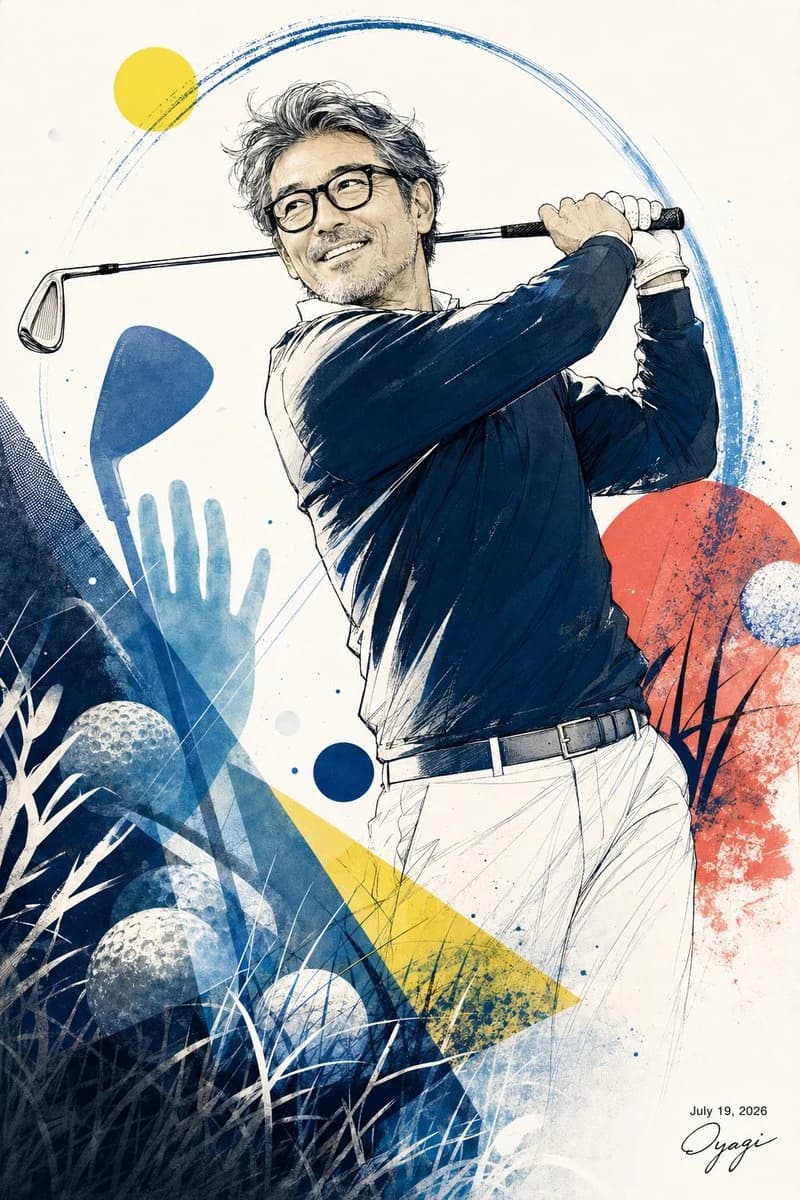
288 wordsCreate a vertical sports fashion illustration of a cheerful middle-aged Japanese man playing golf, shown from the hips up in a completed follow-through pose. He has salt-and-pepper tousled hair, light stubble, warm smiling expression, and black rectangular glasses, looking upward to the left as if watching the ball. He wears a dark navy long-sleeve golf top with subtle white highlights, white golf pants, a black belt, and a white golf glove; a golf club rests across his shoulders with both hands gripping it near the right side of the composition. Use an elegant ink-and-watercolor editorial style with crisp sketch lines, hatching, splattered pigment, and textured paper background. Compose him centered-right, dynamic and slightly diagonal, with abstract golf-themed graphic elements around him: exactly 4 visible golf balls in the lower-left area and right side, 2 golf club-head silhouettes on the left, 1 translucent blue hand silhouette behind the clubs, 1 large dark navy triangular textured block on the lower left, 1 yellow triangular beam rising diagonally from the lower center, 1 red-orange textured circle on the right, 1 small solid yellow sun circle at the upper left, 1 small solid navy dot near the lower center, and 1 broad blue circular brushstroke arc sweeping behind the golfer from upper left to upper right. Add white grass silhouettes and fine crossing lines in the lower foreground, plus small blue ink speckles throughout. Keep the background mostly off-white with ample negative space. Include a small handwritten signature and the date {argument name="date text" default="July 19, 2026"} in the bottom-right corner, with the signature reading {argument name="signature text" default="Oyagi"}. The golfer should feel like an enthusiastic beginner practicing for a weekend golf outing, refined but lively, with no extra text or logo.About this prompt
Watercolor Golfer Follow-Through is a ready-to-use ad creative prompt for GPT Image 2 on Image 2. Copy the 288 words below, paste them into the Create form, and you will get a result close to the preview above. Tweak the Product Ad, Ad Creative, Fashion tag if you want to push it somewhere new.
Use it as a starting point and keep iterating: change the subject, lighting, or composition until it looks right. The credit cost stays the same whether you run it as-is or remix it.
Use case
A strong starting point for Ad Creative
Start here when you want a ad creative image in the same direction as Watercolor Golfer Follow-Through. The prompt already sets the look and structure; swap in your own subject, product, colors, or scene details for the brief you have in mind.
Easy places to tweak
- Subject Swap in your person, product, place, or object without changing the overall composition.
- Look and mood Tune the lighting, palette, camera angle, or materials so the image fits your brand.
- Final format Set the aspect ratio, background, text, or layout notes before you generate.
More prompt paths to explore
Find more GPT Image 2 prompts with a similar style, use case, or subject.
How to use it
- Step 1
Copy the prompt
Hit the Copy button above to grab the full text.
- Step 2
Open Image 2 Create
Head to the Create form and paste it in.
- Step 3
Generate
Hit Generate. Your version lands in seconds.
Make it yours
Load the prompt into the Create form with one click, then start tweaking.